As a trusted Siemens PLC supplier, I understand the critical importance of optimizing the performance of Siemens Programmable Logic Controllers (PLCs) in various industrial applications. In this blog post, I will share some practical tips and strategies to help you get the most out of your Siemens PLC systems.
1. Hardware Selection and Configuration
The first step in optimizing the performance of a Siemens PLC is to choose the right hardware for your specific application. Siemens offers a wide range of PLC models, each with different features, capabilities, and performance levels. When selecting a PLC, consider factors such as the number of inputs and outputs (I/O), processing speed, memory capacity, and communication interfaces required for your application.
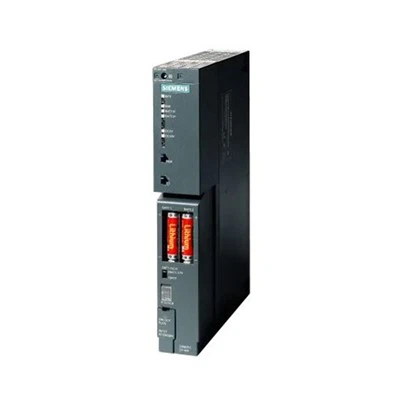
For example, if you have a relatively simple automation task with a limited number of I/O points, the SIMATIC S7 - 1200 SM 1223 might be a suitable choice. It is a compact and cost - effective PLC that offers a good balance of performance and functionality. On the other hand, for more complex applications with high - speed processing requirements and a large number of I/O points, you may need to consider a more powerful model such as the 6ES7392 - 1AM00 - 0AA0 Siemens PLC.
Proper hardware configuration is also crucial for optimal performance. Make sure to correctly install and connect all the components, including power supplies, I/O modules, and communication cables. Check for any loose connections, damaged cables, or faulty components that could affect the performance of the PLC. Additionally, ensure that the PLC is installed in a suitable environment with proper ventilation, temperature, and humidity control to prevent overheating and other environmental - related issues.
2. Software Programming and Optimization
The software programming of a Siemens PLC plays a vital role in its performance. Use the appropriate programming language and tools provided by Siemens, such as STEP 7 or TIA Portal, to develop efficient and reliable control programs.
- Structured Programming: Adopt structured programming techniques to organize your code into smaller, more manageable blocks. This makes the code easier to understand, maintain, and debug. For example, you can use function blocks to encapsulate specific tasks or algorithms, and call these function blocks from the main program as needed.
- Efficient Use of Memory: Be mindful of the memory usage in your program. Avoid unnecessary variables and data storage, and use data types that are appropriate for the values they represent. For instance, if you only need to store a boolean value (true or false), use the BOOL data type instead of a larger data type like INT or REAL.
- Optimizing Scan Time: The scan time of a PLC is the time it takes for the PLC to execute one complete cycle of its program. Minimize the scan time by reducing the number of instructions in your program, avoiding unnecessary loops and conditional statements, and using high - speed processing instructions when available. You can also optimize the order of instructions to ensure that critical tasks are executed first.
3. Communication Optimization
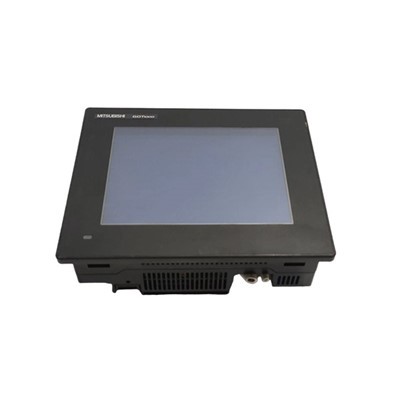
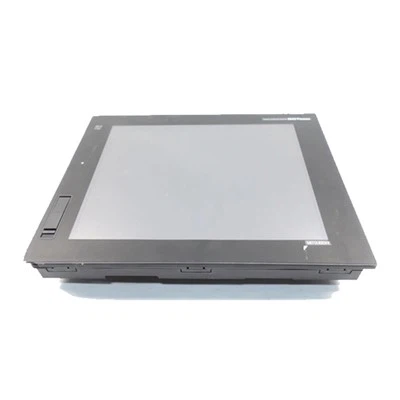
Siemens PLCs support a variety of communication protocols, such as Profibus, Profinet, and Ethernet/IP. Effective communication is essential for the integration of the PLC with other devices in the industrial network, such as sensors, actuators, and human - machine interfaces (HMIs).


- Selecting the Right Communication Protocol: Choose the communication protocol that best suits your application requirements. For example, Profibus is a widely used fieldbus protocol that offers high - speed communication and is suitable for connecting multiple devices in a distributed control system. Profinet, on the other hand, is an Ethernet - based protocol that provides faster data transfer rates and better integration with IT systems.
- Configuring Communication Parameters: Properly configure the communication parameters of the PLC, such as baud rate, data format, and network address. Ensure that all the connected devices have compatible communication settings to avoid communication errors.
- Reducing Communication Overhead: Minimize the amount of data transferred between the PLC and other devices to reduce communication overhead. Use data filtering and compression techniques to send only the necessary data, and schedule communication tasks at appropriate intervals to avoid congestion on the network.
4. Maintenance and Monitoring
Regular maintenance and monitoring are essential for ensuring the long - term performance of a Siemens PLC.
- Preventive Maintenance: Implement a preventive maintenance plan to perform regular inspections, cleaning, and component replacement. Check the physical condition of the PLC, including the enclosure, fans, and connectors, and replace any worn - out or damaged parts.
- Monitoring System Performance: Use the diagnostic tools provided by Siemens to monitor the performance of the PLC in real - time. These tools can provide information about the status of the PLC, such as the scan time, memory usage, and communication errors. Set up alarms and notifications to alert you when there are any performance issues or potential problems.
- Firmware Updates: Keep the firmware of the PLC up - to - date. Siemens regularly releases firmware updates that can improve the performance, functionality, and security of the PLC. Install these updates according to the manufacturer's instructions to ensure optimal performance.
5. Troubleshooting and Problem - Solving
Even with proper optimization and maintenance, problems may still occur with a Siemens PLC. Having a systematic approach to troubleshooting can help you quickly identify and resolve issues.
- Using Diagnostic Information: The PLC provides diagnostic information that can help you pinpoint the source of the problem. Use the diagnostic LEDs on the PLC and the diagnostic messages in the programming software to gather information about the status of the PLC and its components.
- Isolating the Problem: Once you have identified a potential problem, isolate the affected component or section of the program. This can involve testing individual I/O modules, checking communication links, or running diagnostic routines on specific parts of the program.
- Seeking Technical Support: If you are unable to resolve the problem on your own, don't hesitate to seek technical support from Siemens or your local distributor. They have the expertise and resources to assist you in troubleshooting and resolving complex issues.
Conclusion
Optimizing the performance of a Siemens PLC requires a comprehensive approach that includes proper hardware selection and configuration, efficient software programming, effective communication management, regular maintenance and monitoring, and prompt troubleshooting. By following the tips and strategies outlined in this blog post, you can ensure that your Siemens PLC systems operate at their best, providing reliable and efficient control in your industrial applications.
If you are interested in purchasing Siemens PLCs or need further assistance with optimizing their performance, I invite you to contact us for a detailed discussion. We are committed to providing high - quality products and professional technical support to meet your specific needs.
References
- Siemens AG. (20XX). Programming Manual for SIMATIC PLCs.
- STEP 7 and TIA Portal User Guides. Siemens.
- Industrial Automation Handbook. Various Authors.