


In the era of rapid industrial development, remote monitoring has become an essential requirement for many industries. It allows operators to keep an eye on industrial processes from a distance, enhancing efficiency, reducing costs, and improving overall productivity. As a supplier of Siemens HMI (Human - Machine Interface) products, I often get asked the question: "Can Siemens HMI be used for remote monitoring?" In this blog post, I will delve into this topic in detail.
Understanding Siemens HMI
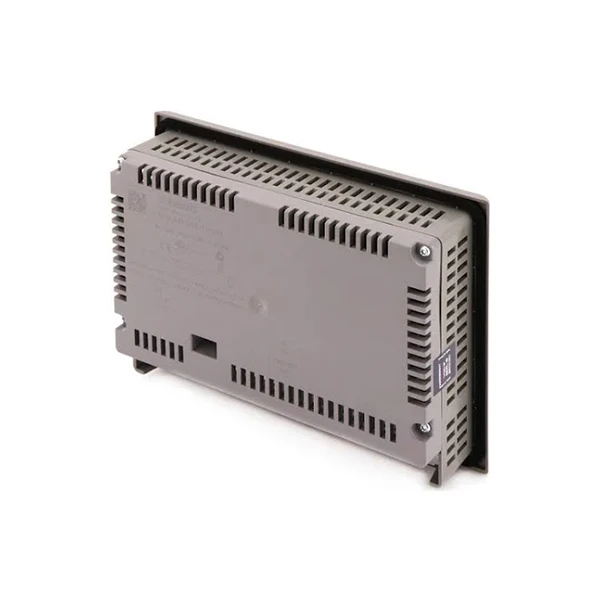
Siemens HMI devices are well - known for their high - quality, reliability, and advanced functionality. They serve as the interface between human operators and industrial equipment, enabling users to monitor and control various processes. Some popular models in our product range include the SIMATIC HMI KTP1200 Basic DP, Siemens SIMATIC KTP600 HMI, and Siemens 6AV2124 - 1GC01 - 0AX0. These HMIs come with features such as high - resolution displays, intuitive touchscreens, and support for a wide range of communication protocols.
The Feasibility of Remote Monitoring with Siemens HMI
The short answer is yes, Siemens HMI can be used for remote monitoring. Siemens has designed its HMI products with the consideration of modern industrial needs, including the ability to be integrated into remote monitoring systems.
Communication Protocols
One of the key factors enabling remote monitoring is the support for various communication protocols. Siemens HMIs support protocols like Profibus, Profinet, Ethernet/IP, and Modbus TCP. These protocols allow the HMI to communicate with other devices in the industrial network, such as programmable logic controllers (PLCs), sensors, and actuators. For example, if you have a PLC controlling a manufacturing process, the HMI can communicate with the PLC via Profinet to gather real - time data about the process parameters. This data can then be transmitted over the network to a remote location for monitoring.
Connectivity Options
Siemens HMIs offer multiple connectivity options. They can be connected to local area networks (LANs), wide area networks (WANs), or even the Internet. You can use Ethernet cables to connect the HMI to a local network, and then use routers or VPN (Virtual Private Network) technology to extend the connection to a remote monitoring station. For instance, a company with multiple manufacturing plants can use a VPN to connect the HMIs in each plant to a central monitoring center, allowing managers to monitor all processes from a single location.
Software Support
Siemens provides powerful software tools for configuring and programming its HMIs. The WinCC Unified software, for example, allows users to create intuitive and user - friendly visualizations for remote monitoring. You can design screens that display real - time data, alarm messages, and historical trends. The software also supports remote access, which means you can access and control the HMI from a remote computer or mobile device. With the WinCC Unified Remote software, you can view the HMI screens on your smartphone or tablet, enabling you to monitor industrial processes on the go.
Advantages of Using Siemens HMI for Remote Monitoring
Real - Time Monitoring
One of the significant advantages of using Siemens HMI for remote monitoring is the ability to obtain real - time data. Operators can monitor process variables such as temperature, pressure, and flow rate in real - time, allowing them to detect and respond to any issues immediately. For example, if the temperature in a chemical reactor exceeds the set limit, the HMI can trigger an alarm, and the operator can take corrective actions remotely.
Cost - Efficiency
Remote monitoring with Siemens HMI can significantly reduce costs. Instead of having operators physically present at each industrial site, they can monitor multiple sites from a central location. This reduces labor costs and the need for on - site infrastructure. Additionally, early detection of problems through remote monitoring can prevent costly breakdowns and production downtime.
Improved Productivity
By enabling remote monitoring, Siemens HMIs allow operators to focus on critical tasks. They can quickly analyze data and make informed decisions without having to be physically present at the industrial equipment. This leads to improved productivity as processes can be optimized more efficiently. For example, if a production line is running at a sub - optimal speed, the operator can adjust the settings remotely to increase the output.
Challenges and Solutions
Security Concerns
When using Siemens HMI for remote monitoring, security is a major concern. Since the HMI is connected to the network, it is vulnerable to cyber - attacks. Siemens addresses this issue by implementing security features such as user authentication, encryption, and firewalls. For example, you can set up user accounts with different levels of access rights, ensuring that only authorized personnel can access the HMI. Encryption can be used to protect the data transmitted over the network, preventing it from being intercepted by unauthorized parties.
Network Reliability
Another challenge is network reliability. A stable network connection is essential for remote monitoring. If the network goes down, the operator may lose access to the HMI and the real - time data. To overcome this challenge, you can use redundant network connections. For example, you can have both an Ethernet connection and a wireless connection as a backup. Additionally, Siemens HMIs support network diagnostic tools that can help you identify and troubleshoot network issues quickly.
Case Studies
Let's look at a few case studies to illustrate the effectiveness of using Siemens HMI for remote monitoring.
Manufacturing Industry
A manufacturing company was facing challenges in monitoring its multiple production lines located in different factories. By installing Siemens HMIs and integrating them with the existing PLCs, the company was able to monitor all production processes remotely. The operators could view real - time data on production rates, quality control parameters, and equipment status. As a result, they were able to detect and resolve issues quickly, leading to a 15% increase in overall productivity.
Energy Sector
In the energy sector, a power plant used Siemens HMIs for remote monitoring of its generators. The HMIs were connected to the generator control systems via Profibus, and the data was transmitted to a central monitoring station over a VPN. The operators could monitor the generator's temperature, voltage, and power output in real - time. This allowed them to optimize the generator's performance and prevent potential failures, resulting in a significant reduction in maintenance costs.
Conclusion
In conclusion, Siemens HMI is a powerful tool for remote monitoring. With its support for various communication protocols, connectivity options, and software tools, it can be easily integrated into remote monitoring systems. The advantages of real - time monitoring, cost - efficiency, and improved productivity make it an ideal choice for industries looking to enhance their operational efficiency.

If you are interested in using Siemens HMI for remote monitoring in your industrial processes, I encourage you to contact us for further discussion. We can provide you with detailed product information, technical support, and help you find the best solution for your specific needs.
References
- Siemens AG. (2023). WinCC Unified Software Documentation.
- Siemens Industry Online Support. (2023). Communication Protocols for Siemens HMIs.
- Industrial Automation Handbook. (2022). CRC Press.


