


As a trusted supplier of Omron PLCs, I've had the privilege of working closely with these remarkable devices in various industrial settings. Omron PLCs (Programmable Logic Controllers) are renowned for their reliability, flexibility, and advanced features, making them a top choice for automation and control systems. In this blog, I'll share insights on how to read and write data in an Omron PLC, which is fundamental for effectively utilizing these controllers in your projects.
Understanding the Basics of Omron PLCs
Before delving into data reading and writing, it's essential to understand the basic structure of an Omron PLC. Omron offers a wide range of PLC models, each designed to meet different industrial requirements. For instance, the Omron CJ1M - CPU21 PLC is a compact and high - performance controller suitable for small to medium - sized applications. The Omron CJ2M - CPU35 provides enhanced processing power and expandability, making it ideal for larger automation systems.
Omron PLCs have different types of memory areas where data is stored. These include Input (I) and Output (O) memory, which are used to interface with external devices such as sensors and actuators. There are also Internal Relay (R) areas, Timer (T) and Counter (C) areas, and Data Memory (DM) areas. Each memory area serves a specific purpose, and understanding them is crucial for data manipulation.
Reading Data from an Omron PLC
Using the Programming Software
Omron provides programming software such as CX - Programmer, which is a powerful tool for configuring, programming, and monitoring PLCs. To read data from a PLC using CX - Programmer:
- Connect to the PLC: First, establish a connection between your computer and the Omron PLC. This can be done via Ethernet, serial communication, or other supported interfaces.
- Open the Program: Launch CX - Programmer and open the project associated with your PLC.
- Monitor the Memory Areas: Navigate to the memory monitoring section in CX - Programmer. You can select the specific memory area you want to monitor, such as the Input (I) memory to check the status of sensors. For example, if you have a proximity sensor connected to an input point, you can monitor the corresponding bit in the Input memory to see if the sensor is detecting an object.
- View the Data: Once you've selected the memory area, the software will display the current values of the memory locations. You can view the data in decimal, hexadecimal, or binary format, depending on your preference.
Reading Data via Communication Protocols
Omron PLCs support various communication protocols, such as Ethernet/IP, Modbus TCP, and FINS (Factory Interface Network Service). If you want to read data from the PLC using a third - party device or a custom application, you can use these protocols.
- Ethernet/IP: This is a widely used industrial Ethernet protocol. To read data using Ethernet/IP, you need to configure the PLC as an Ethernet/IP server. Then, your client device (e.g., a PC running a custom application) can send requests to the PLC to read data from specific memory locations.
- Modbus TCP: Modbus TCP is another popular protocol. You can configure the Omron PLC as a Modbus TCP slave. The master device can then send read requests to the PLC to obtain data from the specified memory areas.
- FINS: FINS is an Omron - specific protocol. It allows for easy communication between Omron PLCs and other devices. You can use FINS commands to read data from the PLC's memory. For example, the FINS Read Memory Area command can be used to read a block of data from the Data Memory (DM) area.
Writing Data to an Omron PLC
Using the Programming Software
Similar to reading data, you can use CX - Programmer to write data to an Omron PLC.

- Connect to the PLC: Ensure that your computer is connected to the PLC.
- Open the Program: Open the project in CX - Programmer.
- Edit the Memory Values: Navigate to the memory area where you want to write data. For example, if you want to control an output device, you can write a value to the corresponding Output (O) memory location. You can directly enter the value in the software and then download the changes to the PLC.
- Verify the Changes: After writing the data, you can monitor the memory area to verify that the changes have been successfully applied.
Writing Data via Communication Protocols
Just as with reading data, you can use communication protocols to write data to an Omron PLC.
- Ethernet/IP: If you are using Ethernet/IP, your client device can send write requests to the PLC to update the values in specific memory locations. For example, you can send a command to turn on an output device by writing a value to the corresponding Output memory location.
- Modbus TCP: With Modbus TCP, the master device can send write requests to the PLC's Modbus registers. You need to know the correct register address and the value you want to write.
- FINS: The FINS Write Memory Area command can be used to write a block of data to the PLC's memory. You can specify the starting memory address and the data to be written.
Considerations for Data Reading and Writing
Data Types
Omron PLCs support different data types, such as bits, words, and double words. When reading or writing data, you need to ensure that you are using the correct data type. For example, if you are reading a temperature value from a sensor, it may be stored as a word or a double word in the PLC's memory. You need to interpret the data correctly based on the data type.
Memory Protection
Some memory areas in Omron PLCs may be protected to prevent unauthorized access or accidental modification. Before attempting to read or write data from a protected memory area, you need to ensure that you have the appropriate permissions.
Error Handling
When reading or writing data, errors can occur due to communication issues, incorrect memory addresses, or other factors. It's important to implement error - handling mechanisms in your applications. For example, if a read request fails, your application should be able to detect the error and take appropriate action, such as retrying the request or displaying an error message.
Conclusion
Reading and writing data in an Omron PLC is a fundamental skill for anyone working with these controllers. Whether you are using the programming software or communication protocols, understanding the memory areas, data types, and error - handling techniques is essential for successful data manipulation. As a supplier of Omron PLCs, I'm committed to providing support and guidance to help you make the most of these powerful devices.
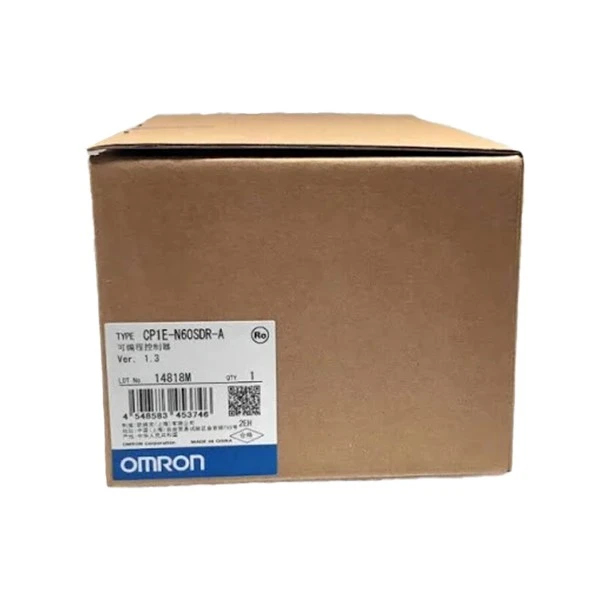
If you are interested in purchasing Omron PLCs or need further assistance with data reading and writing, please feel free to contact us for a procurement discussion. We have a wide range of models available, including the CP1H - X40DR - A Omron, Omron CP1E - N60SDR - A, and Omron CPM1A - 40CDR - A - V1, to meet your specific requirements.
References
- Omron CX - Programmer User's Manual
- Omron PLC Communication Manuals (Ethernet/IP, Modbus TCP, FINS)
- Industrial Automation Textbooks on Programmable Logic Controllers


