


Hey there! I'm a supplier of Siemens VFDs (Variable Frequency Drives), and I'm stoked to share some insights on how to set the safety functions of these amazing devices. Siemens VFDs are top - notch in the market, offering a wide range of features that ensure both efficiency and safety in various industrial applications.
First off, let's understand why safety functions in Siemens VFDs are so crucial. In industrial settings, machinery powered by VFDs can pose significant risks if not properly controlled. Safety functions prevent accidents such as unexpected starts, over - speed, and excessive torque, which can lead to equipment damage and, more importantly, harm to operators.
One of the most popular Siemens VFDs out there is the SINAMICS S210. This drive is known for its high - performance and energy - efficient operation. When it comes to setting the safety functions of the SINAMICS S210, there are a few key steps.
The first step is to familiarize yourself with the safety ratings and standards. Siemens VFDs are designed to meet international safety standards like ISO 13849 and IEC 61508. Before you start configuring the safety functions, make sure you understand these standards and how they apply to your specific application.
Next, you'll need to access the drive's parameter settings. Most Siemens VFDs, including the SINAMICS S210, come with a user - friendly interface. You can use a keypad or a PC software to access the parameter menu. Look for the safety - related parameters, which are usually grouped together.

For example, the "Safe Torque Off" (STO) function is a fundamental safety feature. STO ensures that the drive stops providing torque to the motor, effectively preventing unexpected starts. To enable the STO function on the SINAMICS S210, you'll need to set the appropriate parameter value. Usually, you'll find this parameter under the safety function section of the menu. You can set it to either "Enabled" or "Disabled" depending on your requirements.
Another important safety function is the "Safe Stop 1" (SS1). SS1 combines the STO function with a controlled deceleration of the motor. When SS1 is activated, the drive first decelerates the motor to a standstill and then activates the STO function. To set up SS1, you'll need to configure parameters related to the deceleration time and the activation conditions.
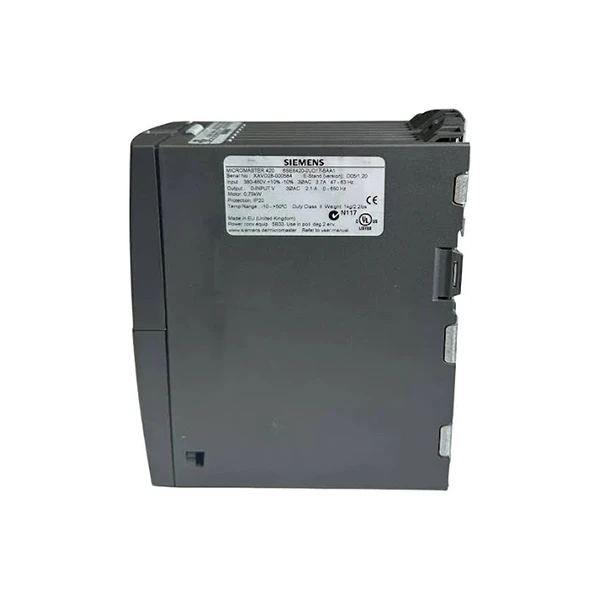
Now, let's talk about the Siemens 6SE6420 - 2UD17 - 5AA1 Drives. These drives are widely used in a variety of industrial applications, from simple conveyor systems to complex manufacturing machinery.
Setting the safety functions of the Siemens 6SE6420 - 2UD17 - 5AA1 Drives follows a similar process as the SINAMICS S210. However, there might be some differences in the parameter names and locations.
One unique safety feature of these drives is the "Safe Operating Stop" (SOS). SOS allows the drive to continue running at a reduced speed while still maintaining a safe operating condition. This can be useful in applications where a complete stop is not practical, such as in some continuous - process industries.
To set up the SOS function, you'll need to access the safety parameter menu. Look for the SOS - related parameters and configure them according to your needs. You'll need to set the maximum allowable speed during SOS, the activation conditions, and the monitoring time.
The SINAMICS V90 is another great option from Siemens. It's a compact and cost - effective drive suitable for a wide range of motion control applications.
When setting the safety functions of the SINAMICS V90, you'll also focus on features like STO, SS1, and SOS. The drive's user interface makes it relatively easy to access and configure these parameters.
One thing to keep in mind is that the safety functions of Siemens VFDs are highly customizable. You can adjust the parameters to suit the specific requirements of your application. For example, if you're using the drive in a hazardous environment, you might want to set more conservative safety limits.
In addition to setting the basic safety functions, it's also important to perform regular safety checks and maintenance. This includes testing the safety functions periodically to ensure they are working correctly. You can use a test mode available in most Siemens VFDs to simulate safety events and verify the response of the drive.
If you're new to setting the safety functions of Siemens VFDs, don't worry. Siemens provides excellent documentation and support. You can find user manuals, technical guides, and online resources that can help you through the process.
Moreover, as a Siemens VFD supplier, I'm here to assist you. Whether you have questions about the installation, configuration, or troubleshooting of the safety functions, I've got your back.
If you're in the market for Siemens VFDs or need help with setting up the safety functions, don't hesitate to reach out. We can have a detailed discussion about your specific needs and find the best solution for your industrial application.
In conclusion, setting the safety functions of Siemens VFDs is a critical task that requires a good understanding of the drive's features and the relevant safety standards. By following the steps outlined above and leveraging the support available, you can ensure the safe and efficient operation of your machinery. So, if you're interested in purchasing Siemens VFDs or need further assistance, let's start a conversation and get your project on the right track.
References
- Siemens SINAMICS S210 User Manual
- Siemens 6SE6420 - 2UD17 - 5AA1 Drives Technical Guide
- Siemens SINAMICS V90 Installation and Operation Manual


