


As a supplier of Mitsubishi PLCs, I've encountered numerous situations where customers face issues with their PLCs not starting up. This blog post aims to provide a comprehensive guide on how to troubleshoot and solve the problem of a Mitsubishi PLC not starting up.
Power Supply Checks
The first step in diagnosing a non - starting Mitsubishi PLC is to examine the power supply. A faulty power supply is one of the most common reasons for a PLC not to start.
- Verify the Input Voltage: Check if the power supply voltage matches the specifications of the PLC. Different models of Mitsubishi PLCs, such as the Mitsubishi Fx2n 4ad, have specific voltage requirements. Use a multimeter to measure the input voltage at the power terminals of the PLC. If the voltage is too low or too high, it can prevent the PLC from starting.
- Inspect the Power Cable: Examine the power cable for any signs of damage, such as cuts, fraying, or loose connections. A damaged power cable can disrupt the power supply to the PLC. Ensure that the cable is properly plugged into both the power source and the PLC.
- Check the Power Switch: Some PLCs have a power switch. Make sure the switch is in the “ON” position. If the switch is faulty, it may need to be replaced.
Hardware Component Checks
After ensuring a stable power supply, it's time to look at the hardware components of the PLC.
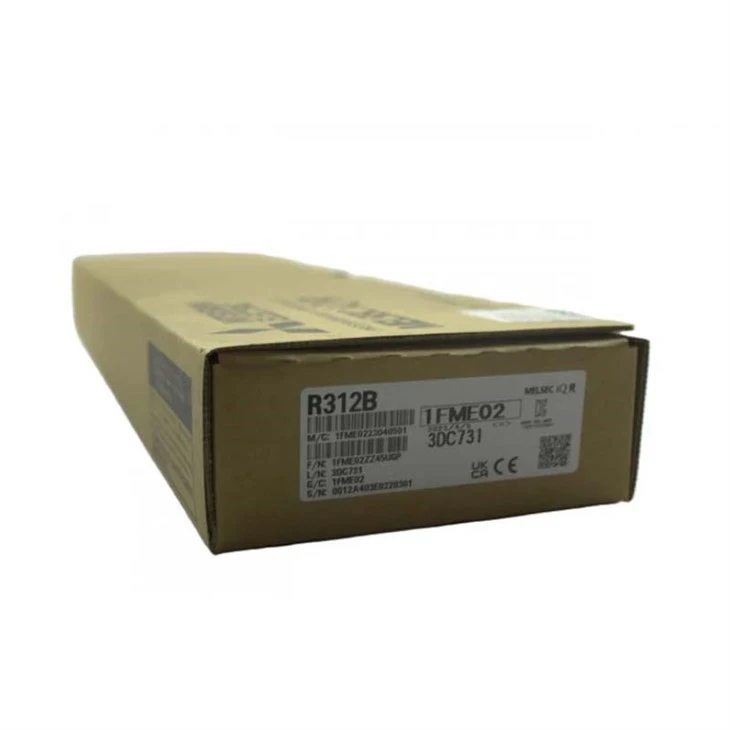
- Module Installation: Check if all the modules in the PLC system are properly installed. Loose or incorrectly installed modules can cause communication issues and prevent the PLC from starting. For example, in a system with the MITSUBISHI R312B Main Base Unit PLC, each module needs to be securely seated in its slot.
- CPU Status LEDs: Most Mitsubishi PLCs have status LEDs on the CPU module. These LEDs can provide valuable information about the state of the PLC. Refer to the user manual of your specific PLC model to understand the meaning of each LED. For instance, a blinking red LED may indicate a critical error.
- External Devices: Examine any external devices connected to the PLC, such as sensors, actuators, or communication devices. A malfunctioning external device can draw excessive current or cause communication errors, leading to the PLC not starting. Disconnect any non - essential external devices one by one to see if the PLC starts up.
Software and Configuration Checks
The software and configuration of the PLC can also be the root cause of the startup problem.
- Program Memory: Check if the program memory of the PLC is intact. A corrupted program can prevent the PLC from starting. You can try to clear the program memory and then reprogram the PLC with a known - good program.
- Configuration Settings: Review the configuration settings of the PLC. Incorrect settings, such as communication parameters or input/output assignments, can cause startup issues. Make sure that the settings match the requirements of your application. For example, if you are using the Fx2n 80mr Ds, the input/output addressing should be correctly configured.
- Firmware Updates: Check if there are any available firmware updates for your PLC model. Outdated firmware can sometimes cause compatibility issues and prevent the PLC from starting. Follow the manufacturer's instructions to update the firmware safely.
Communication Checks
If the PLC is part of a network or communication system, communication issues can also lead to startup problems.
- Network Connections: Verify the network connections of the PLC. Ensure that the Ethernet cables or other communication cables are properly connected and that there are no network interruptions.
- Communication Settings: Check the communication settings of the PLC, such as IP addresses, subnet masks, and communication protocols. Incorrect settings can prevent the PLC from communicating with other devices in the network, which may affect its startup.
- Network Devices: Examine other network devices, such as routers, switches, or gateways. A malfunctioning network device can disrupt the communication between the PLC and other components in the system.
Further Steps and Support
If you have followed all the above steps and still cannot solve the problem of the Mitsubishi PLC not starting up, it may be time to seek further support.
- Contact Technical Support: Reach out to Mitsubishi's technical support team. They have in - depth knowledge and experience in troubleshooting PLC issues and can provide you with more specific guidance.
- Professional Service: Consider hiring a professional PLC technician. A technician can conduct more advanced diagnostic tests and repairs to resolve the problem.
Conclusion
Troubleshooting a Mitsubishi PLC that won't start up requires a systematic approach, starting from power supply checks, moving on to hardware, software, and communication checks. By following the steps outlined in this blog post, you can increase your chances of identifying and solving the problem.
As a Mitsubishi PLC supplier, we are committed to providing high - quality products and excellent after - sales support. If you are experiencing any issues with your Mitsubishi PLC or are interested in purchasing new PLC products, we encourage you to contact us for procurement and negotiation. We have a wide range of Mitsubishi PLC models, including the ones mentioned in this blog post, and can offer you competitive prices and reliable service.

References
- Mitsubishi Electric Corporation. User manuals for various Mitsubishi PLC models.
- Industry - specific technical literature on PLC troubleshooting and maintenance.


