


Hey there! I'm a supplier of Siemens PLCs, and I get a ton of questions about wiring these bad boys. So, I thought I'd put together this blog to walk you through the process step by step. Whether you're a newbie or just need a refresher, this guide is for you.
Getting to Know Your Siemens PLC
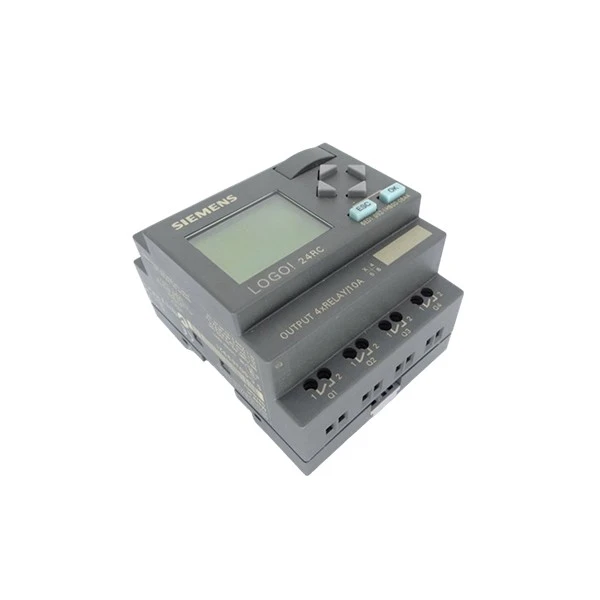
Before you start wiring, it's important to understand what you're dealing with. Siemens PLCs come in various models, each with its own features and capabilities. Some common models you might encounter are the Siemens 6ED1055-1MA00-0BA2, Siemens 6ED1052-1MD00-0BA4, and Siemens 6ES7414-3EM06-0AB0. Each model has specific requirements when it comes to wiring, so make sure you have the right documentation for your PLC.
Tools You'll Need
Wiring a Siemens PLC isn't too complicated, but you'll need a few tools to get the job done. Here's a list of what you'll need:
- Screwdriver Set: You'll need different sizes of screwdrivers to loosen and tighten the terminal screws on the PLC.
- Wire Cutters/Strippers: These are essential for cutting and stripping the wires to the right length.
- Multimeter: A multimeter will help you check the continuity and voltage of the wires.
- Cable Ties: You'll use cable ties to keep the wires organized and prevent them from getting tangled.
Safety First
Before you start wiring, it's important to take some safety precautions. Here are a few things to keep in mind:
- Turn off the Power: Make sure the power to the PLC and all related equipment is turned off before you start wiring. This will prevent electrical shocks and damage to the PLC.
- Wear Protective Gear: Wear safety glasses and gloves to protect your eyes and hands from any potential hazards.
- Follow the Instructions: Always follow the wiring instructions provided by Siemens. This will ensure that the wiring is done correctly and safely.
Step-by-Step Wiring Guide
Step 1: Plan Your Wiring
Before you start connecting the wires, it's a good idea to plan out your wiring layout. This will help you organize the wires and make sure everything is connected correctly. You can use a wiring diagram or a schematic to help you plan your wiring.

Step 2: Mount the PLC
If you haven't already, mount the PLC in a suitable location. Make sure the mounting surface is clean and flat, and use the appropriate mounting hardware.
Step 3: Connect the Power Supply
The first thing you'll need to do is connect the power supply to the PLC. Locate the power terminals on the PLC and connect the appropriate wires from the power supply. Make sure to follow the polarity markings on the PLC and the power supply.
Step 4: Connect the Inputs
The inputs of the PLC are used to receive signals from sensors and other devices. Locate the input terminals on the PLC and connect the wires from the sensors or other devices. Make sure to connect the wires to the correct terminals and follow the wiring diagram.
Step 5: Connect the Outputs
The outputs of the PLC are used to control devices such as motors, valves, and lights. Locate the output terminals on the PLC and connect the wires to the devices. Make sure to connect the wires to the correct terminals and follow the wiring diagram.
Step 6: Connect the Communication Cable
If you're using the PLC to communicate with other devices, you'll need to connect the communication cable. Locate the communication port on the PLC and connect the cable to the appropriate device. Make sure to follow the communication protocol and settings specified in the documentation.
Step 7: Check the Wiring
Once you've completed the wiring, it's important to check it thoroughly. Use a multimeter to check the continuity and voltage of the wires, and make sure all the connections are secure. Look for any loose wires, short circuits, or other potential problems.
Step 8: Test the PLC
After you've checked the wiring, it's time to test the PLC. Turn on the power to the PLC and the related equipment, and run some test programs to make sure everything is working correctly. If you encounter any problems, refer to the troubleshooting section in the documentation or contact Siemens support.
Tips and Tricks
Here are a few tips and tricks to help you wire your Siemens PLC more effectively:
- Label the Wires: Label each wire with a tag or marker to make it easier to identify and troubleshoot. This will save you a lot of time and frustration in the long run.
- Use Proper Wire Gauge: Make sure you use the correct wire gauge for the current and voltage requirements of your application. Using the wrong wire gauge can lead to overheating and other problems.
- Keep the Wires Organized: Use cable ties and wire managers to keep the wires organized and prevent them from getting tangled. This will make the wiring look neater and easier to maintain.
- Follow the Color Coding: Siemens PLCs often use a color coding system for the wires. Make sure to follow the color coding to ensure that the wires are connected correctly.
Conclusion
Wiring a Siemens PLC isn't rocket science, but it does require some knowledge and attention to detail. By following the steps outlined in this guide and taking the necessary safety precautions, you should be able to wire your PLC successfully. If you have any questions or need further assistance, don't hesitate to reach out.
As a Siemens PLC supplier, I'm here to help you with all your PLC needs. Whether you're looking for a specific model or need advice on wiring, installation, or programming, I've got you covered. So, if you're interested in purchasing a Siemens PLC or have any questions, feel free to contact me for a quote and to discuss your requirements. Let's work together to get your automation project up and running smoothly!
References
- Siemens PLC User Manuals
- Electrical Wiring Standards and Codes


