


Hey there! As an HMI (Human-Machine Interface) supplier, I've had the chance to work with all sorts of HMIs, and let me tell you, the display types are super important. They can make or break the user experience, so it's crucial to know what's out there. In this blog, I'm gonna walk you through the common display types of HMI, giving you the lowdown on each one.
LCD (Liquid Crystal Display)
LCDs are like the bread and butter of HMI displays. You'll find them everywhere, from industrial control panels to home appliances. They work by using liquid crystals that can be manipulated to block or allow light to pass through, creating images and text on the screen.
One of the big advantages of LCDs is their energy efficiency. They don't use as much power as some other display types, which is great for long-term use. Plus, they're pretty affordable, so you can get a good-quality LCD HMI without breaking the bank.
Another plus is their wide viewing angles. You can look at an LCD screen from different positions and still see the content clearly. This is really useful in industrial settings where operators might need to view the HMI from various angles.
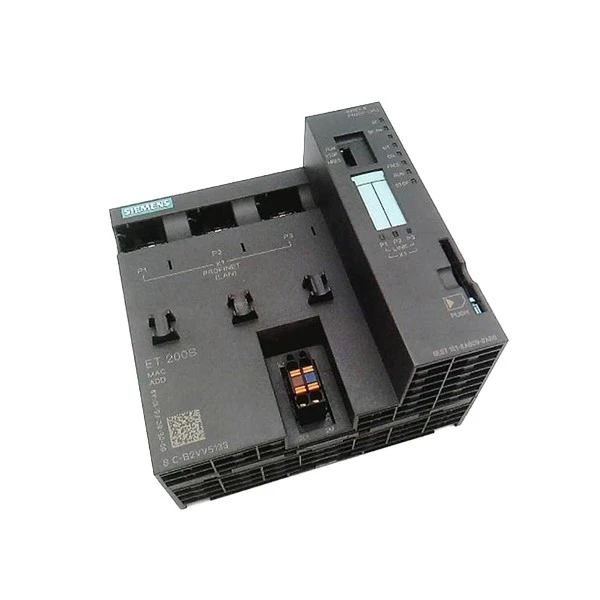

However, LCDs do have some drawbacks. They can have a limited contrast ratio compared to other display types, which means blacks might not look as deep and colors might not be as vibrant. Also, they can be affected by temperature changes, so in extreme cold or heat, their performance might drop.
If you're looking for a reliable and cost-effective HMI display, an LCD could be a great choice. For example, the 1606-XLB240E Allen Bradley uses an LCD display, and it's a popular option in many industrial applications.
OLED (Organic Light-Emitting Diode)
OLED displays are a bit more high-tech. Instead of using liquid crystals, they use organic compounds that emit light when an electric current is applied. This means they don't need a backlight like LCDs do.
One of the biggest selling points of OLEDs is their excellent contrast ratio. They can produce true blacks because each pixel can be turned off completely, which makes colors look really vivid and sharp. This is great for applications where you need to display high-quality graphics or videos.
OLEDs also have a fast response time, which means they can handle fast-moving images without any blurring. This is useful in applications like gaming or high-speed industrial processes where quick visual feedback is important.
However, OLEDs are more expensive than LCDs. They also have a shorter lifespan, especially if they're used in high-brightness or high-usage scenarios. Over time, the organic compounds can degrade, causing the display to lose its brightness and color accuracy.
If you're willing to spend a bit more for a top-notch display with amazing visuals, an OLED HMI might be worth considering.
TFT (Thin-Film Transistor)
TFT is actually a type of LCD technology, but it's worth mentioning separately because it's so common in HMIs. TFT LCDs use thin-film transistors to control each pixel on the screen. This allows for faster response times and better image quality compared to standard LCDs.
TFT displays are known for their high resolution and sharp images. They can display a large amount of information clearly, which is great for industrial control panels where you might need to show detailed graphs, charts, or text.
They also have good color accuracy, so you can trust that the colors you see on the screen are close to the real thing. This is important in applications where color-coding is used for safety or identification purposes.
Like regular LCDs, TFT displays are energy-efficient and relatively affordable. However, they can still be affected by temperature and viewing angles, although modern TFT technology has improved these issues significantly.
The Allen Bradley 1756 CNBR often comes with a TFT display, making it a reliable choice for industrial automation.
Plasma
Plasma displays were once popular for large-screen TVs, but they're not as common in HMIs. They work by using small cells filled with gas that are electrically charged to produce light.
One of the advantages of plasma displays is their high brightness and excellent color reproduction. They can create very vivid and realistic colors, which is great for applications where you need to display high-quality visuals.
They also have a wide viewing angle and a fast response time, similar to OLEDs. This makes them suitable for applications where multiple people need to view the screen from different positions or where quick visual feedback is required.
However, plasma displays are very power-hungry. They use a lot of energy compared to other display types, which can lead to high electricity bills. They also generate a lot of heat, which means they need good ventilation to prevent overheating.
Because of these drawbacks, plasma displays are not as widely used in HMIs as LCDs or TFTs.
E-Ink (Electronic Ink)
E-Ink displays are a bit different from the others. They use tiny microcapsules filled with charged black and white particles. When an electric field is applied, the particles move to create an image.
One of the main advantages of E-Ink is its extremely low power consumption. Once an image is displayed on an E-Ink screen, it doesn't need any power to keep it there. This makes it ideal for applications where battery life is a concern, like e-readers or some portable HMIs.
E-Ink also has a paper-like appearance, which is easy on the eyes. It doesn't have the glare or harsh lighting of other display types, so it's comfortable to look at for long periods.
However, E-Ink has a very slow response time. It's not suitable for applications where you need to display fast-moving images or real-time data. It's also limited in terms of color. Most E-Ink displays are black and white or have limited color options.
If you're looking for a low-power, eye-friendly display for a specific application, E-Ink could be a good option.
Choosing the Right Display Type for Your HMI
When it comes to choosing the right display type for your HMI, there are a few things to consider. First, think about your budget. If you're on a tight budget, an LCD or TFT display might be the way to go. If money's no object and you need top-of-the-line visuals, an OLED could be worth the investment.
Next, consider the environment where the HMI will be used. If it's going to be in a hot or cold environment, you'll need a display that can handle temperature changes. If it's in a high-usage area with multiple people viewing it from different angles, a display with a wide viewing angle is important.
Also, think about the type of content you'll be displaying. If you need to show high-quality graphics or videos, a display with a good contrast ratio and color accuracy is essential. If you're mainly displaying text or static images, a simpler display type might be sufficient.
As an HMI supplier, I've seen firsthand how the right display type can make a big difference in the performance and usability of an HMI. Whether you're in the industrial, commercial, or consumer sector, I can help you find the perfect HMI with the right display for your needs.
If you're interested in learning more about our HMI products or have any questions about display types, don't hesitate to reach out. We're here to help you make the best choice for your project. Contact us to start the procurement process and let's work together to find the ideal HMI solution for you.
References
- "Display Technologies: Principles and Applications" by John Wilson
- "Human-Machine Interface Design: Best Practices" by Jane Smith


