


Hey there! As a Siemens HMI supplier, I've seen my fair share of HMI units over the years. HMIs, or Human - Machine Interfaces, are super important in industrial settings. They're like the control center that lets operators interact with machines, monitor processes, and make adjustments. But just like any piece of tech, Siemens HMIs can start to show signs of failure. In this blog, I'll walk you through some common signs that your Siemens HMI might be on the fritz.
1. Screen Issues
One of the most obvious signs is problems with the screen. If you notice that the display is flickering, it's a big red flag. Flickering can be caused by a bunch of things, like a loose connection between the screen and the main unit, or issues with the power supply. Sometimes, it could even be a problem with the screen itself. For example, the Siemens SIMATIC KTP600 HMI [/hmi/siemens-hmi/siemens-simatic-ktp600-hmi.html] might start flickering if the internal components are starting to wear out.
Another screen - related issue is a dim or unresponsive display. If the screen is too dim, it could be due to a problem with the backlight. This might mean that the backlight bulb is burned out or there's an issue with the backlight power supply. And if the screen is unresponsive, it could be because the touch - screen layer is damaged. You might be trying to tap on something, but the HMI just won't register your input.
2. Slow Performance
Is your Siemens HMI taking forever to load screens or respond to commands? Slow performance is a major sign of trouble. This could be because the HMI's memory is full. Just like your phone or computer, if there's not enough space for the system to run properly, it's going to slow down. Maybe there are too many applications running in the background, or there's a lot of data stored on the device.
In some cases, slow performance can also be caused by a malfunctioning processor. For instance, in the SIMATIC HMI KP700 Comfort [/hmi/siemens-hmi/simatic-hmi-kp700-comfort.html], a faulty processor can really slow things down. You might notice that it takes a long time to switch between different screens or to execute simple commands.
3. Error Messages
Error messages are like the HMI's way of saying, "Hey, something's wrong!" If you start seeing a bunch of error messages popping up on your Siemens HMI, it's definitely time to pay attention. These messages can give you clues about what's going wrong. For example, an error message related to communication might mean that there's a problem with the HMI's connection to other devices in the system.
Sometimes, the error messages can be hard to understand. But don't worry, most of the time, you can look up the error code in the HMI's manual or online resources. For the Siemens 6ED1055 - 4MH08 - 0BA1 [/hmi/siemens-hmi/siemens-6ed1055-4mh08-0ba1.html], specific error codes can point to issues like memory problems or software glitches.
4. Software Glitches
Software glitches can also be a sign of a failing Siemens HMI. You might notice that the HMI freezes up or crashes unexpectedly. This could be due to a bug in the software, or it might be because the software is outdated. If the HMI is running an old version of the operating system or application software, it might not be compatible with the latest hardware or other devices in the system.
Another software - related issue is incorrect data display. The HMI might show incorrect values for temperature, pressure, or other process variables. This can be really dangerous in an industrial setting, as it can lead to incorrect decisions being made by the operators.
5. Hardware Failures
Physical damage to the HMI is a clear sign of trouble. If you see cracks in the screen, loose buttons, or other visible signs of damage, it's likely that the HMI is in bad shape. Sometimes, this damage can be caused by accidents, like someone dropping the HMI or hitting it with a tool.
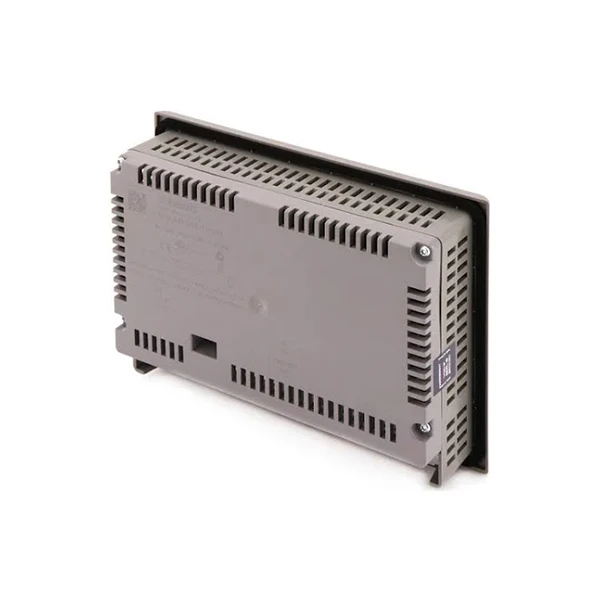

In addition to visible damage, there can also be internal hardware failures. For example, the power supply might stop working, which means the HMI won't turn on at all. Or the hard drive or other storage devices might fail, leading to data loss.
6. Communication Problems
Siemens HMIs need to communicate with other devices in the industrial system, like PLCs (Programmable Logic Controllers). If you're having trouble with communication, it could be a sign that the HMI is failing. You might notice that the HMI can't connect to the network, or that data isn't being transferred correctly between the HMI and other devices.
This could be due to a problem with the network interface card in the HMI, or there might be issues with the network cables or switches. Communication problems can really mess up the whole industrial process, as operators won't be able to get accurate information from the machines.
7. Overheating
If your Siemens HMI is getting really hot to the touch, it's not a good sign. Overheating can be caused by a number of things, like a blocked ventilation system. If the vents on the HMI are blocked by dust or debris, the heat can't escape, and the internal components can overheat.
Overheating can lead to all sorts of problems, including hardware failures and reduced performance. It can also shorten the lifespan of the HMI. So, if you notice that your HMI is overheating, you need to take action right away.
What to Do If You Notice These Signs
If you start seeing any of these signs in your Siemens HMI, don't panic. First, try to troubleshoot the problem yourself. Check the connections, make sure the power supply is working, and see if you can update the software.
If you're not sure what to do, or if the problem persists, it's a good idea to contact a professional. As a Siemens HMI supplier, I can offer you expert advice and solutions. Whether you need a replacement part, a software update, or a whole new HMI, I've got you covered.
If you're in the market for a new Siemens HMI or need to replace a failing one, don't hesitate to reach out. We can have a chat about your specific needs, and I can help you find the best solution for your industrial setup. Whether it's the Siemens SIMATIC KTP600 HMI, the SIMATIC HMI KP700 Comfort, or the Siemens 6ED1055 - 4MH08 - 0BA1, I can provide you with high - quality products and excellent service.
So, if you're experiencing any of these signs of a failing Siemens HMI, or if you're just looking to upgrade your industrial control system, let's start a conversation. I'm here to help you keep your operations running smoothly.
References
- Siemens HMI User Manuals
- Industrial Automation Magazines
- Online Siemens HMI Forums


