


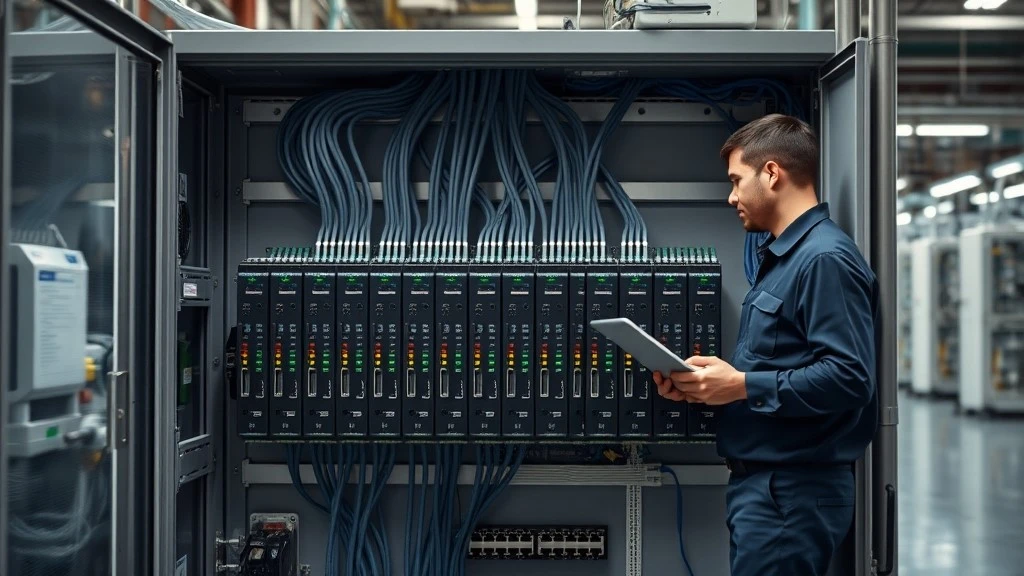
If you manage or maintain an Allen-Bradley based control system, you have probably run into this situation. A PLC module is discontinued, or the price from the original supplier suddenly triples, and you start looking at a replacement or compatible module instead. The specs look right, the physical connector matches, and the price is reasonable. But before you place the order, one question tends to get skipped: does this module actually speak the same protocol, in the same way, as the one it is replacing?
This is the part of Allen-Bradley communication that rarely gets explained clearly. Most guides walk through what EtherNet/IP, DeviceNet, or ControlNet are in general terms, but very few connect that knowledge to the practical decisions engineers face when sourcing parts. In this article, we will cover the main Allen-Bradley PLC communication protocols, where each one fits into a real system, and, just as importantly, what to check before you buy a replacement or compatible module so you do not end up with a communication problem after installation.
What Is a PLC Communication Protocol and Why It Matters
Definition in plain language
A communication protocol is simply the agreed set of rules that lets two devices exchange data correctly. Think of it the way you would think about a shared language: if a PLC and an HMI use the same protocol, they understand each other's messages. If they do not, the connection may look fine physically while no usable data actually passes between them.
Why protocol choice affects system uptime and maintenance cost
Protocol mismatches are one of the more common, and more preventable, causes of downtime. A control system built around the wrong protocol for its scale will struggle to expand later, and mixing old and new equipment without checking protocol compatibility often leads to intermittent faults that are hard to diagnose because the wiring and power look correct. Maintenance costs are affected too. Troubleshooting a protocol-level issue usually takes longer than fixing a wiring fault, since the symptoms rarely point directly to the cause. Understanding which protocol your system relies on and what that protocol requires from any device connected to it is the first step toward avoiding these problems.
With that foundation in place, let's look at the protocols you are most likely to encounter in an Allen-Bradley environment, starting with the one that dominates new installations today.
Modern Ethernet-Based Protocols
EtherNet/IP
EtherNet/IP (Ethernet Industrial Protocol) is the communication protocol most new Allen-Bradley systems are built on. It runs over standard Ethernet hardware and uses the Common Industrial Protocol (CIP) at the application layer, which is the same protocol foundation shared with DeviceNet and ControlNet. That shared foundation is one reason EtherNet/IP integrates so smoothly across a Rockwell Automation architecture.
A few things make EtherNet/IP the default choice for new builds. It uses commodity Ethernet switches and cabling, so hardware costs stay low and IT departments can support the network with tools they already know. It scales well, since a switched Ethernet network does not share bandwidth across all devices the way older bus-based protocols do. And because EtherNet/IP is so widely adopted, third-party sensors, drives, and gateways almost always support it out of the box, which makes multi-vendor integration far less painful than it used to be.
If your system needs to share data with an MES, a historian, or a cloud dashboard, EtherNet/IP is close to a default choice, since it can sit on the same physical network as your IT infrastructure without a separate gateway layer.
Which AB models support it: Most current-generation Allen-Bradley controllers, including ControlLogix and CompactLogix platforms, include EtherNet/IP as a standard, built-in communication port. Some older or more specialized controller models may require an add-on communication module to reach an EtherNet/IP network rather than supporting it natively, so it is worth confirming the specific model and firmware revision rather than assuming support across an entire product family. If you are sourcing a controller or a communication module and want to confirm what a specific part number supports, our Allen-Bradley PLC and Allen-Bradley PLC Module pages list current stock with protocol details, or you can send us the model number directly.
EtherNet/IP quick reference
|
Parameter |
Typical value |
|
Physical media |
Standard Ethernet (copper or fiber) |
|
Speed |
10/100 Mbps common, gigabit supported on newer hardware |
|
Topology |
Star, switched networks. |
|
Typical use |
New installations, IT/OT integration, motion and I/O control |
Modern Ethernet-based communication covers most new installations, but a large share of installed Allen-Bradley systems still rely on protocols that predate EtherNet/IP. Those are still very much in service, so it is worth understanding them too.
Legacy Bus-Based Protocols
DeviceNet
DeviceNet connects simple field devices such as sensors, push buttons, and motor starters back to a PLC over a shared bus, rather than wiring each device individually. It runs on Controller Area Network (CAN) technology and typically operates at speeds up to 500 kbps depending on cable length. One practical advantage is that DeviceNet carries both power and signal on the same cable, which lowers installation cost for large numbers of simple devices. You will see it most often in cost-sensitive discrete applications, such as packaging lines or food and beverage equipment, where a large sensor count matters more than raw throughput.
ControlNet
ControlNet was built for a different priority: deterministic, time-critical control rather than low-cost field wiring. It uses a time-slicing scheme to guarantee bandwidth for scheduled traffic, which makes it well suited to applications like multi-axis motion control where message timing needs to be predictable rather than just fast. Where DeviceNet is chosen because you need to connect many simple devices cheaply, ControlNet is chosen because the application cannot tolerate variable message latency. If your system involves coordinated motion or process control with tight timing requirements, ControlNet remains a more appropriate fit than DeviceNet, even though both share the same CIP foundation as EtherNet/IP.
Why these protocols are still in use, and what to watch for
New installations rarely start with DeviceNet or ControlNet today, but a great deal of equipment built on them is still running reliably in the field. Replacing an entire network to move to EtherNet/IP is expensive and, in many cases, the risk and cost of unplanned downtime during a migration outweighs the benefit of upgrading equipment that already works. The main maintenance challenge with these legacy networks is not the protocol itself, but sourcing compatible field devices and communication modules as original parts become harder to find. When a DeviceNet or ControlNet component does need replacing, protocol version and node capacity are worth confirming carefully, since older networks are less forgiving of small mismatches than a modern switched Ethernet network would be.
Beyond these bus-based protocols, Allen-Bradley systems also rely on an older generation of serial and proprietary networking standards that are worth understanding, particularly if you maintain equipment that predates DeviceNet.
Serial and Data Highway Protocols
DH+ / DH485
Data Highway Plus (DH+) and DH485 are Allen-Bradley's early proprietary networking protocols, originally developed to link PLCs and programming terminals before Ethernet-based options existed. DH+ operates at speeds up to roughly 230 kbps and supports up to 64 nodes, using a token-passing scheme to control network access. DH485 is a related but distinct protocol, designed for shorter-range shop floor applications with fewer supported nodes and lower throughput. Neither is used in new system design today, but both are still found running programming terminals, older operator interfaces, and legacy PLC-5 or SLC-500 controllers on production floors that have not been fully upgraded.
RS-232 / RS-485
RS-232 and RS-485 are not protocols on their own. They are physical layer standards that define how signals travel over a cable, and protocols like Modbus RTU or DF1 typically run on top of them. RS-232 supports a simple point-to-point connection over short distances, commonly used for programming cables and basic HMI links. RS-485 supports multiple devices on a shared bus over much longer distances, which is why it remains common for connecting simple HMIs or third-party instruments to older AB equipment. Recognizing this distinction matters because a device described as "RS-485 compatible" tells you about the wiring, not necessarily whether it can actually communicate using the specific protocol your PLC expects.
When the original hardware is no longer available
Equipment running on DH+, DH485, or basic serial links is often decades old, and sourcing an exact original replacement part is not always possible. When that happens, there are generally a few realistic paths forward: locating a used or refurbished original module, adding a protocol conversion gateway to bridge the old network into a newer one, or sourcing a compatible replacement module built to support the same legacy protocol. Each option has trade-offs in cost, lead time, and long-term supportability, and choosing between them usually comes down to how the rest of the system is expected to evolve over the next few years.
That decision naturally leads to a broader question that applies across all of these protocols: how do you decide which one is actually right for a given system, rather than defaulting to whatever was used last time?
Choosing the Right Protocol for Your System
Speed, node count, and environment
Three factors tend to drive most protocol decisions. Speed requirements come first: if your application needs sub-millisecond timing, such as coordinated motion control, EtherNet/IP with time-sensitive networking or ControlNet is appropriate, while simple monitoring tasks can run comfortably on much slower serial links. Node count matters next: EtherNet/IP's switched architecture scales well as device count grows, while bus-based protocols like DeviceNet share bandwidth across every connected node, which becomes a limiting factor in larger systems. Environment is the third factor: long cable runs or electrically noisy areas favor protocols with strong noise immunity or fiber optic support, such as ControlNet, over standard copper Ethernet or basic serial links.
Mixing old and new protocols
Very few real systems run on a single protocol end to end. It is common to have an EtherNet/IP backbone connecting controllers to the IT network, with DeviceNet or serial links still handling older field devices at the machine level. Protocol conversion gateways are usually what bridge these networks together, but the gateway itself needs the same scrutiny as any other device: confirm which protocol version and firmware range it supports on each side, since a gateway that appears to handle both protocols can still fail to interpret certain message types correctly if its firmware is outdated. Testing a gateway or transition point under real operating conditions, rather than assuming it will work because the datasheet lists both protocols, is worth the extra time before a full rollout.
Choosing the right protocol solves the design question for a new system, but for most maintenance and upgrade work, the harder question comes later: when you actually need to replace or add a specific module, how do you make sure it will communicate correctly with everything already installed?
Communication Protocol Compatibility When Sourcing Replacement Modules
Why protocol specs get overlooked
When engineers evaluate a replacement or compatible module, attention naturally goes to the things that are easy to compare: does the part number match, does the connector fit, and is the price reasonable? Protocol compatibility often gets assumed rather than checked, especially when a module looks physically identical to the original. In practice, two modules can share the same connector and form factor while supporting different protocol versions or firmware ranges, and that difference will not show up until the device is installed and fails to communicate reliably or communicates intermittently in a way that is far harder to diagnose than a complete failure.
What to check before buying a replacement or compatible module
Before ordering, it is worth confirming the following against your existing system:
- Protocol version and firmware range. Confirm the replacement module supports the same protocol version and firmware revision range as the device it is replacing, not just the same protocol name.
- Communication speed. Verify the supported baud rate or data rate matches what the rest of your network is configured for, since a mismatch here can prevent a connection even when the protocol itself is correct.
- Node or address capacity. For bus-based networks like DeviceNet or ControlNet, check that the replacement supports enough node addresses for your current network size, particularly if the system has grown since it was first installed.
- Physical interface type. Confirm the connector and cabling standard match exactly, since some modules that support the same protocol still use different physical connectors depending on model generation.
- Need for a conversion module. If the replacement does not natively support the protocol your system uses, determine whether an additional gateway or conversion module will be required, and factor that into both cost and installation time.
If you are not certain how a specific replacement part checks out against these points, our technical team can help confirm protocol specs against your existing setup before you order through our inquiry page.
What happens when compatibility is not checked
A few patterns come up repeatedly when protocol compatibility is missed. A replacement module with a lower firmware revision than the original device requires can produce intermittent communication dropouts rather than a clean failure, which makes the fault harder to trace because the connection appears to work part of the time. A module that supports the correct protocol but at a different default communication speed may fail to establish a connection at all until the speed setting is manually corrected, something that is easy to overlook if the previous module auto-negotiated. And on bus networks with a fixed node capacity, adding a replacement device without checking remaining address space can cause conflicts with existing devices rather than simply failing to connect. None of these situations are difficult to prevent, but they are far more time-consuming to diagnose after installation than to check beforehand.
If you are currently evaluating a replacement or compatible module for a specific Allen-Bradley model, our team can help confirm protocol compatibility against your existing system before you commit to an order. You can reach us through our contact page with the model details.
Common Communication Troubleshooting Tips
Common fault types
Most Allen-Bradley communication issues fall into a few recognizable categories. Timeouts occur when a device fails to respond within the expected window, often pointing to a failed device, a broken cable, or an overloaded network. Checksum or CRC errors indicate data corruption during transmission, usually caused by electrical noise or a damaged cable rather than a configuration problem. Address conflicts happen when two devices on the same network are assigned the same node address, which can also occur after a protocol-mismatched replacement module fails to register correctly. Worth noting: a firmware or protocol version mismatch on a replacement device can produce symptoms that look identical to a timeout or intermittent fault, which is one more reason to rule out compatibility issues early rather than last.
Basic troubleshooting steps
Before deeper diagnostics, start with the fundamentals: check physical connections and cable condition, confirm device addressing has not conflicted with another node, and verify communication speed settings match across the network. Standard tools such as Rockwell's RSLinx for browsing and testing communication, or a general network analyzer for Ethernet-based traffic, can help narrow down where in the network the problem sits. If these basic checks do not resolve the issue, the next step usually involves confirming device model and firmware details against the manufacturer's documentation for that specific part.
FAQ

What is the most common communication protocol used in Allen-Bradley PLCs today?
Can EtherNet/IP and DeviceNet be used on the same system?
What communication protocol does ControlLogix use by default?
How do I know which protocol my existing Allen-Bradley PLC supports?
What should I check before buying a replacement or compatible PLC module?
Can third-party or compatible modules communicate reliably with original Allen-Bradley hardware?
Final Thoughts
None of the protocols covered here are particularly complicated on their own. EtherNet/IP, DeviceNet, ControlNet, and the older DH+ and serial standards each solve a fairly specific problem, and once you know what each one is designed for, choosing between them for a new system is usually straightforward. Where things actually go wrong is further down the line, when a specific module needs replacing and the protocol details get assumed rather than checked.
If your system runs Mitsubishi hardware alongside Allen-Bradley equipment, our earlier breakdown of Mitsubishi PLC communication protocols covers CC-Link, the MC protocol, and Modbus in the same practical format.
If you are currently sourcing a replacement or compatible module and want to confirm it will communicate correctly with your existing setup, our team can check protocol and firmware details against your specific model before you order. You can send us the details through our contact page.


