


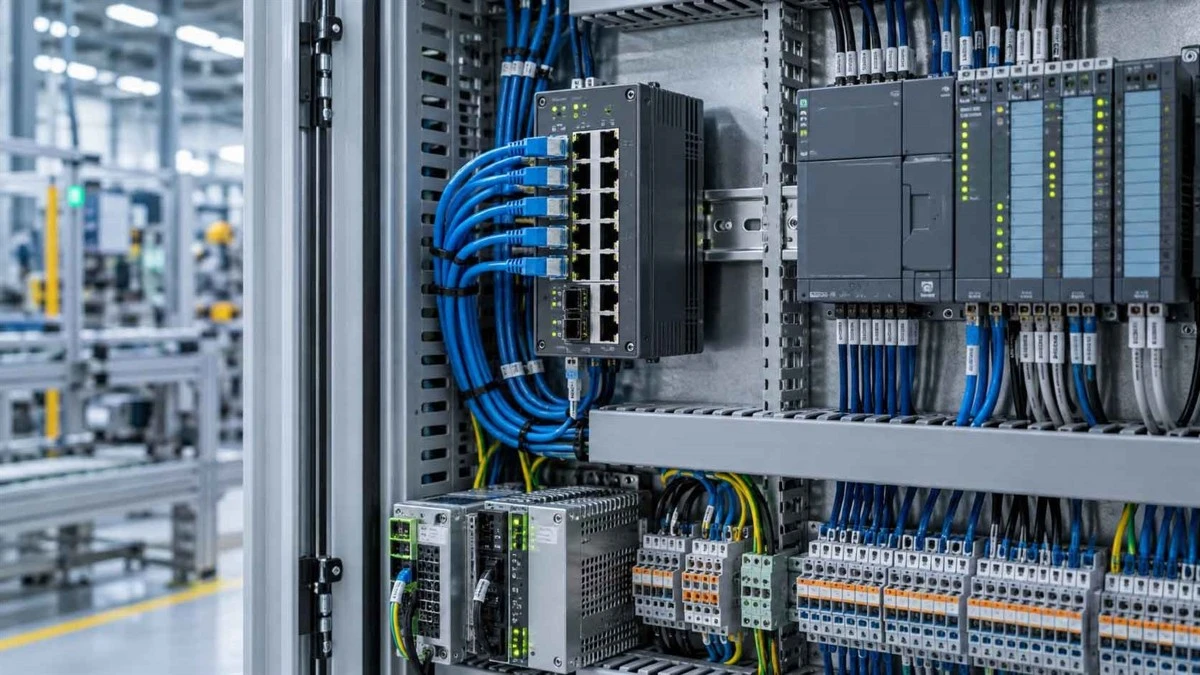
A machine stops, and an operator sees a red fault light. On a basic control panel, the next step may be to inspect the equipment and trace the problem through drawings or additional indicators. On a suitably configured industrial HMI, the operator might instead see a named alarm, the affected machine section, and a record of related events.
That difference illustrates the evolution of human-machine interfaces. Industrial HMI development is not simply the story of replacing buttons with touchscreens. It also concerns clearer machine information, task organization, and connections to control systems.
This guide explains five stages of industrial HMI evolution, their impact on operators, and what the differences mean for factories maintaining older equipment.
What Is an Industrial HMI, and Why Did It Need to Evolve?
The Role of an HMI in Industrial Automation
A human-machine interface, or HMI, is the part of an industrial control system through which a person views machine information and enters permitted commands. An HMI may display motor status, temperatures, production counts, alarms, trends, or operating modes. A programmable logic controller (PLC) typically executes the machine's control logic and exchanges relevant data with the interface.
For example, an operator might use an HMI to request a conveyor start while the PLC checks the required interlocks before enabling the equipment. Larger facilities may also use supervisory control and data acquisition (SCADA) software to supervise multiple processes. For a fuller explanation of these roles, see our PLC vs HMI vs SCADA guide.
What Operators Needed Beyond Basic Controls
Physical push buttons, selector switches, lamps, and gauges remain useful in industrial cabinets. They provide direct controls and clear indications for defined tasks. Their limitations become more apparent when a machine has numerous operating states, adjustable parameters, and possible faults.
A lamp may indicate a motor trip without explaining the cause or sequence. As industrial machinery became more complex, operators needed readable messages, adjustable settings, and information organized around the equipment they were running. Those needs helped drive the transition toward electronic operator terminals.
A Practical Timeline of Industrial HMI Evolution
The stages below describe a broad technical progression rather than a universal calendar. Technologies overlapped, and many factories still use older and newer forms of interaction on the same production line.
Stage 1: Mechanical and Hardwired Control Panels
Early industrial operating stations relied on physical devices. Push buttons started and stopped equipment, rotary switches selected modes, and analog gauges showed values such as pressure or current. Indicator lamps communicated basic conditions through their illuminated state.
This approach was straightforward for a limited number of functions, but each additional indication or control could require more physical space, wiring, labeling, and maintenance. An operator might have to interpret several lamps and meters to understand one process condition.
These devices should not be confused with today's programmable electronic HMI panels. They were earlier forms of human interaction with machinery, and they still serve important purposes, especially where tactile controls or dedicated safety devices are required.
Stage 2: Electronic Displays and Early Operator Terminals
Electronic operator interface terminals introduced a more flexible way to present information. Text displays, monochrome screens, and function keys could show messages, menus, numeric values, and simple alarms without requiring a separate lamp for every message.
A text message identifying a motor overload gives an operator more information than a general fault lamp.
Early terminals had limitations in display area, graphics, memory, and supported communication options. Many could already exchange data with controllers, so PLC connectivity was not a feature invented by modern touchscreens. The next major change was the ability to organize information visually rather than primarily as text.
Stage 3: Graphical Interfaces and Industrial Touchscreens
Graphical user interfaces allowed operators to see process layouts, equipment symbols, values, and alarm information within related screens. A packaging operator could look at a simplified line diagram instead of navigating only through pages of characters.
Touchscreens also changed how tasks were presented. Screen buttons could open different operating pages, display settings for a selected machine, or provide authorized access to recipe changes. Instead of building a physical control for every routine function, designers could arrange many interactions within software screens.
However, a touchscreen does not automatically make an interface easier to operate. Crowded graphics, unclear alarms, or poorly placed controls can create confusion. An ordinary HMI touch button must also not be treated as a substitute for a safety rated emergency stop or other required protective control.
Stage 4: Networked HMIs and Advanced Monitoring
As industrial networks and HMI software developed, operator panels could participate in more integrated automation systems. Industrial Ethernet expanded communication options, while improvements in processors and software supported richer displays, event records, trends, and data handling.
A technician could review alarm history alongside a relevant process trend. Some interfaces also supported recipes, multiple controllers, or additional diagnostic views.
Not all these capabilities depend on Ethernet, and their availability differs by platform. Greater integration also brings practical responsibilities: configuring correct drivers, managing versions, documenting connections, and ensuring the displays reflect valid controller data.
Stage 5: Connected, Web-Capable and Edge-Enabled HMIs
Some current HMI platforms go beyond a dedicated local screen. Depending on the hardware and software, they may offer browser based visualization, authorized remote viewing, or data exchange with supervisory and edge systems. These options can help teams access operating information across different locations and applications.
Connectivity also changes the risk profile. Remote access must be designed around authentication, user permissions, network separation, and the plant's operational technology security policy. A panel with an Ethernet port is not automatically a secure remote HMI, nor does it necessarily support every industrial protocol.
|
HMI stage |
Typical interaction |
Information available |
Common limitation |
|
Physical controls |
Buttons, switches, gauges |
Basic states and measurements |
Limited context for complex processes |
|
Electronic terminals |
Text screens and function keys |
Messages, values, simple alarms |
Limited graphics and navigation |
|
Graphical touch panels |
Visual pages and touch input |
Process views and contextual controls |
Quality depends on interface design |
|
Networked HMIs |
Local screens with broader communications |
Trends, events, more controller data |
Additional integration complexity |
|
Connected platforms |
Local and optional remote interfaces |
Extended visibility and data exchange |
Security and compatibility requirements |
Five Engineering Changes That Made HMIs More Useful
A historical timeline describes what appeared. For plant personnel, the more important question is what became possible during a shift, a fault, or a maintenance task.
From Basic Status Lights to Actionable Diagnostics
A fault lamp tells someone to investigate. An alarm screen can identify the device, event time, and relevant values. If the system records event sequences and trends, technicians may have a better basis for deciding where to look first.
The distinction matters: the HMI presents available information, but diagnostic quality still depends on sensors, PLC programming, alarm logic, and record keeping. A detailed screen cannot compensate for missing or incorrect source data.
From Fixed Controls to Context-Aware Operator Screens
A physical panel presents its available controls in fixed positions. A graphical HMI can organize information by task. Production personnel might open a run status screen, while authorized maintenance staff access diagnostic pages or parameter settings.
The benefit comes from reducing unnecessary navigation and presenting the right information for a specific operation. It does not require artificial intelligence. Consistent labels, sensible permissions, and clearly defined operating modes are usually more important than animated graphics.
From Basic Controller Links to Broader System Integration
Industrial interfaces have communicated with PLCs for decades. What has changed is the range of data, network options, software tools, and integration architectures available. A modern HMI application may read multiple tags, present related values together, and exchange permitted commands with a controller.
Successful communication still depends on the exact PLC family, the HMI driver, protocol support, and configuration. PROFINET, EtherNet/IP, and Modbus TCP are examples of industrial communication technologies, not interchangeable guarantees of compatibility.
From Local Monitoring to Controlled Remote Visibility
A technician standing at a cabinet can read the local panel. On systems designed for remote viewing, authorized personnel may inspect selected screens or alarms from another approved location.
Remote viewing, remote diagnosis, and remote control are different functions and should have different access rules. The NIST Guide to Operational Technology Security discusses security considerations for connected industrial systems. Direct Internet exposure should not be treated as a default deployment method.
From More Graphics to Better Operator Awareness
More colors and animations do not necessarily produce a better operator interface. A screen should make normal conditions, abnormal states, and required responses understandable without forcing operators to search through unrelated information.
Prioritized alarms, legible values, consistent navigation, and restrained use of color can help achieve that goal. The ISA-101 series provides guidance on HMI design and lifecycle practices. Usability depends on how the interface is engineered, not simply on the display resolution.
Legacy vs. Modern Industrial HMIs: A Practical Comparison
Comparing HMI Generations by Real Operating Tasks
The difference between a legacy HMI and a modern industrial HMI is best examined through the work each device must support. Screen size alone reveals very little about usable functions.
|
Operating task |
Typical older approach |
Capabilities on some newer platforms |
|
View machine status |
Indicators, text, or basic graphics |
More detailed graphical process views |
|
Investigate faults |
Limited messages or event information |
Alarm records, trends, diagnostic pages |
|
Adjust operations |
Keys or basic parameter menus |
Task specific screens and access levels |
|
Connect controllers |
Supported legacy interfaces and drivers |
Additional network and driver options |
|
View data remotely |
Primarily at the local equipment |
Optional controlled remote visibility |
|
Maintain software |
Older tools and project formats |
Current tools, subject to migration limits |
These are not universal rules. Some older systems have sophisticated functions, while new basic panels may lack them. Compare documented products and applications.
Why a Newer HMI Is Not Automatically a Drop-In Replacement
A newer screen may fit the cabinet opening yet fail to communicate with the existing PLC. It may require different engineering software, lack a necessary controller driver, or be unable to open the original project without conversion. Power requirements, mounting depth, connector clearance, and firmware also matter.
An HMI replacement should therefore be treated as a compatibility task rather than a screen swap. The steps for selecting, testing, and replacing a panel are covered more fully in our HMI functions, selection, and replacement guide.
What HMI Evolution Looks Like in Real Industrial Applications
The following examples are illustrative scenarios, not claims about completed customer projects or measured performance improvements.
Example 1: Packaging Line Monitoring and Fault Diagnosis
Imagine a packaging line whose conveyor stops during production. On a basic panel, the operator may see a general fault indication and need to consult other indicators or the electrical drawings to determine where to begin.
A system configured with more detailed HMI diagnostics might show the affected conveyor section, an overload alarm, the event time, and associated motor status. Maintenance staff can then check the relevant drive, protective device, and operating conditions instead of inspecting every part of the line in sequence.
That does not mean the HMI has identified the root cause. It means that properly collected and presented data can make the investigation more focused. The usefulness of this approach depends on the controller program and the quality of the alarm design.
Example 2: Pump Station Monitoring and Remote Visibility
In a pump station, a variable frequency drive may regulate motor speed, while a PLC manages the process logic and receives operating information. An HMI can display pump status, pressure, running conditions, and relevant alarms to authorized operators.
Where supported by the platform and plant network architecture, remote viewing may let a maintenance team inspect operating information without first traveling to the station. Remote access still requires appropriate permission and security controls, and monitoring is not the same as remotely commanding equipment.
The connection between controllers, interfaces, and drives also appears in our Energy Industry Solutions overview.
Which HMI Technologies Are Established, and Which Are Still Emerging?
Established Industrial HMI Functions
Graphical machine views, controller data exchange, alarm displays, and operator input are established industrial HMI functions. Many platforms also offer event logging, trends, recipes, and access management. The exact combination is determined by the hardware, runtime software, licenses, and application configuration.
These functions matter because they address repeatable operating tasks. For most factories, clear alarms and dependable controller communication are more immediately useful than an impressive demonstration of an experimental interface.
Advanced Connectivity Depends on the HMI Platform
Web visualization, remote access, OPC UA, MQTT, and edge data exchange can support broader information architectures. They do not all perform the same job. OPC UA is used for structured industrial information exchange; MQTT is a messaging protocol frequently used in data distribution architectures. An HMI may support a technology directly, or the system may need a gateway or another software component.
Before planning integration, verify protocol and driver support, necessary licenses, software versions, and the network security approach. Having an Ethernet socket is not proof that a device can perform every connected function.
AI, Voice Control and AR: Opportunities and Limitations
AI assisted analysis may help identify patterns in available operating data. Voice commands could be useful where hands free interaction is desirable, while augmented reality may provide contextual maintenance information. These possibilities are not interchangeable with ordinary HMI alarms or screen navigation.
Industrial noise, data quality, command confirmation, cybersecurity, and safety requirements can limit deployment. Such tools should be assessed through actual use cases and documented product capabilities rather than described as standard features of today's operator panels.
What HMI Evolution Means for Existing Industrial Equipment
Keep, Replace Like for Like, or Modernize?
An older HMI is not automatically unsuitable because newer technology exists. A factory should first ask whether the panel still supports its operators, whether a compatible spare is available, and how much engineering work a change would require.
|
Equipment situation |
First option to evaluate |
|
Current HMI operates reliably and meets requirements |
Maintain the existing system and review spare availability |
|
Panel has failed and production must resume |
Verify the exact part number or a validated replacement |
|
Interface no longer supports required tasks |
Assess platform modernization and migration effort |
A planned upgrade may provide new functions, but it can also involve converting applications, changing wiring, testing alarms, and scheduling downtime. The right decision depends on the machine's remaining service life and the risk of maintaining the current platform.
What to Verify Before Planning an HMI Change
Start with the HMI brand and full part number, PLC model, communication method, original project backup, engineering software, and firmware. Installation dimensions, power supply, quantity, and required delivery date are also important. If the existing project is unavailable, identify that constraint before assuming a replacement will be straightforward.
For detailed selection and migration checks, use the linked replacement guide above. At this stage, the purpose is to establish the technical requirement, not to assume that any newer touchscreen is equivalent.
FAQ

When did industrial HMIs first appear?
How did HMIs evolve from text displays to touchscreens?
What is the main difference between legacy and modern HMIs?
Do modern industrial HMIs require an Internet connection?
Can a newer HMI replace an older panel without changing the PLC?
What should be checked before upgrading a legacy HMI?
Conclusion: The Next Chapter of Industrial HMIs
Industrial HMI evolution has changed how operators receive information, navigate equipment, investigate faults, and interact with increasingly connected control systems. The most useful advances are those that make essential tasks clearer without adding unnecessary complexity.
For an existing factory, knowing the technology history is only a starting point. Actual equipment decisions still depend on application needs, product specifications, compatibility, and the cost of change.
SZCT Automation supplies industrial automation components across HMI, PLC, drive, and related categories, including products from Siemens, ABB, Allen-Bradley, Mitsubishi, Omron, and Schneider. You can browse our industrial HMI range or request a quotation using the full part number and required quantity. Product availability and suitability should be confirmed for the exact model.


