

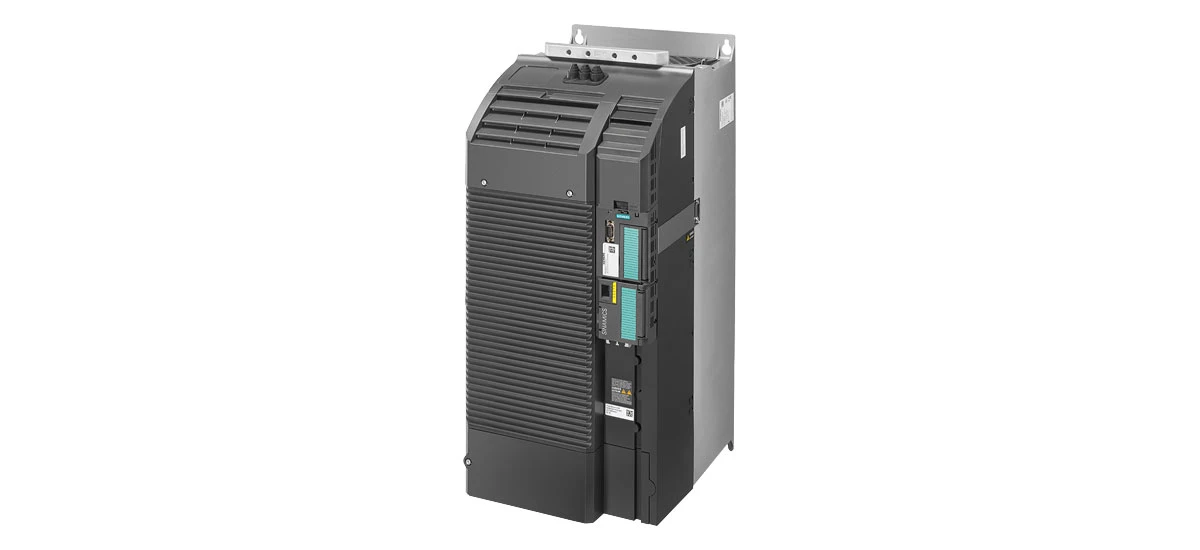
The Siemens 6SL3210-1KE31-7AB1 is a vital component of the Siemens G120C family, trusted in various industrial applications such as manufacturing lines, conveyor systems, and machinery control. As a key part of the Siemens G120C series, it ensures smooth motor operation, but like all electrical equipment, it can display error codes when issues arise. Understanding how to troubleshoot these errors is essential for minimizing downtime and maintaining productivity. In this blog, we'll dive deeper into three common problems: overheating, voltage spikes, and encoder failures, all directly linked to Siemens 6SL3210-1KE31-7AB1 error codes.
Overheating Issues in Siemens 6SL3210-1KE31-7AB1
Overheating is one of the most prevalent issues that trigger error codes in the Siemens 6SL3210-1KE31-7AB1. If left unaddressed, it can lead to reduced performance, frequent shutdowns, or even permanent damage to the device. Let's explore the causes, troubleshooting steps, and solutions in more detail.
Causes of Overheating
Poor heat dissipation is a primary culprit. The Siemens 6SL3210-1KE31-7AB1 generates heat during operation, and it relies on a built-in cooling system-usually a fan or heat sink-to release this heat. If the cooling fan is clogged with dust, lint, or debris, its efficiency drops significantly. For example, in a factory with high levels of airborne particles, the fan might get blocked within weeks of operation. Another cause is operating the device in an environment with high ambient temperatures. If the room or cabinet where the Siemens 6SL3210-1KE31-7AB1 is installed exceeds 40°C (104°F), the cooling system struggles to keep up. Overloading is another factor: running the device at 110% or more of its rated current for extended periods forces it to work harder, producing excess heat.
Siemens 6SL3210-1KE31-7AB1 Overheating Troubleshooting Steps
Start by inspecting the cooling fan. Turn off the device and disconnect it from the power source for safety. Check if the fan blades are free of dust or obstructions. Spin the fan manually-if it feels stiff or doesn't move smoothly, the motor might be failing. Next, measure the ambient temperature around the device using a thermometer. Compare it to the recommended range in the Siemens 6SL3210-1KE31-7AB1 manual (typically 0°C to 40°C). If the temperature is too high, check for nearby heat sources like radiators, furnaces, or other heat-generating machinery. Then, monitor the load using the device's display or a connected control panel. Look for current readings that consistently exceed the rated value (found in the product specifications). Finally, examine the heat sink (if present) for dust buildup-wipe it gently with a soft brush or compressed air.
Solutions for Overheating
If the fan is faulty, replace it with a genuine Siemens replacement part to ensure compatibility with the Siemens G120C system. For dusty environments, install a air filter over the fan intake to trap particles, and schedule weekly cleaning sessions. If ambient temperatures are too high, improve ventilation by adding exhaust fans or relocating the device to a cooler area. For overloading issues, redistribute the load across multiple devices if possible, or upgrade to a higher-capacity model in the Siemens G120C series, such as the 6SL3210-1KE32-1AB1, after confirming compatibility with your existing setup.
Voltage Spikes in Siemens 6SL3210-1KE31-7AB1
Voltage spikes-sudden, short-lived increases in electrical voltage-can damage sensitive components in the Siemens 6SL3210-1KE31-7AB1, such as capacitors or circuit boards, leading to error codes like F0001 (overvoltage) or F0022 (power supply fault). Let's break down how to identify and resolve this issue.
What Causes Voltage Spikes?
Voltage spikes often originate from external sources. Lightning strikes, even several miles away, can induce high-voltage surges in power lines. In industrial settings, large equipment like motors, welders, or compressors draw significant current when starting up, creating brief voltage drops that are followed by spikes as the system stabilizes. Faulty wiring, such as loose connections in the main electrical panel, can also cause irregular voltage fluctuations. For example, a loose terminal might create arcing, sending small but frequent spikes through the line to the Siemens 6SL3210-1KE31-7AB1.
How to Detect Voltage Spikes
Use a voltage monitor or data logger that records voltage levels over time. Connect it to the same power circuit as the Siemens 6SL3210-1KE31-7AB1 and set it to log readings every second. When an error code appears, check the log for voltage spikes above 264V (the maximum for most 230V systems). Note the time of the spike-if it occurs daily at 9:00 AM, it might coincide with a nearby machine starting up. Another method is to inspect the device's internal logs (if available via software like Siemens TIA Portal), which may record voltage irregularities before an error is triggered.
How to Fix Voltage Spikes in Siemens 6SL3210-1KE31-7AB1
Install a surge protector specifically designed for industrial use. Look for models with a clamping voltage of 275V or lower and a surge current rating of at least 20kA to handle large spikes. For added protection, use a line reactor (choke) between the power supply and the Siemens 6SL3210-1KE31-7AB1-it smooths out voltage fluctuations and reduces electrical noise. Inspect all wiring connections, including terminals, plugs, and cables, for signs of damage (e.g., frayed insulation, corrosion). Tighten loose connections with a torque wrench to the manufacturer's specifications. If spikes are caused by nearby equipment, isolate the Siemens 6SL3210-1KE31-7AB1 on a separate circuit or install a dedicated transformer to filter out surges.
Encoder Failures in Siemens 6SL3210-1KE31-7AB1
The encoder is a sensor that tracks the motor's speed and position, sending this data to the Siemens 6SL3210-1KE31-7AB1 to ensure precise control. When the encoder fails, the device may display error codes like F0501 (encoder signal loss) or F0503 (incorrect encoder data), leading to erratic motor behavior.
Reasons for Encoder Failures
Wiring problems are the most common cause. The encoder is connected to the Siemens 6SL3210-1KE31-7AB1 via a cable, often with multiple wires (power, ground, signal). If the cable is crushed, stretched, or pinched-for example, by a moving part of the machinery-the wires inside can break or short circuit. Loose connections at the encoder or drive terminals are another issue; vibration from the motor can gradually loosen screws over time. Environmental factors also play a role: moisture, oil, or chemical spills can seep into the encoder housing, damaging its internal electronics. In humid areas, condensation may form inside the encoder, causing corrosion. Mechanical wear is another factor-encoders with moving parts (like optical encoders) can wear out after years of use, leading to inaccurate readings.
Checking Encoder Failures
First, inspect the encoder cable. Follow the cable from the encoder to the Siemens 6SL3210-1KE31-7AB1, looking for cuts, kinks, or areas where it's rubbing against metal. Disconnect the cable from both ends and check the pins in the connectors-are they bent, corroded, or missing? Use a multimeter to test for continuity in each wire: set the meter to the "ohms" setting, touch one probe to a pin at one end, and the other probe to the corresponding pin at the other end. A reading of 0-5 ohms indicates good continuity; a higher reading means a broken wire. Next, check the encoder itself. Remove the cover (if possible) and look for signs of damage: water, rust, or burnt components. Rotate the motor manually-if the encoder makes grinding or clicking noises, it may be mechanically faulty.
Siemens 6SL3210-1KE31-7AB1 Encoder Failure Solutions
If the cable is damaged, replace it with a shielded cable designed for industrial encoders-this reduces interference from other electrical devices. Secure the new cable with clips or cable ties to prevent it from moving or rubbing against machinery. For loose connections, tighten the terminal screws using a screwdriver (avoid over-tightening, which can strip the threads). Clean corroded pins with a cotton swab dipped in isopropyl alcohol. If the encoder is faulty, replace it with a model compatible with the Siemens 6SL3210-1KE31-7AB1-check the manual for part numbers (e.g., Siemens 1XP8001-1BB01-1). After replacement, calibrate the encoder using the Siemens G120C software: access the "Encoder Setup" menu, enter the encoder's resolution (e.g., 1024 pulses per revolution), and run an auto-calibration cycle to align it with the motor.
Common Error Codes for Siemens 6SL3210-1KE31-7AB1
While overheating, voltage spikes, and encoder failures are key issues, the Siemens 6SL3210-1KE31-7AB1 can display other error codes. For example:
- F0002: Undervoltage-often caused by a weak power supply or loose input connections.
- F0026: Motor overload-may indicate a mechanical issue (e.g., a jammed motor) rather than a drive problem.
- F0700: Communication error-check if the device is properly connected to the control system (e.g., via Profibus or Ethernet).
Always refer to the Siemens 6SL3210-1KE31-7AB1 user manual for a complete list, as error codes can vary slightly based on firmware version. The manual also provides specific troubleshooting steps for each code, such as reset procedures or component tests.
Siemens G120C 6SL3210-1KE31-7AB1 Error Code Fixes: General Tips
Preventive maintenance is the best way to avoid error codes in the Siemens 6SL3210-1KE31-7AB1. Here are key practices:
- Clean the device monthly: Use compressed air to blow out dust from vents and fans; wipe the exterior with a dry cloth.
- Inspect connections quarterly: Check terminals, cables, and plugs for tightness and damage.
- Update firmware annually: Use Siemens TIA Portal to install the latest firmware, which often includes fixes for known error issues.
- Keep a log of error codes: Note the date, time, and operating conditions when errors occur-this helps identify patterns (e.g., spikes during peak production hours).
If you encounter an error code you can't resolve, contact Siemens technical support or a certified technician with experience in the Siemens G120C series. Attempting to repair complex components (like circuit boards) without training can cause further damage.
Summary: Troubleshooting Siemens 6SL3210-1KE31-7AB1 Error Codes
Troubleshooting Siemens 6SL3210-1KE31-7AB1 error codes effectively requires a clear understanding of the root causes behind overheating, voltage spikes, and encoder failures-three of the most common issues. By following systematic diagnostic steps-such as inspecting cooling systems for overheating, using voltage monitors to detect spikes, and testing encoder wiring for continuity-you can pinpoint problems accurately. Pairing these steps with targeted solutions, like replacing faulty fans, installing surge protectors, or repairing damaged encoder cables, ensures timely fixes. Additionally, regular preventive maintenance-including cleaning, connection checks, and firmware updates-plays a critical role in minimizing errors. By combining proactive care with informed problem-solving, you can keep the Siemens G120C system, and its 6SL3210-1KE31-7AB1 component, operating reliably, reducing downtime, and maintaining long-term productivity in industrial settings.


