


In the dynamic landscape of industrial automation, the ability of Programmable Logic Controllers (PLCs) to communicate with other devices is a critical factor that determines the efficiency and effectiveness of a control system. As a trusted Mitsubishi PLC supplier, I am often asked about the communication capabilities of Mitsubishi PLCs. In this blog post, I will delve into the details of whether a Mitsubishi PLC can communicate with other devices, exploring the various communication protocols, interfaces, and applications that make this possible.
Understanding the Basics of Mitsubishi PLC Communication
Mitsubishi PLCs are renowned for their versatility and robust communication capabilities. These PLCs are designed to support a wide range of communication protocols, allowing them to interface with various devices such as sensors, actuators, human - machine interfaces (HMIs), variable frequency drives (VFDs), and other PLCs. The communication between a Mitsubishi PLC and other devices can be classified into two main types: serial communication and network communication.
Serial Communication
Serial communication is a fundamental method for connecting a Mitsubishi PLC to other devices. It involves the transmission of data one bit at a time over a single communication line. Mitsubishi PLCs support several serial communication protocols, including RS - 232, RS - 422, and RS - 485.
RS - 232 is a widely used standard for serial communication, suitable for short - distance communication between a PLC and a computer or a terminal device. It is commonly used for programming and monitoring the PLC. RS - 422 and RS - 485, on the other hand, are designed for longer - distance communication and can support multiple devices on the same communication line. RS - 485, in particular, is popular in industrial applications due to its ability to support multi - drop configurations, allowing up to 32 devices to be connected on a single network.
Network Communication
Network communication enables Mitsubishi PLCs to communicate with other devices over a network, providing a more scalable and flexible solution for industrial automation. Mitsubishi PLCs support several network communication protocols, including Ethernet, CC - Link, and Modbus.
Ethernet is a widely used network protocol in industrial automation due to its high - speed data transfer and compatibility with a wide range of devices. Mitsubishi PLCs are equipped with Ethernet ports, allowing them to connect to local area networks (LANs) and communicate with other Ethernet - enabled devices such as HMIs, servers, and other PLCs. Ethernet communication also enables remote monitoring and control of the PLC, making it easier to manage industrial processes from a central location.
CC - Link is a high - performance fieldbus network developed by Mitsubishi Electric. It is designed for use in industrial automation systems, providing fast and reliable communication between PLCs, I/O modules, and other devices. CC - Link supports a large number of devices on a single network, making it suitable for large - scale industrial applications.
Modbus is an open - source communication protocol widely used in industrial automation. It allows different devices from different manufacturers to communicate with each other. Mitsubishi PLCs support Modbus RTU and Modbus TCP protocols, enabling them to communicate with Modbus - compatible devices such as sensors, meters, and other PLCs.
Examples of Mitsubishi PLC Communication with Other Devices
Let's take a look at some real - world examples of how Mitsubishi PLCs can communicate with other devices.
Communication with Sensors and Actuators
Sensors and actuators are essential components in industrial automation systems. Mitsubishi PLCs can communicate with various types of sensors, such as temperature sensors, pressure sensors, and proximity sensors, to collect data about the industrial process. The PLC can then use this data to control actuators, such as valves, motors, and relays, to perform specific tasks.
For example, in a temperature control system, a temperature sensor can be connected to a Mitsubishi PLC using a serial communication protocol such as RS - 485. The PLC can then read the temperature data from the sensor and compare it with a setpoint. If the temperature is too high or too low, the PLC can send a signal to an actuator, such as a heater or a cooler, to adjust the temperature.
Communication with HMIs
Human - machine interfaces (HMIs) are used to provide operators with a graphical interface to monitor and control the industrial process. Mitsubishi PLCs can communicate with HMIs using Ethernet or serial communication protocols. The HMI can display real - time data from the PLC, such as process variables, status indicators, and alarms. Operators can also use the HMI to send commands to the PLC, such as starting or stopping a motor, adjusting a setpoint, or changing a parameter.
For instance, a Mitsubishi FX3U 48MT ESS PLC can be connected to an HMI using Ethernet. The HMI can display the status of the PLC's inputs and outputs, as well as the values of its internal registers. Operators can use the HMI to change the settings of the PLC, such as the speed of a motor or the temperature setpoint.
Communication with Other PLCs
In some industrial applications, multiple PLCs may be required to work together to control a complex process. Mitsubishi PLCs can communicate with other Mitsubishi PLCs or PLCs from other manufacturers using various communication protocols.
For example, two Mitsubishi FX3G 40MT DSS PLCs can be connected using the CC - Link network. The two PLCs can exchange data with each other, allowing them to coordinate their actions and control different parts of the industrial process.
Advanced Communication Features of Mitsubishi PLCs
Mitsubishi PLCs also offer some advanced communication features that enhance their communication capabilities.
Gateway Functionality
Some Mitsubishi PLCs can act as gateways, allowing different communication protocols to be connected and communicated with each other. For example, a Mitsubishi PLC can act as a gateway between an Ethernet network and a CC - Link network, enabling devices on the two networks to communicate with each other.
Remote Monitoring and Control
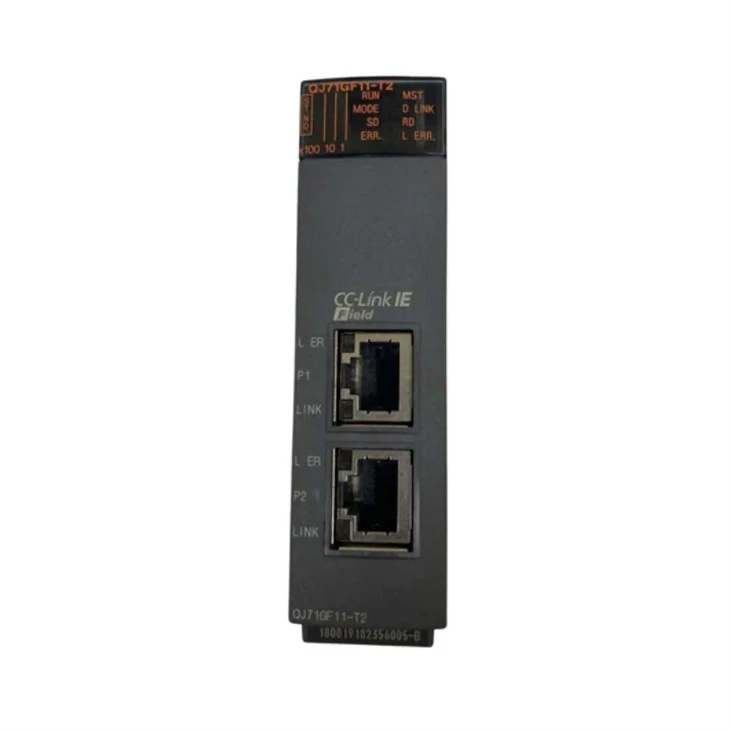
With the development of Internet technology, Mitsubishi PLCs support remote monitoring and control functions. Through Ethernet or wireless communication, users can monitor and control the PLC from a remote location using a computer, a tablet, or a smartphone. For example, the Mitsubishi QJ71GF11 - T2 module can be used to enable remote communication between the PLC and a remote server or a mobile device.
Conclusion
In conclusion, Mitsubishi PLCs have excellent communication capabilities and can communicate with a wide range of devices using various communication protocols and interfaces. Whether it is serial communication or network communication, Mitsubishi PLCs can meet the needs of different industrial applications. The ability to communicate with other devices makes Mitsubishi PLCs an ideal choice for industrial automation systems, enabling efficient and reliable control of industrial processes.

If you are interested in purchasing Mitsubishi PLCs or need more information about their communication capabilities, please feel free to contact us for procurement discussions. We are committed to providing you with high - quality products and professional technical support.
References
- Mitsubishi Electric Corporation. Programmable Logic Controller User Manuals.
- Industrial Automation Handbook. Various editions.
- Modbus Organization. Modbus Protocol Specification.


