


As a trusted supplier of Mitsubishi Variable Frequency Drives (VFDs), I've encountered numerous customers seeking guidance on changing the operating mode of these sophisticated devices. In this blog post, I'll share comprehensive insights into the process, ensuring you can make the most of your Mitsubishi VFD.
Understanding Mitsubishi VFD Operating Modes
Mitsubishi VFDs come with various operating modes designed to meet different industrial requirements. These modes can significantly impact the performance and efficiency of your equipment. Before delving into the process of changing the operating mode, it's crucial to understand the common modes available:
- V/f Control Mode: This is the most basic and widely used mode. It provides a simple way to control the motor speed by varying the voltage and frequency in a fixed ratio. It's suitable for applications where precise speed control is not critical, such as fans and pumps.
- Sensorless Vector Control Mode: This mode offers better speed control and torque performance compared to V/f control. It can estimate the motor's speed and torque without the need for an external speed sensor, making it suitable for applications that require moderate speed and torque control, such as conveyors.
- Vector Control with PG (Pulse Generator) Mode: For applications that demand high-precision speed and torque control, such as machine tools, this mode is ideal. It uses a PG to provide feedback on the motor's speed, allowing for more accurate control.
- Servo Control Mode: This mode is designed for applications that require extremely precise position, speed, and torque control, such as robotic arms. It offers high dynamic performance and fast response times.
Steps to Change the Operating Mode of Mitsubishi VFD
Now that you have a basic understanding of the operating modes, let's walk through the steps to change the operating mode of your Mitsubishi VFD. The process may vary slightly depending on the specific model of your VFD, but the general steps are as follows:
- Power Off the VFD: Before making any changes to the VFD settings, it's essential to power off the drive to avoid any electrical hazards.
- Access the Parameter Setting Menu: Use the keypad or the control panel of the VFD to access the parameter setting menu. The location and method of accessing the menu may vary depending on the model. Refer to the user manual for your specific VFD for detailed instructions.
- Locate the Operating Mode Parameter: Once you're in the parameter setting menu, locate the parameter that controls the operating mode. This parameter is usually labeled something like "OPERATION MODE" or "CONTROL MODE".
- Select the Desired Operating Mode: Use the up and down arrow keys on the keypad or control panel to select the desired operating mode from the available options. Make sure to choose the mode that best suits your application requirements.
- Save the Changes: After selecting the desired operating mode, save the changes to the VFD's memory. This is usually done by pressing the "ENTER" or "SET" key on the keypad or control panel.
- Power On the VFD: Once the changes have been saved, power on the VFD and test the motor to ensure that it's operating in the desired mode.
Tips for Changing the Operating Mode
Here are some tips to help you change the operating mode of your Mitsubishi VFD safely and effectively:
- Read the User Manual: Before attempting to change the operating mode, it's essential to read the user manual for your specific VFD. The manual provides detailed instructions on how to access the parameter setting menu, locate the operating mode parameter, and select the desired mode.
- Make Small Changes: If you're unsure which operating mode is best for your application, start by making small changes and testing the motor's performance. This will help you determine the optimal mode for your specific needs.
- Use a Professional: If you're not comfortable making changes to the VFD settings yourself, it's recommended to use a professional electrician or technician. They have the knowledge and experience to make the necessary changes safely and effectively.
Recommended Mitsubishi VFD Models
As a Mitsubishi VFD supplier, I recommend the following models for different applications:
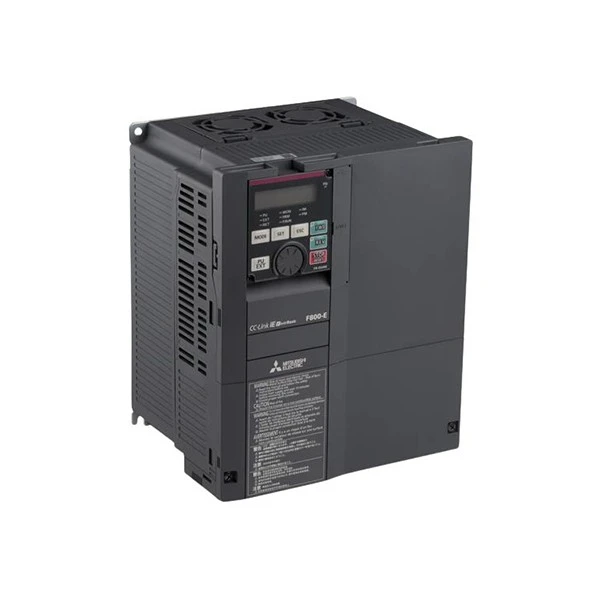
- Mitsubishi Electric FR-F840-00250-E2-60: This model is suitable for applications that require high-performance vector control, such as machine tools and conveyors.
- Mitsubishi FR-A8NCE: This model is designed for applications that require advanced network communication and control, such as factory automation systems.
- Mitsubishi Electric FR-E840-0120-4-60: This model is ideal for applications that require energy-saving and high-efficiency operation, such as fans and pumps.
Conclusion
Changing the operating mode of your Mitsubishi VFD is a relatively straightforward process that can significantly improve the performance and efficiency of your equipment. By understanding the different operating modes available and following the steps outlined in this blog post, you can make the most of your Mitsubishi VFD and achieve optimal results for your application.
If you have any questions or need further assistance with changing the operating mode of your Mitsubishi VFD, or if you're interested in purchasing a new VFD, please don't hesitate to contact us. We're here to help you find the best solution for your specific needs.
References
- Mitsubishi Electric Corporation. (Year). User Manual for [Model Name]. Retrieved from [Website URL]
- Various industry publications and technical resources on variable frequency drives.


