


Hey there! As a supplier of Allen - Bradley PLCs, I've seen firsthand how these powerful devices can transform automation systems. Integrating an Allen - Bradley PLC with other automation devices might seem like a daunting task, but with the right know - how, it can be a smooth and rewarding process. In this blog, I'll walk you through the steps and considerations for successful integration.
Understanding Allen - Bradley PLCs
Before we dive into integration, let's quickly go over what makes Allen - Bradley PLCs so special. These PLCs are known for their reliability, flexibility, and advanced features. They come in a wide range of models to suit different applications, from small - scale projects to large industrial setups.
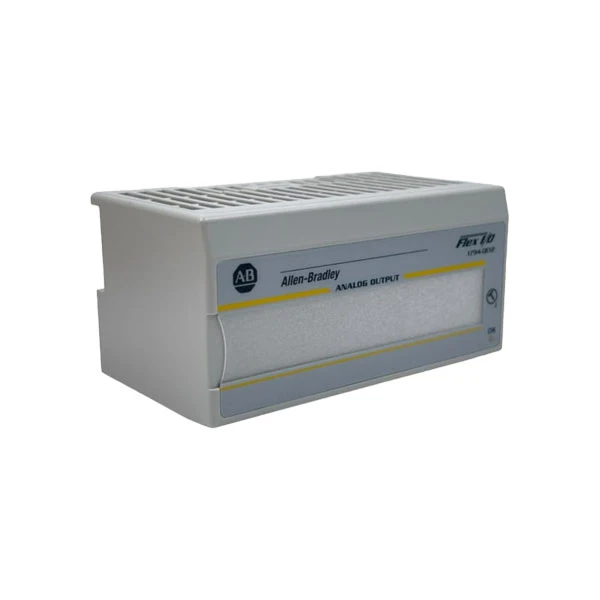

For instance, the Allen Bradley 1756 - L75 Controller is a high - performance controller that can handle complex control tasks. It offers high - speed processing, large memory capacity, and support for multiple communication protocols. On the other hand, the Allen Bradley 1794 - OE12 is an output module that can be used to interface with external devices such as motors, valves, and lights. And the 1768 - L43S Allen - Bradley Compact is a compact and cost - effective option for smaller applications.
Step 1: Identify Your Automation Devices
The first step in integrating an Allen - Bradley PLC with other automation devices is to identify what those devices are. This could include sensors, actuators, HMIs (Human - Machine Interfaces), and other PLCs. Make a list of all the devices you want to integrate and note down their communication requirements, such as the protocol they use, the data they exchange, and the electrical specifications.
For example, if you have a temperature sensor that uses the Modbus protocol, you'll need to ensure that your Allen - Bradley PLC supports Modbus communication. You can check the documentation of your PLC to see which protocols it supports.
Step 2: Choose the Right Communication Protocol
Once you've identified your devices, the next step is to choose the right communication protocol for integration. Allen - Bradley PLCs support a variety of communication protocols, such as Ethernet/IP, Modbus, Profibus, and DeviceNet.
Ethernet/IP is a popular choice because it offers high - speed communication, easy integration with other Ethernet - based devices, and support for industrial automation applications. If your devices support Ethernet/IP, it's usually the best option. However, if you have legacy devices that use other protocols, you may need to use a protocol converter or configure your PLC to support multiple protocols.
Step 3: Configure Your Allen - Bradley PLC
After choosing the communication protocol, it's time to configure your Allen - Bradley PLC. This involves setting up the communication parameters, such as the IP address, subnet mask, and gateway. You'll also need to create the necessary data tables and tags to exchange data with the other automation devices.
Most Allen - Bradley PLCs come with programming software, such as RSLogix or Studio 5000. These software tools allow you to easily configure your PLC, write ladder logic programs, and monitor the system. You can use the software to define the input and output addresses for your devices and establish the communication links.
Step 4: Connect the Devices
Once your PLC is configured, it's time to physically connect the other automation devices. Make sure to follow the electrical and mechanical specifications of each device. Use the appropriate cables and connectors to ensure a reliable connection.
For example, if you're connecting a sensor to your PLC, you'll need to connect the power supply, the signal wires, and any ground wires. Double - check all the connections to avoid any loose or incorrect connections that could cause communication issues.
Step 5: Test and Troubleshoot
After connecting the devices, it's crucial to test the integration. Run some basic tests to ensure that the data is being exchanged correctly between the PLC and the other devices. Check the status indicators on the devices and the PLC to see if there are any error messages.
If you encounter any issues, don't panic. Start by checking the communication settings, the physical connections, and the programming logic. You can also refer to the documentation of the devices and the PLC for troubleshooting tips. Sometimes, a simple reset or re - configuration can solve the problem.
Considerations for Integration
- Compatibility: Always ensure that the devices you want to integrate are compatible with your Allen - Bradley PLC. Check the technical specifications and the documentation to avoid any compatibility issues.
- Scalability: Think about the future expansion of your automation system. Choose a PLC and communication protocol that can easily accommodate additional devices and functionality.
- Security: Industrial automation systems are vulnerable to cyber threats. Implement security measures, such as firewalls, access control, and encryption, to protect your system from unauthorized access.
Conclusion
Integrating an Allen - Bradley PLC with other automation devices can greatly enhance the efficiency and functionality of your automation system. By following the steps outlined in this blog and considering the important factors, you can achieve a successful integration.
If you're interested in purchasing Allen - Bradley PLCs or need more information on integration, feel free to reach out. We're here to help you with all your automation needs and can provide you with the best solutions for your specific requirements.
References
- Allen - Bradley PLC User Manuals
- Industrial Automation Communication Protocols Guides
- Technical Documentation of Automation Devices


