


Monitoring the operation of a Mitsubishi PLC (Programmable Logic Controller) is crucial for ensuring the smooth and efficient functioning of industrial automation systems. As a Mitsubishi PLC supplier, I have extensive experience in this area and would like to share some effective ways to monitor the operation of these reliable controllers.
Understanding the Basics of Mitsubishi PLC Monitoring
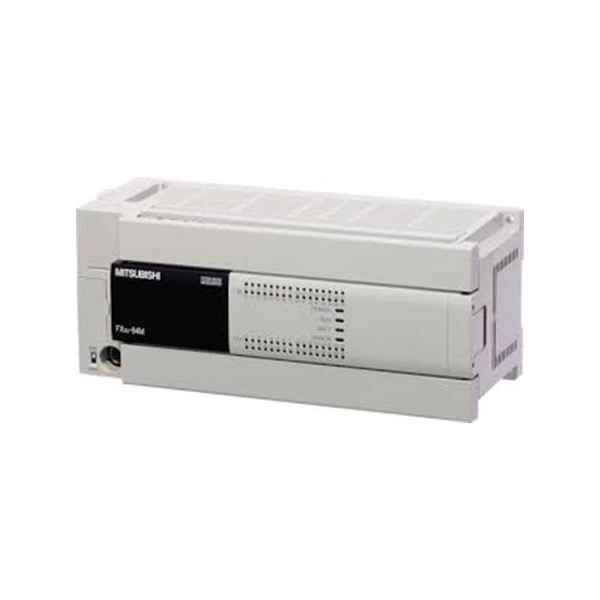
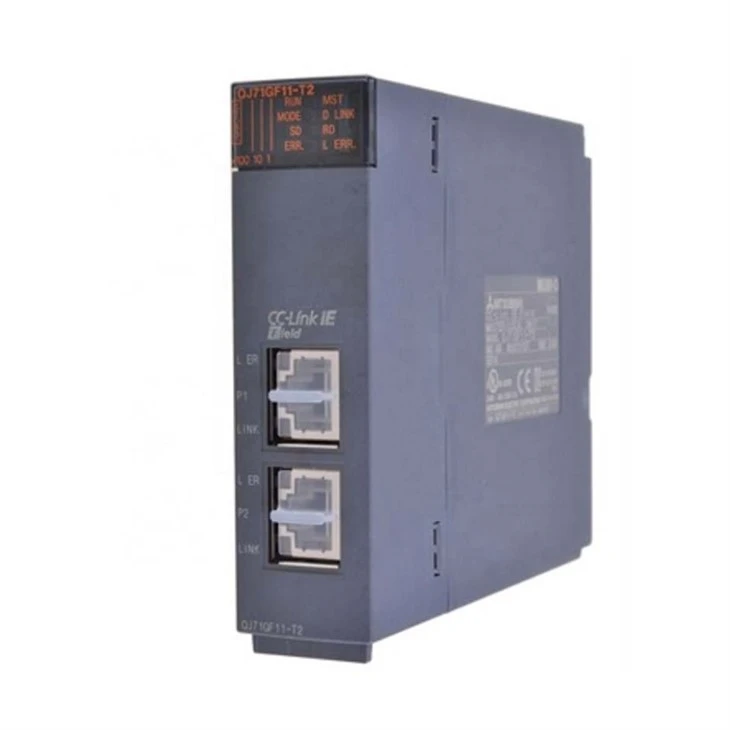
Before diving into the monitoring methods, it's essential to have a basic understanding of Mitsubishi PLCs. Mitsubishi offers a wide range of PLCs, such as the Mitsubishi QJ71GF11 - T2, Mitsubishi FX3U - 32DP, and Fx3u 64mt Dss. Each model has its own features and capabilities, but they all share the common purpose of controlling and automating industrial processes.
The main components of a Mitsubishi PLC system include the CPU module, input/output (I/O) modules, power supply, and communication modules. Monitoring the operation of a PLC involves checking the status of these components, as well as the data and programs running on the CPU.
Methods of Monitoring Mitsubishi PLC Operation
1. Using the Built - in Diagnostic LEDs
Most Mitsubishi PLCs are equipped with built - in diagnostic LEDs on the front panel of the CPU and I/O modules. These LEDs provide a quick and easy way to check the basic status of the PLC. For example, the power LED indicates whether the PLC is receiving power. If this LED is not lit, it could mean a problem with the power supply.
The RUN/STOP LED shows the operating mode of the PLC. A green light usually indicates that the PLC is in the RUN mode, while a red light means it is in the STOP mode. Other LEDs may indicate errors such as a memory error, communication error, or I/O module fault. By regularly checking these LEDs, you can quickly identify potential issues and take appropriate actions.
2. Employing Mitsubishi's Programming Software
Mitsubishi provides powerful programming software such as GX Works3 for its PLCs. This software not only allows you to create and edit PLC programs but also offers comprehensive monitoring capabilities.
With the programming software, you can monitor the values of internal relays, timers, counters, and other data registers in real - time. You can also view the status of input and output signals. For example, you can check if an input switch is closed or an output solenoid is energized.
The software also provides a ladder logic editor that allows you to step through the PLC program. This is useful for debugging and troubleshooting. You can pause the program execution at a specific step and examine the values of variables at that point. This helps in identifying logic errors or incorrect data handling in the program.
3. Implementing Remote Monitoring via Communication Networks
Mitsubishi PLCs support various communication protocols, such as Ethernet, RS - 232, and RS - 485. By connecting the PLC to a local area network (LAN) or the Internet, you can remotely monitor its operation.
For Ethernet - based communication, you can use Mitsubishi's MELSEC - iQ Series communication modules. These modules enable the PLC to communicate with a supervisory control and data acquisition (SCADA) system, a human - machine interface (HMI), or a remote monitoring computer. Through the SCADA system or HMI, you can view real - time data from the PLC, such as temperature, pressure, and flow rate in an industrial process.
Remote monitoring is especially useful for large - scale industrial plants where the PLCs are located in different areas. It allows operators to monitor multiple PLCs from a central control room, saving time and effort.
4. Utilizing Third - Party Monitoring Tools
In addition to Mitsubishi's own software, there are also third - party monitoring tools available in the market. These tools can offer additional features and functionality for monitoring Mitsubishi PLCs.
Some third - party tools provide advanced analytics and reporting capabilities. They can collect historical data from the PLC, analyze trends, and generate reports. This is helpful for predictive maintenance, as it allows you to identify potential problems before they cause a breakdown.
These tools may also support integration with other industrial systems, such as enterprise resource planning (ERP) systems. This enables seamless data flow between different levels of the industrial automation hierarchy.
Best Practices for Effective Monitoring
1. Establish a Regular Monitoring Schedule
To ensure the reliable operation of the Mitsubishi PLC, it is important to establish a regular monitoring schedule. This could be daily, weekly, or monthly, depending on the criticality of the industrial process.
During each monitoring session, check the diagnostic LEDs, review the data in the programming software, and examine any alarms or error messages. Keep a record of the monitoring results, including the date, time, and any issues found. This record can be used for future reference and trend analysis.
2. Train the Operators
Proper training of the operators is essential for effective PLC monitoring. Operators should be familiar with the basic operation of the Mitsubishi PLC, including how to use the diagnostic LEDs, programming software, and communication interfaces.
They should also be trained to recognize common error codes and symptoms. For example, if an error code indicates a communication problem, the operator should know how to check the network connections and communication settings.
3. Conduct Preventive Maintenance
In addition to monitoring, preventive maintenance is crucial for the long - term reliability of the Mitsubishi PLC. This includes cleaning the PLC modules regularly to prevent dust and debris from causing short - circuits.
Replace the battery backup for the PLC's memory at the recommended intervals to ensure that the program and data are not lost. Also, check the tightness of the module connections to prevent loose connections that could lead to communication or power problems.
Case Study: Monitoring a Mitsubishi PLC in a Manufacturing Plant
Let's consider a case study of a manufacturing plant that uses a Mitsubishi Fx3u 64mt Dss PLC to control a production line.
The plant operators initially relied on the built - in diagnostic LEDs to monitor the PLC. However, they found that this method was not sufficient for detecting subtle problems in the production process. They then started using Mitsubishi's GX Works3 programming software to monitor the values of sensors and actuators in real - time.
By analyzing the data from the programming software, they noticed that the temperature sensor readings were fluctuating more than normal. Further investigation revealed that there was a problem with the cooling system of one of the machines on the production line. By taking timely action, they were able to prevent a major breakdown and reduce production downtime.
Later, the plant implemented a remote monitoring system using Ethernet communication. This allowed the maintenance team to monitor the PLC operation from their offices, even when they were not on the factory floor. This improved the response time to any issues and increased the overall efficiency of the production line.
Conclusion
Monitoring the operation of a Mitsubishi PLC is an essential part of ensuring the reliability and efficiency of industrial automation systems. By using a combination of built - in diagnostic LEDs, programming software, remote monitoring, and third - party tools, you can effectively monitor the status of the PLC components and the data flowing through the system.
As a Mitsubishi PLC supplier, I am committed to providing high - quality products and comprehensive support to our customers. If you are interested in learning more about Mitsubishi PLCs or need assistance with monitoring and maintaining your PLC system, please feel free to contact us for further discussion and procurement. We have a team of experts who can help you select the right PLC for your application and provide guidance on the best monitoring practices.
References
- Mitsubishi Electric Automation, Inc. (2023). Mitsubishi PLC User Manuals.
- "Industrial Automation Handbook", John Wiley & Sons, 2022.
- Technical Papers on Mitsubishi PLC Communication and Monitoring, available on Mitsubishi's official website.


