


Hey there! As an Omron PLC supplier, I've seen my fair share of situations where folks need to restore their PLC programs and data. It can be a real headache when things go wrong, but don't worry – I'm here to walk you through the process.
First off, let's talk about why you might need to restore your Omron PLC program and data. There are a bunch of reasons, like a power outage that corrupts the data, a software glitch, or maybe you just made some changes that didn't work out and you want to go back to the previous version. Whatever the reason, having a solid restoration plan is crucial.
Pre - restoration Checks
Before you start the restoration process, there are a few things you need to do. First, make sure you've got a backup of your program and data. If you don't, well, you're in a bit of a pickle. But if you do, that's your golden ticket. Check the integrity of the backup. Make sure it was saved correctly and that there are no errors in the file.
Next, take a look at the PLC itself. Check for any visible signs of damage, like a blown fuse or a loose connection. Sometimes, a simple hardware issue can cause problems that seem like data corruption. If you spot any issues, fix them before you start the restoration.
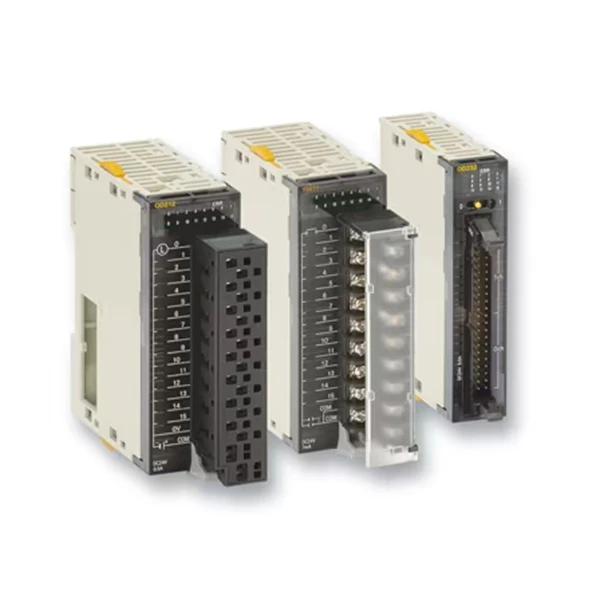

Restoration Methods
There are a couple of ways to restore the program and data in an Omron PLC. Let's start with the most common one: restoring from a backup file.
Restoring from a Backup File
If you've got a backup file saved on your computer, you're in luck. Here's what you need to do:
- Connect the PLC to the Computer: Use a suitable communication cable to connect your Omron PLC to your computer. Make sure the connection is stable.
- Open the Programming Software: Launch the Omron programming software, like CX - Programmer. This software is used to manage and program Omron PLCs.
- Access the Restoration Function: In the programming software, look for the option to restore a program or data. It's usually under a menu like "File" or "Project".
- Select the Backup File: Navigate to the location where you saved the backup file and select it.
- Start the Restoration Process: Once you've selected the backup file, click the "Restore" button. The software will then transfer the program and data from the backup file to the PLC.
It might take a few minutes for the restoration to complete, depending on the size of the program and data. Once it's done, you can test the PLC to make sure everything is working as it should.
Restoring from a Memory Card
Some Omron PLCs, like the Omron CJ2M - CPU14, support the use of memory cards. If you've saved your program and data on a memory card, you can restore it directly from the card.
- Insert the Memory Card: Turn off the PLC and insert the memory card into the appropriate slot.
- Power On the PLC: Turn on the PLC and wait for it to boot up. The PLC will automatically detect the memory card.
- Access the Restoration Menu: Use the PLC's built - in menu system to access the option to restore from the memory card.
- Select the Restoration Option: Follow the on - screen prompts to start the restoration process.
This method is pretty straightforward and can be a great option if you need to quickly restore the PLC without using a computer.
Troubleshooting Restoration Issues
Sometimes, things don't go as smoothly as we'd like. Here are some common issues you might encounter during the restoration process and how to fix them.
Communication Errors
If you're having trouble connecting the PLC to the computer or if the communication between the two is unstable, check the following:
- Cable Connection: Make sure the communication cable is properly connected to both the PLC and the computer. Try using a different cable if possible.
- Communication Settings: Check the communication settings in the programming software and on the PLC. Make sure they match.
File Corruption
If the backup file is corrupted, you might not be able to restore it. In this case, you can try to use a different backup if you have one. If not, you might need to recreate the program and data from scratch. This is why it's so important to regularly back up your PLC data.
Hardware Issues
If the PLC still isn't working correctly after the restoration, it could be a hardware issue. Check the PLC's hardware components, like the CPU, memory modules, and input/output modules. Look for any signs of damage or malfunction. If you're not sure how to do this, it might be a good idea to consult a professional.
Specific Models and Restoration
Different Omron PLC models might have slightly different restoration procedures. For example, the Omron CJ1W Series and the Omron CP1L - M40DR - A Programmable Controller have their own unique features and requirements.
For the Omron CJ1W Series, you might need to pay special attention to the module configuration when restoring the program. Make sure all the modules are properly installed and configured before you start the restoration.
The Omron CP1L - M40DR - A has a user - friendly interface that makes the restoration process relatively easy. However, you still need to follow the correct steps to ensure a successful restoration.
Importance of Regular Backups
I can't stress enough how important it is to regularly back up your Omron PLC program and data. By doing so, you can avoid a lot of headaches in case of a data loss or corruption. Set up a schedule for backups, whether it's daily, weekly, or monthly, depending on how often your program changes.
Contact for Procurement
If you're in the market for Omron PLCs or need more information about restoration processes, don't hesitate to reach out. We're here to help you with all your Omron PLC needs, from procurement to technical support. Whether you're a small business or a large industrial operation, we've got the expertise and products to meet your requirements.
References
- Omron CX - Programmer User Manual
- Omron PLC Hardware Documentation


