


Hey there! As a Siemens VFD (Variable Frequency Drive) supplier, I've gotten tons of questions about setting the operating mode of these drives. It can seem a bit tricky at first, but once you get the hang of it, it's not so bad. In this blog, I'll walk you through the steps and give you some tips to make the process smoother.
Understanding Siemens VFDs
Before we dive into setting the operating mode, let's quickly go over what Siemens VFDs are and why they're so useful. VFDs are devices that control the speed and torque of an electric motor by varying the frequency and voltage of the power supplied to it. This allows for more precise control, energy savings, and reduced wear and tear on the motor.
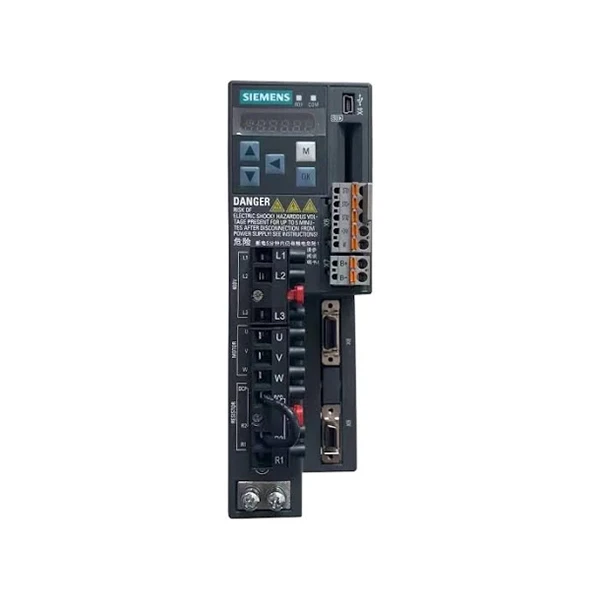
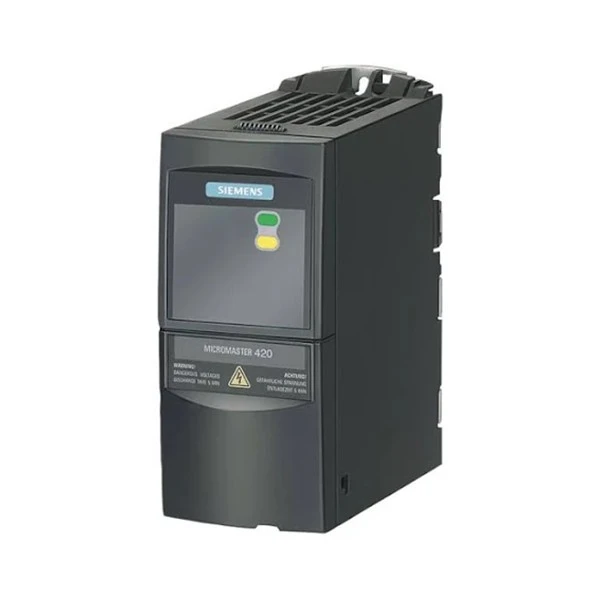
Siemens offers a wide range of VFDs, each with its own features and capabilities. Some popular models include the Siemens 6SE6420 - 2UD17 - 5AA1 Drives, SINAMICS V90, and Siemens 6SL3210 - 5BE13 - 7CV0. These drives are used in various applications, from industrial machinery to HVAC systems.
Pre - Setup Checks
Before you start setting the operating mode, there are a few things you need to do. First, make sure you have the right tools. You'll typically need a programming device, like a laptop with the appropriate software, or a handheld programming unit.
Next, check the drive's manual. Each model has its own specific instructions and parameters, so it's crucial to read the manual thoroughly. Look for information on safety precautions, wiring diagrams, and the location of the parameter settings.
Also, ensure that the drive is properly installed and wired. Incorrect wiring can lead to malfunctions or even damage the drive. Double - check all the connections and make sure they're secure.
Setting the Operating Mode
The process of setting the operating mode can vary depending on the model of the Siemens VFD. However, the general steps are as follows:
Step 1: Power On the Drive
First, turn on the power to the drive. Make sure all the safety switches are in the correct position and that the power supply meets the drive's requirements. Once the drive powers on, it will go through a self - test. Wait for the self - test to complete before proceeding.
Step 2: Access the Parameter Menu
To access the parameter menu, you'll usually need to press a specific button on the drive's control panel. This button is often labeled "Menu" or "P." Once you press the button, the display will show the parameter menu.
Step 3: Navigate to the Operating Mode Parameter
Use the up and down arrow keys on the control panel to navigate through the parameter menu. Look for the parameter related to the operating mode. The name of this parameter can vary, but it might be something like "Operating Mode," "Control Mode," or "Drive Mode."
Step 4: Select the Desired Operating Mode
Once you've found the operating mode parameter, you can select the mode you want. Siemens VFDs typically offer several operating modes, such as V/f control, sensorless vector control, and closed - loop vector control.
- V/f Control: This is the simplest operating mode. In V/f control, the drive maintains a constant ratio between the voltage and frequency supplied to the motor. It's suitable for applications where precise speed control isn't critical, like fans and pumps.
- Sensorless Vector Control: This mode provides better speed and torque control than V/f control without the need for an external speed sensor. It's ideal for applications that require moderate precision, such as conveyors.
- Closed - Loop Vector Control: This is the most advanced operating mode. It uses an external speed sensor, like an encoder, to provide highly precise speed and torque control. Closed - loop vector control is used in applications where accuracy is crucial, such as machine tools.
Use the arrow keys to select the desired operating mode and then press the "Enter" or "Set" button to confirm your selection.
Step 5: Adjust Other Related Parameters
After setting the operating mode, you may need to adjust other parameters to optimize the drive's performance. These parameters can include acceleration and deceleration times, maximum and minimum speeds, and torque limits. Refer to the drive's manual for guidance on how to set these parameters correctly.
Step 6: Save the Settings
Once you've made all the necessary adjustments, save the settings. Press the "Save" or "Store" button on the control panel. The drive will then store the new settings in its memory.
Testing the Drive
After setting the operating mode and adjusting the parameters, it's important to test the drive. Start the motor at a low speed and observe its operation. Check for any abnormal noises, vibrations, or overheating. If you notice any issues, stop the motor immediately and review the settings.
Gradually increase the speed of the motor and monitor its performance. Make sure the motor responds correctly to the speed changes and that the drive maintains the desired operating mode.
Troubleshooting
If you encounter problems during the setup or operation of the drive, don't panic. Here are some common issues and their possible solutions:
- Drive Not Powering On: Check the power supply, fuses, and circuit breakers. Make sure the power cables are properly connected.
- Incorrect Operating Mode Selection: Double - check the parameter settings and make sure you've selected the correct operating mode. Refer to the drive's manual for the correct parameter values.
- Motor Not Running Properly: Check the motor's wiring, insulation, and bearings. Also, review the drive's settings, such as the acceleration and deceleration times.
Conclusion
Setting the operating mode of a Siemens VFD might seem daunting at first, but with the right knowledge and a bit of practice, it's a manageable task. Remember to follow the steps in the manual, double - check your settings, and test the drive thoroughly.
If you're in the market for a Siemens VFD or need more information about setting the operating mode, feel free to reach out. We're here to help you find the right drive for your application and ensure that it's set up correctly. Whether you're a small business owner or part of a large industrial operation, we can provide you with the support and expertise you need.
References
- Siemens VFD User Manuals
- Industry - related technical articles on variable frequency drives


