


Hey there! As a supplier of Mitsubishi HMI (Human - Machine Interface) products, I've gotten tons of questions from customers about how to improve the response time of these devices. In this blog, I'll share some practical tips and tricks that can help you make your Mitsubishi HMI perform at its best.
First off, let's understand why response time matters. A slow - responding HMI can lead to all sorts of problems. In industrial settings, it might cause delays in production processes, increase the risk of errors, and even affect the safety of the operators. So, getting that quick response is super important.
1. Hardware - related Improvements
One of the most straightforward ways to boost the response time is by upgrading the hardware. Mitsubishi offers a range of HMIs with different specifications, and choosing the right one for your needs is crucial. For example, the Mitsubishi Gs2110 - Wtbd Touch Screen is a great option if you're looking for a reliable and fast - responding HMI. It comes with advanced processors and sufficient memory, which can handle complex operations without much lag.
If you already have an HMI installed, you can also consider adding more memory. Just like your computer, when an HMI runs out of memory, it starts to slow down. Adding RAM can significantly improve the device's ability to process data quickly. Another hardware aspect to look at is the touch screen itself. Over time, the touch screen can get dirty or damaged, which can affect its responsiveness. Cleaning the screen regularly with a soft, dry cloth can make a big difference. And if it's severely damaged, replacing it might be the best solution. The MITSUBISHI GT1662 - VNBA Touch Screen is a high - quality replacement option that offers excellent touch sensitivity.
2. Software Optimization
The software running on your Mitsubishi HMI also plays a huge role in its response time. First of all, make sure you're using the latest version of the operating system and application software. Mitsubishi regularly releases updates that include bug fixes and performance improvements. Updating the software can often solve many of the slow - response issues you might be facing.
When designing the HMI application, keep it simple. Avoid using too many complex graphics, animations, or unnecessary functions. These can eat up a lot of processing power and slow down the response. For example, if you have a screen with a lot of moving parts and flashy effects, try to simplify it. Use only the essential elements that are necessary for the operator to interact with the system.
Another software tip is to optimize the communication settings. The HMI needs to communicate with other devices in the system, such as PLCs (Programmable Logic Controllers). Make sure the communication protocol is set up correctly and that the data transfer rate is optimized. Sometimes, a slow communication speed can be the root cause of a slow - responding HMI.
3. Network Considerations
The network environment in which the HMI operates can have a big impact on its response time. A stable and fast network is essential. If you're using a wireless network, make sure the signal strength is strong and there's no interference. Walls, metal objects, and other electronic devices can all interfere with the wireless signal.
If possible, use a wired network connection. Wired connections are generally more reliable and offer faster data transfer speeds compared to wireless. Also, check the network bandwidth. If there are too many devices competing for the same bandwidth, it can slow down the HMI's communication with other devices. Consider upgrading your network infrastructure if necessary.
4. Maintenance and Monitoring
Regular maintenance is key to keeping your Mitsubishi HMI running smoothly. This includes not only hardware cleaning but also software checks. Check for any error messages or warnings on the HMI regularly. These can indicate potential problems that might affect the response time.
Monitoring the system's performance is also important. You can use diagnostic tools provided by Mitsubishi to keep an eye on things like CPU usage, memory usage, and communication status. By monitoring these parameters, you can detect any issues early and take corrective action before they become major problems.
5. Operator Training
Last but not least, proper operator training can improve the perceived response time of the HMI. If operators know how to use the HMI correctly, they can avoid making mistakes that might slow down the system. For example, teaching them not to double - tap or press the screen too hard can prevent unnecessary processing and reduce lag.
Operators should also be trained on how to handle different situations and error messages. This can help them take appropriate action quickly, rather than waiting for the HMI to respond in a situation where it might be waiting for their input.

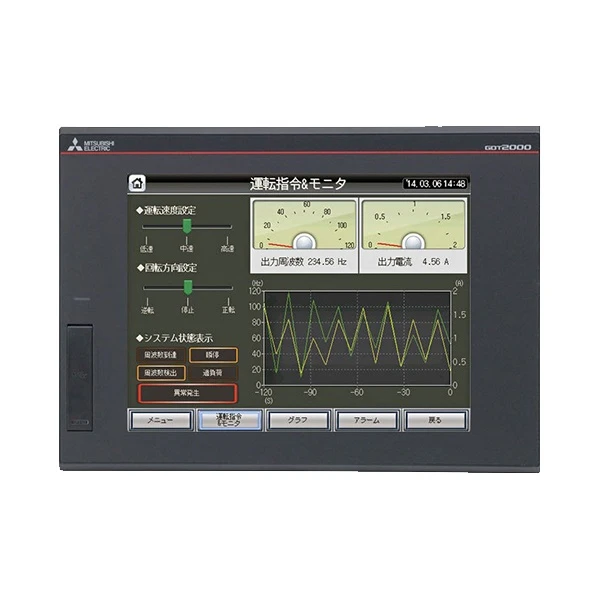
In conclusion, improving the response time of a Mitsubishi HMI involves a combination of hardware upgrades, software optimization, network management, maintenance, and operator training. By following these tips, you can ensure that your HMI performs at its best and provides a smooth and efficient user experience.
If you're interested in purchasing Mitsubishi HMI products or need more advice on improving their performance, feel free to reach out. We're here to help you find the best solutions for your needs.
References
- Mitsubishi Electric Corporation official documentation
- Industry reports on HMI performance optimization


