


Hey there! As a supplier of Allen - Bradley PLCs, I'm super stoked to share with you how to use data logging in Allen - Bradley PLC. Data logging is a game - changer when it comes to monitoring and analyzing what's going on in your industrial processes. It helps you keep tabs on your operations, troubleshoot issues quickly, and make smart decisions based on real - time and historical data.
First off, let's talk about why data logging is so important. In any industrial setting, things can get pretty complex. You've got multiple sensors, machines, and processes all working together. Data logging allows you to record important information like temperature, pressure, flow rates, and machine status over time. This data is like gold because it can show you trends, detect anomalies, and help you optimize your processes for better efficiency and productivity.
Now, let's dive into how to set up data logging in an Allen - Bradley PLC. The process can vary a bit depending on the specific model of the PLC you're using. But I'll give you a general overview that should apply to most cases.
Step 1: Choose the Right PLC
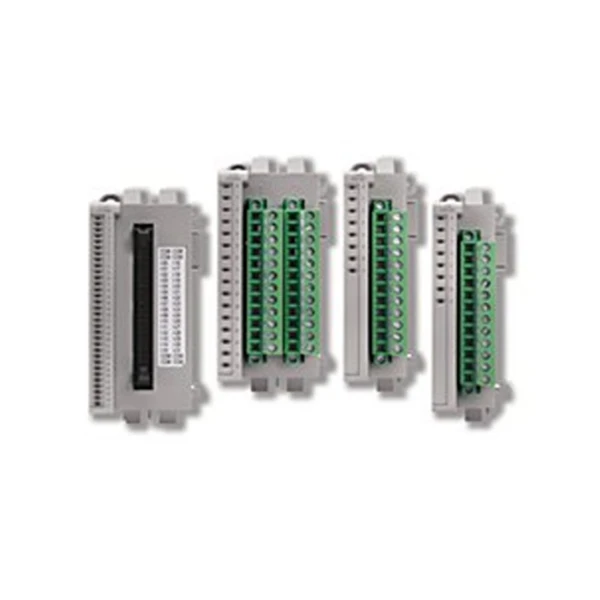
The first thing you need to do is make sure you've got the right Allen - Bradley PLC for your data logging needs. There are several great models out there. For example, the 1794 - AENTR Allen Bradley is a popular choice. It offers reliable communication capabilities and can handle a good amount of data. Another option is the Allen Bradley 1763 - L16AWA Controller, which is known for its compact size and ease of use. And if you need something more powerful, the Allen Bradley 2080 - LC50 - 24QVB is a great option with advanced features.
Step 2: Configure the PLC for Data Logging
Once you've got your PLC, you need to configure it for data logging. This usually involves using software like Rockwell Automation's Studio 5000 Logix Designer. Here's a rough idea of what you'll need to do:
- Define the Data Sources: You'll need to tell the PLC which data points you want to log. This could be values from sensors, outputs from other devices, or internal variables within the PLC itself. For example, if you're monitoring a temperature sensor, you'll need to specify the address of the sensor in the PLC's memory.
- Set the Logging Parameters: Decide how often you want to log the data. You can choose to log at regular intervals (like every second, minute, or hour) or based on certain events (like when a particular value crosses a threshold). You'll also need to set the maximum number of records you want to store in the log.
Step 3: Create the Data Log
In Studio 5000 Logix Designer, you'll create a data log object. This object will hold all the configuration settings you just defined. You can give the data log a meaningful name so you can easily identify it later.
Step 4: Download the Configuration to the PLC
After you've created and configured the data log, you need to download the configuration to the PLC. This will transfer all the settings from your computer to the PLC, and the PLC will start logging data according to your specifications.
Step 5: Retrieve and Analyze the Data
Once the PLC is logging data, you'll need a way to retrieve and analyze it. You can use software tools like FactoryTalk View SE or other third - party data analysis tools. These tools allow you to view the logged data in various formats, such as tables, graphs, and charts. You can also perform calculations on the data, generate reports, and export the data for further analysis.
Tips and Tricks for Effective Data Logging
- Keep it Simple: Don't try to log too much data at once. Focus on the most important data points that will give you the information you need to make decisions.
- Regularly Review the Data: Set up a schedule to review the logged data. This will help you catch any issues early and make adjustments to your processes as needed.
- Back Up the Data: Make sure you have a backup of your logged data. This will protect you in case of a system failure or other issues.
Conclusion
Using data logging in Allen - Bradley PLCs is a powerful way to improve the performance and reliability of your industrial processes. By following the steps I've outlined above and using the right tools, you can easily set up and manage data logging in your PLC. Whether you're a small - scale operation or a large - scale industrial facility, data logging can provide valuable insights that will help you stay competitive in today's market.
If you're interested in learning more about Allen - Bradley PLCs or have any questions about data logging, I'd love to chat. Feel free to reach out to me to start a conversation about your specific needs and how we can work together to find the best solutions for your business.
References
- Rockwell Automation Documentation
- Allen - Bradley PLC User Manuals


