


As a trusted Siemens PLC supplier, I've witnessed firsthand the transformative power of Siemens Programmable Logic Controllers (PLCs) in various industrial applications. One of the most valuable features of Siemens PLCs is the alarm function, which plays a crucial role in ensuring the safety, efficiency, and reliability of industrial processes. In this blog post, I'll share my insights on how to effectively use the alarm function in Siemens PLCs, drawing from my years of experience in the field.
Understanding the Basics of the Alarm Function
Before diving into the practical aspects of using the alarm function, it's essential to understand its fundamental concepts. The alarm function in Siemens PLCs allows you to monitor specific process variables or conditions and trigger an alarm when a predefined threshold is exceeded or a particular event occurs. Alarms can be used to alert operators of potential problems, such as equipment malfunctions, abnormal process conditions, or safety hazards, enabling them to take timely corrective actions.
Configuring Alarms in Siemens PLCs
The process of configuring alarms in Siemens PLCs typically involves the following steps:
1. Define Alarm Conditions
The first step is to identify the process variables or conditions that you want to monitor and define the alarm conditions. This may include setting upper and lower limits for temperature, pressure, flow rate, or other critical parameters, or detecting specific events, such as a motor overload or a valve failure. You can use the programming environment of the Siemens PLC, such as SIMATIC Manager or TIA Portal, to define these alarm conditions using ladder logic, function block diagrams, or other programming languages.
2. Create Alarm Tags
Once you've defined the alarm conditions, you need to create alarm tags to represent each alarm. Alarm tags are used to store the current status of the alarm, including whether it is active, acknowledged, or cleared. You can assign a unique tag name and address to each alarm tag, which will be used to reference the alarm in the PLC program and the HMI (Human - Machine Interface).
3. Set Alarm Priorities
Siemens PLCs allow you to assign priorities to each alarm, which helps operators to focus on the most critical issues first. You can define different priority levels, such as high, medium, and low, based on the severity of the alarm. High - priority alarms may require immediate attention, while low - priority alarms may be less urgent.
4. Configure Alarm Outputs
In addition to defining the alarm conditions and tags, you need to configure the alarm outputs. Alarm outputs can be used to activate visual or audible indicators, such as warning lights, buzzers, or sirens, or to send notifications to operators via email, SMS, or other communication channels. You can use the output modules of the Siemens PLC to drive these alarm outputs, and program the PLC to activate the appropriate output when an alarm is triggered.
Using Alarm Functions in Different Siemens PLC Models
Siemens offers a wide range of PLC models, each with its own features and capabilities for implementing the alarm function. Here are some examples:
SIMATIC S7 - 300
The SIMATIC S7 - 300 CPU 314C 6ES7314 - 6CH04 - 0AB0 is a popular model in the S7 - 300 series. It provides built - in alarm handling capabilities, allowing you to configure alarms directly in the PLC program. You can use the system function blocks provided by Siemens, such as SFB38 (ALARM_S) and SFB39 (ALARM_R), to manage alarms. These function blocks can be used to detect alarm conditions, store alarm messages, and handle alarm acknowledgments.
SIMATIC S7 - 400
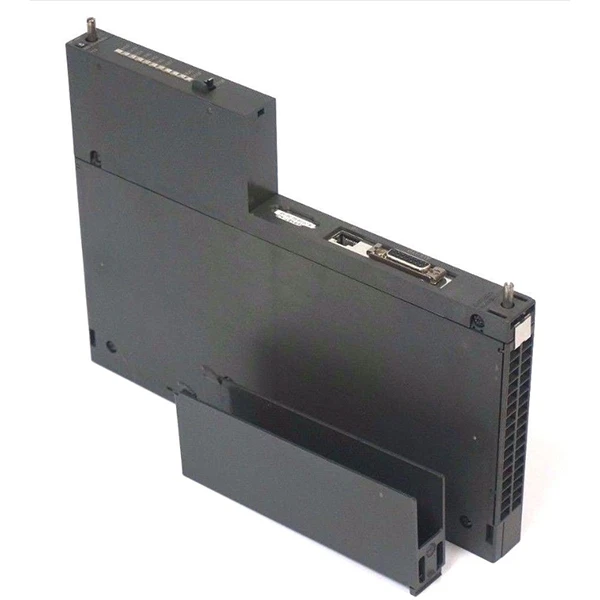
The SIMATIC S7 - 400 series is known for its high performance and scalability. When using the alarm function in S7 - 400 PLCs, you can take advantage of the powerful programming environment and extensive library of function blocks. For example, you can use the function block FB126 (ALARM_S) to create complex alarm scenarios. The S7 - 400 also supports communication with external devices, such as the Siemens 6GK7443 - 1EX11 - 0XE0 Industrial Ethernet Module, which can be used to send alarm notifications over the network.

SIMATIC S7 - 1200 and S7 - 1500
The SIMATIC S7 - 1200 and S7 - 1500 are modern, compact PLCs that offer advanced alarm handling features. These PLCs support the use of the TIA Portal programming environment, which provides a user - friendly interface for configuring alarms. You can use the alarm editor in the TIA Portal to define alarm conditions, assign priorities, and configure alarm outputs. The S7 - 1200 and S7 - 1500 also support integration with HMI systems, allowing you to display alarm information on the touchscreen or other display devices.
Managing and Monitoring Alarms
Once you've configured the alarms in your Siemens PLC, it's important to have an effective system for managing and monitoring them. Here are some best practices:
1. Alarm Acknowledgment
When an alarm is triggered, operators need to acknowledge the alarm to indicate that they are aware of the problem. This helps to prevent unnecessary duplication of alarm notifications and ensures that operators are actively monitoring the alarms. You can use the HMI or other control systems to provide a mechanism for operators to acknowledge alarms.
2. Alarm Logging
It's essential to log all alarm events, including the time of occurrence, the alarm tag, the alarm priority, and the current status of the alarm. Alarm logging allows you to review historical alarm data, analyze trends, and identify recurring problems. You can use the built - in logging capabilities of the Siemens PLC or external data logging systems to store and manage alarm logs.
3. Alarm Reporting
Regular alarm reporting can help managers and supervisors to stay informed about the overall performance of the industrial process and the effectiveness of the alarm system. You can generate alarm reports that summarize the number of alarms, the frequency of occurrence, and the resolution time for each alarm. These reports can be used to identify areas for improvement and to make informed decisions about maintenance and process optimization.
Practical Applications of Alarm Functions in Industry
The alarm function in Siemens PLCs has numerous practical applications in various industries, including:
1. Manufacturing
In manufacturing plants, alarms can be used to monitor the operation of production equipment, such as CNC machines, robots, and conveyor systems. Alarms can be triggered when a machine malfunctions, a production line stops, or a quality control parameter is out of specification, allowing operators to take immediate action to minimize downtime and ensure product quality.
2. Energy
In the energy sector, alarms are used to monitor power generation, transmission, and distribution systems. For example, alarms can be set to detect abnormal voltage levels, overloading of transformers, or leaks in pipelines. This helps to prevent power outages, protect equipment, and ensure the safety of personnel.
3. Water and Wastewater Treatment
In water and wastewater treatment plants, alarms are used to monitor water quality parameters, such as pH, turbidity, and chlorine levels, as well as the operation of pumps, valves, and other treatment equipment. Alarms can be triggered when water quality falls below acceptable standards or when equipment fails, enabling operators to take corrective actions to protect public health and the environment.
Conclusion
The alarm function in Siemens PLCs is a powerful tool for ensuring the safety, efficiency, and reliability of industrial processes. By following the steps outlined in this blog post, you can effectively configure, manage, and monitor alarms in your Siemens PLC system. As a Siemens PLC supplier, I'm committed to providing high - quality products and comprehensive technical support to help you make the most of the alarm function and other features of Siemens PLCs.
If you're interested in learning more about Siemens PLCs or have specific requirements for your industrial application, I encourage you to contact me for a detailed discussion. We can work together to find the best solutions for your needs and ensure a smooth implementation of your automation project.
References
- Siemens AG. SIMATIC S7 System Manuals.
- SIMATIC Programming Guide, Siemens.
- Industrial Automation Handbook, various authors.


