


As a Siemens HMI supplier, I've witnessed firsthand the transformative power of web-based access in industrial automation. Web-based access to Siemens HMI (Human-Machine Interface) devices offers a plethora of benefits, including remote monitoring, control, and maintenance. In this blog post, I'll guide you through the process of using web-based access to Siemens HMI, sharing practical tips and best practices along the way.
Understanding Web-Based Access to Siemens HMI
Web-based access allows users to interact with Siemens HMI devices over the internet using a standard web browser. This means that you can monitor and control your industrial processes from anywhere in the world, as long as you have an internet connection. Web-based access is particularly useful for remote locations, where on-site monitoring and control may not be feasible.

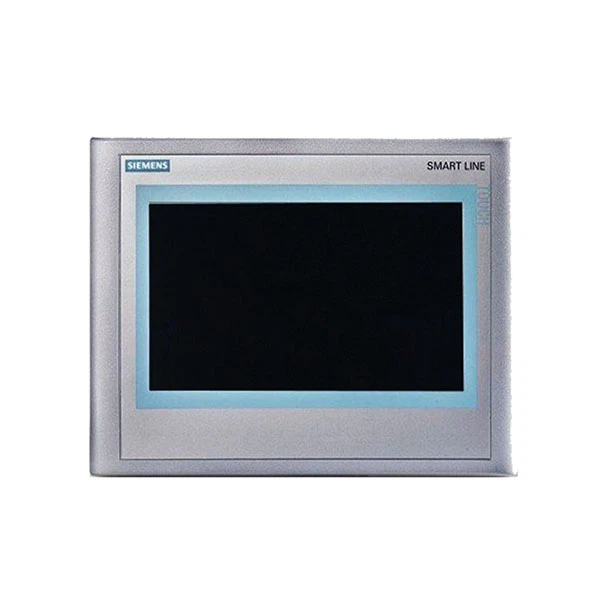
One of the key advantages of web-based access is its flexibility. You can use a variety of devices, such as laptops, tablets, and smartphones, to access your HMI. This allows you to stay connected to your industrial processes even when you're on the go. Additionally, web-based access provides real-time data visualization, allowing you to make informed decisions quickly.
Prerequisites for Web-Based Access
Before you can start using web-based access to Siemens HMI, you'll need to ensure that you have the following:
- Siemens HMI Device: You'll need a compatible Siemens HMI device that supports web-based access. Some popular models include the Siemens 6AV6648-0BE11-3AX0, Siemens 6AV6545-0AG10-0AX0 HMI, and Siemens 6AV6643-0CD01-1AX1.
- Internet Connection: You'll need a stable internet connection to access your HMI device remotely. This can be a wired or wireless connection, depending on your setup.
- Web Browser: You'll need a modern web browser, such as Google Chrome, Mozilla Firefox, or Microsoft Edge, to access the web interface of your HMI device.
- Authorization: You'll need to have the appropriate authorization to access your HMI device remotely. This may involve setting up user accounts and passwords, as well as configuring access rights and permissions.
Configuring Web-Based Access
Once you have the necessary prerequisites, you can start configuring web-based access to your Siemens HMI device. The exact configuration steps may vary depending on the model of your HMI device, but the general process is as follows:
- Enable Web Server Functionality: Most Siemens HMI devices come with built-in web server functionality. You'll need to enable this feature in the device's settings.
- Configure Network Settings: You'll need to configure the network settings of your HMI device to ensure that it can communicate with the internet. This may involve setting up an IP address, subnet mask, gateway, and DNS server.
- Set Up User Accounts and Passwords: You'll need to set up user accounts and passwords to control access to your HMI device. This will help to ensure the security of your industrial processes.
- Configure Access Rights and Permissions: You'll need to configure access rights and permissions for each user account. This will determine what actions each user can perform on the HMI device.
- Test Web-Based Access: Once you have configured web-based access, you should test it to ensure that it is working properly. You can do this by opening a web browser and entering the IP address of your HMI device.
Using Web-Based Access
Once you have configured web-based access to your Siemens HMI device, you can start using it to monitor and control your industrial processes. Here are some of the key features and functions that you can expect to find:
- Real-Time Data Visualization: Web-based access provides real-time data visualization, allowing you to monitor the status of your industrial processes in real-time. You can view data such as temperature, pressure, flow rate, and more.
- Remote Control: You can use web-based access to control your industrial processes remotely. This allows you to start and stop machines, adjust parameters, and perform other actions from anywhere in the world.
- Alarms and Notifications: Web-based access allows you to set up alarms and notifications for critical events. You can receive alerts via email, SMS, or other methods when an alarm is triggered.
- Historical Data Analysis: You can use web-based access to analyze historical data from your industrial processes. This allows you to identify trends, patterns, and anomalies, and make informed decisions about your operations.
- Maintenance and Troubleshooting: Web-based access allows you to perform maintenance and troubleshooting tasks remotely. You can diagnose problems, update software, and perform other tasks without having to be on-site.
Best Practices for Web-Based Access
To ensure the security and reliability of your web-based access to Siemens HMI, it's important to follow these best practices:
- Use Strong Passwords: Use strong, unique passwords for each user account. Avoid using common passwords or passwords that are easy to guess.
- Enable Two-Factor Authentication: Enable two-factor authentication for added security. This will require users to provide a second form of authentication, such as a code sent to their mobile phone, in addition to their password.
- Keep Software Up-to-Date: Keep the software on your HMI device and web browser up-to-date. This will help to ensure that you have the latest security patches and features.
- Use a Secure Network: Use a secure network, such as a virtual private network (VPN), to access your HMI device remotely. This will help to protect your data from unauthorized access.
- Limit Access to Authorized Users: Limit access to your HMI device to authorized users only. This will help to prevent unauthorized access and ensure the security of your industrial processes.
Conclusion
Web-based access to Siemens HMI devices offers a powerful and flexible way to monitor and control your industrial processes. By following the steps outlined in this blog post, you can configure web-based access to your Siemens HMI device and start using it to improve the efficiency and productivity of your operations.
If you're interested in learning more about web-based access to Siemens HMI or other industrial automation solutions, please don't hesitate to contact us. We're a leading Siemens HMI supplier, and we're committed to providing our customers with the highest quality products and services. Contact us today to discuss your specific needs and requirements.
References
- Siemens HMI User Manuals
- Industrial Automation Best Practices Guides


