


As a Siemens PLC supplier, I've encountered numerous situations where customers face issues with their Siemens PLC systems. Troubleshooting these systems can be a daunting task, but with the right approach, it can be made much easier. In this blog, I'll share some practical tips on how to troubleshoot a Siemens PLC.
1. Initial Checks
Before delving into complex troubleshooting, it's essential to perform some basic checks. First, ensure that the power supply to the PLC is stable. A fluctuating power supply can cause erratic behavior in the PLC. Check the voltage levels using a multimeter to make sure they are within the specified range for the PLC model you are using.
Next, inspect the physical connections. Loose or damaged cables can lead to communication errors or malfunctions. Make sure all the cables are properly plugged in and there are no signs of wear or damage. Pay special attention to the communication cables, as any issues here can prevent the PLC from communicating with other devices in the system.
2. Software and Configuration
The software and configuration of the PLC play a crucial role in its operation. Start by checking the programming logic. Review the ladder logic or other programming languages used in the PLC to ensure there are no errors. Look for incorrect instructions, missing steps, or logical flaws that could be causing the problem.
Verify the configuration settings of the PLC. This includes parameters such as input/output addresses, communication settings, and timer/counter values. Incorrect configuration can lead to unexpected behavior. Make sure the settings match the requirements of your application.
3. Diagnostic Tools
Siemens provides a range of diagnostic tools that can be very helpful in troubleshooting. The Step 7 programming software, for example, allows you to monitor the status of the PLC's inputs and outputs in real-time. You can use this tool to check if the inputs are being read correctly and if the outputs are being activated as expected.
Another useful tool is the diagnostic buffer in the PLC. This buffer stores information about system errors and events. By reviewing the diagnostic buffer, you can get valuable insights into what might be going wrong with the PLC. Look for error codes and messages, and refer to the Siemens documentation to understand their meaning.
4. Common Issues and Solutions
Communication Problems
Communication issues are one of the most common problems with Siemens PLCs. If the PLC is not communicating with other devices, such as HMIs or other PLCs, check the communication settings. Make sure the baud rate, parity, and other communication parameters are set correctly.
If the problem persists, check the communication cables and connectors. A faulty cable or connector can disrupt the communication. You can also try using a different communication port to isolate the problem.
Input/Output Issues
Problems with inputs or outputs can cause the PLC to malfunction. If an input is not being read correctly, check the sensor or switch connected to it. Make sure it is working properly and that the wiring is correct.
For output issues, check the load connected to the output. A short circuit or overloaded load can cause the output to fail. You can use a multimeter to check the voltage and current at the output to ensure it is within the specified range.
Power Supply Problems
As mentioned earlier, a stable power supply is essential for the proper operation of the PLC. If the PLC is experiencing intermittent problems, it could be due to a power supply issue. Check the power supply unit for any signs of damage or overheating. You can also use a power analyzer to monitor the power quality.
5. Example Products and Their Troubleshooting
Let's take a look at some specific Siemens PLC products and how to troubleshoot them.
-
Siemens 6EP1931 - 2EC21: This power supply unit is commonly used in Siemens PLC systems. If you are experiencing issues with this unit, first check the input voltage. Make sure it is within the specified range. If the output voltage is not correct, it could be a sign of a faulty power supply. You can refer to the Siemens 6EP1931 - 2EC21 product documentation for more detailed troubleshooting steps.
-
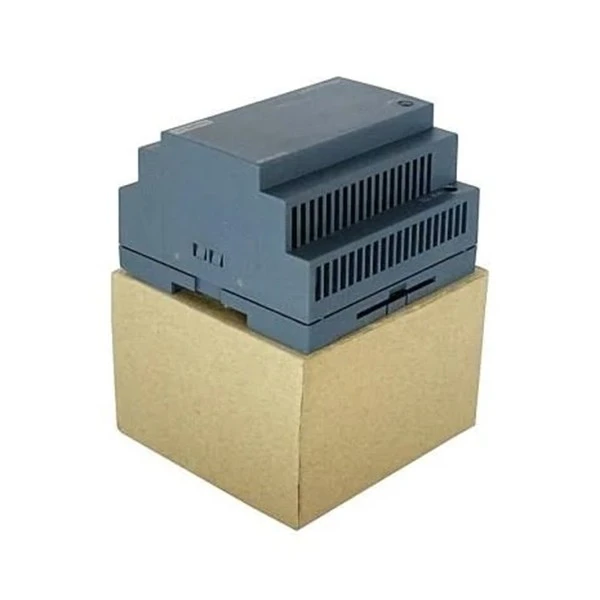
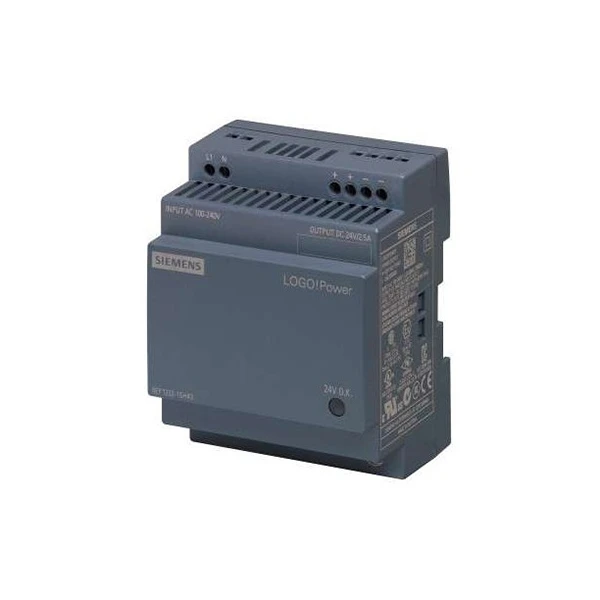
Siemens 6EP1332 - 1SH43 LOGO: The LOGO! is a compact automation system from Siemens. If you are having problems with this device, start by checking the programming. Make sure the logic is correct and there are no errors. You can also use the diagnostic features of the LOGO! software to identify any issues. For more information, visit the Siemens 6EP1332 - 1SH43 LOGO product page.
-
6GK5005 - 0BA00 - 1AB2 Siemens: This is a communication module for Siemens PLCs. If you are experiencing communication problems with this module, check the configuration settings. Make sure the module is properly configured for the communication protocol you are using. You can also check the communication cables and connectors. For detailed troubleshooting information, refer to the 6GK5005 - 0BA00 - 1AB2 Siemens product documentation.
6. When to Seek Professional Help
In some cases, troubleshooting a Siemens PLC can be beyond the capabilities of an in-house technician. If you have tried all the above steps and are still unable to resolve the problem, it may be time to seek professional help. Siemens offers technical support services, and there are also many third-party companies that specialize in Siemens PLC troubleshooting.
7. Conclusion
Troubleshooting a Siemens PLC requires a systematic approach. By performing initial checks, reviewing the software and configuration, using diagnostic tools, and addressing common issues, you can often identify and resolve problems quickly. However, if you encounter complex issues, don't hesitate to seek professional assistance.
If you are in the market for Siemens PLC products or need further support with troubleshooting, we are here to help. Our team of experts can provide you with the best solutions for your automation needs. Contact us to start a procurement discussion and find the right Siemens PLC products for your project.
References
- Siemens PLC User Manuals
- Siemens Technical Support Documentation


