


As a dedicated supplier of Mitsubishi PLCs, I understand the critical importance of having reliable backup and restore methods for PLC programs. In the industrial automation landscape, Mitsubishi PLCs are renowned for their robustness, flexibility, and advanced features. However, unexpected events such as power outages, software glitches, or hardware failures can pose a significant threat to the integrity of your PLC programs. Therefore, implementing effective backup and restore strategies is essential to ensure the continuous operation of your automation systems.
Understanding the Need for Backup and Restore
Before delving into the specific backup and restore methods, it's crucial to understand why these processes are so vital. A PLC program serves as the brain of an automation system, controlling various processes and functions. Losing this program can result in costly downtime, production delays, and potential safety hazards. By regularly backing up your PLC programs, you create a safety net that allows you to quickly recover from any unforeseen issues and minimize the impact on your operations.
Backup Methods
Manual Backup
Manual backup is the most straightforward method of backing up a Mitsubishi PLC program. This process involves using the programming software, such as GX Works3, to connect to the PLC and save the program to a local storage device, such as a USB drive or a hard disk. Here are the general steps for performing a manual backup:
- Connect to the PLC: Use a compatible communication cable to connect your programming device (e.g., laptop) to the Mitsubishi PLC.
- Open the Programming Software: Launch the GX Works3 software and establish a connection with the PLC.
- Read the Program: Use the software to read the current program from the PLC's memory.
- Save the Program: Save the program to a local storage device in a secure location. Make sure to give the file a descriptive name and include the date of the backup.
While manual backup is simple and accessible, it has some limitations. It requires manual intervention, which means that it can be time-consuming and prone to human error. Additionally, if the backup is not performed regularly, there is a risk of losing important changes made to the program since the last backup.
Automatic Backup
To overcome the limitations of manual backup, many Mitsubishi PLCs support automatic backup features. Automatic backup allows the PLC to periodically save the program to an external storage device without any manual intervention. This ensures that the program is backed up regularly, reducing the risk of data loss.
The specific steps for setting up automatic backup may vary depending on the model of the Mitsubishi PLC. However, in general, you will need to configure the following settings:
- Backup Schedule: Define the frequency of the backups, such as daily, weekly, or monthly.
- Storage Location: Specify the external storage device where the backups will be saved, such as a USB drive or an SD card.
- Backup Conditions: Set the conditions under which the backup will be triggered, such as when the PLC is powered on or when a specific event occurs.
Once the automatic backup settings are configured, the PLC will automatically save the program to the specified storage device at the scheduled intervals. This provides a reliable and convenient way to ensure that your PLC program is always backed up.
Cloud Backup
In recent years, cloud backup has become an increasingly popular option for backing up Mitsubishi PLC programs. Cloud backup involves storing the program data on a remote server provided by a cloud service provider. This offers several advantages, including:
- Data Security: Cloud service providers typically have robust security measures in place to protect your data from unauthorized access, theft, and loss.
- Scalability: Cloud storage can easily scale to accommodate the growing size of your PLC program data.
- Accessibility: You can access your backed-up programs from anywhere with an internet connection, making it easy to restore the program in case of a disaster.
To use cloud backup for your Mitsubishi PLC program, you will need to choose a reliable cloud service provider and configure the necessary settings in the programming software. Some cloud service providers also offer additional features, such as version control and data encryption, to enhance the security and manageability of your backups.

Restore Methods
Manual Restore
Restoring a Mitsubishi PLC program from a backup is a relatively straightforward process. If you have a manual backup saved on a local storage device, you can use the following steps to restore the program:
- Connect to the PLC: Use a compatible communication cable to connect your programming device to the Mitsubishi PLC.
- Open the Programming Software: Launch the GX Works3 software and establish a connection with the PLC.
- Load the Backup File: Use the software to load the backup file from the local storage device.
- Write the Program: Write the restored program to the PLC's memory.
It's important to note that when restoring a program from a backup, you may need to make some adjustments to the program settings, such as the communication settings or the device addresses, to ensure that the program works correctly in the current environment.
Automatic Restore
Some Mitsubishi PLCs support automatic restore features, which allow the PLC to automatically restore the program from a backup in case of a failure. This can significantly reduce the downtime and minimize the impact on your operations.
To enable automatic restore, you will need to configure the following settings:
- Restore Conditions: Define the conditions under which the automatic restore will be triggered, such as when the PLC detects a memory error or when it is powered on after a power outage.
- Backup Location: Specify the location of the backup file, such as a USB drive or an SD card.
Once the automatic restore settings are configured, the PLC will automatically attempt to restore the program from the backup if the specified conditions are met.
Recommended Mitsubishi PLC Models for Backup and Restore
As a Mitsubishi PLC supplier, I recommend the following models for their excellent backup and restore capabilities:
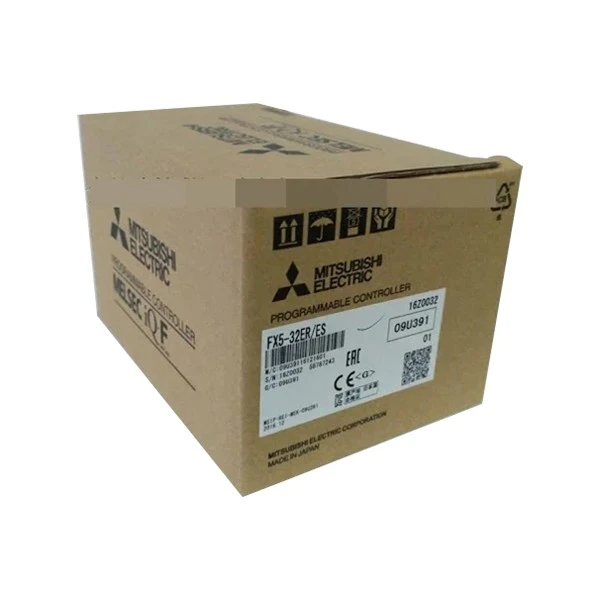
- FX5-32ER/ES Mitsubishi Electric: This compact and high-performance PLC offers advanced backup and restore features, making it suitable for a wide range of industrial applications.
- Mitsubishi FX3U-32DP: The FX3U-32DP is a popular choice for industrial automation due to its reliability and flexibility. It supports both manual and automatic backup and restore methods.
- Fx3u 64mt Dss: This powerful PLC is equipped with a large memory capacity and advanced communication capabilities, making it ideal for complex automation systems. It also offers robust backup and restore features to ensure the integrity of your program.
Conclusion
In conclusion, having reliable backup and restore methods for your Mitsubishi PLC program is essential for ensuring the continuous operation of your industrial automation systems. Whether you choose manual backup, automatic backup, or cloud backup, it's important to implement a regular backup schedule and store the backups in a secure location. By following these best practices, you can minimize the risk of data loss and quickly recover from any unforeseen issues.
If you are interested in learning more about Mitsubishi PLCs or need assistance with backup and restore solutions, please feel free to contact us. Our team of experts is ready to help you find the right products and services to meet your specific needs.
References
- Mitsubishi Electric Corporation. (2023). GX Works3 User's Manual.
- Mitsubishi Electric Corporation. (2023). FX5 Series PLC User's Manual.
- Mitsubishi Electric Corporation. (2023). FX3U Series PLC User's Manual.


