


Yo, folks! As a supplier of Schneider PLCs, I've seen my fair share of issues with these bad boys over the years. In this blog, I'm gonna share some of the common faults of Schneider PLCs and how you can solve 'em. Whether you're a seasoned pro or just getting started with PLCs, this info could come in super handy.
Communication Issues
One of the most common problems we encounter is communication issues. You might find that your PLC isn't talking to other devices in your system, like HMIs or sensors. This can be a real pain in the butt, especially when you're trying to get a production line up and running.
Possible Causes
- Cable Problems: Loose, damaged, or incorrectly connected cables are often the culprit. Over time, cables can get worn out, or they might not be plugged in properly.
- Configuration Errors: Incorrect settings in the PLC's communication parameters can also lead to communication failures. Maybe the baud rate, parity, or data bits are set wrong.
- Interference: Electrical interference from other equipment in the area can disrupt the communication signal. This is more common in industrial environments where there are a lot of motors and other high - power devices.
Solutions
- Check the Cables: First things first, make sure all the cables are securely connected and in good condition. If you find any damaged cables, replace 'em right away. You can also try using shielded cables to reduce the risk of interference.
- Verify the Configuration: Double - check the communication settings in the PLC programming software. Make sure they match the settings of the other devices in the system. Sometimes, a simple misconfiguration can cause big problems.
- Reduce Interference: If you suspect interference, try moving the PLC away from sources of electrical noise. You can also use ferrite beads on the cables to suppress high - frequency interference.
Power Supply Problems
Another common fault is related to the power supply. A faulty power supply can cause all sorts of issues, from random resets to complete system failures.
Possible Causes
- Power Surges: Sudden spikes in the power supply can damage the PLC's internal components. This can happen during lightning storms or when large equipment in the area is turned on or off.
- Low Voltage: If the power supply voltage is too low, the PLC might not function properly. This could be due to a faulty power source or a long - distance power cable with high resistance.
- Power Supply Failure: Over time, the power supply unit itself can fail. This could be because of component wear and tear or overheating.
Solutions
- Use a Surge Protector: Install a surge protector between the power source and the PLC. This will help protect the PLC from power surges.
- Check the Voltage: Use a multimeter to measure the voltage at the PLC's power input. If the voltage is too low, you might need to upgrade the power supply or shorten the power cable.
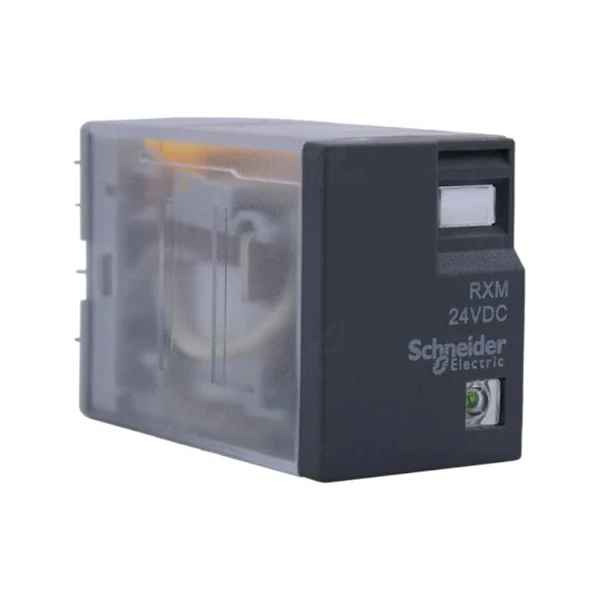
- Replace the Power Supply: If you suspect the power supply unit is faulty, replace it with a new one. Make sure to use a power supply that is compatible with your Schneider PLC model, like the SCHNEIDER RXM2LB2BD Miniature Relay, which has its own specific power requirements.
Input/Output (I/O) Module Failures
The I/O modules are responsible for connecting the PLC to the outside world, so any problems with them can have a big impact on the system's performance.

Possible Causes
- Overloading: If the I/O modules are overloaded with too many devices or high - current loads, they can overheat and fail.
- Physical Damage: Accidental bumps, vibrations, or exposure to harsh environmental conditions can damage the I/O modules.
- Software Bugs: Sometimes, bugs in the PLC programming can cause the I/O modules to malfunction.
Solutions
- Check the Load: Make sure the I/O modules are not overloaded. If necessary, add more modules or redistribute the load.
- Inspect for Damage: Look for any signs of physical damage on the I/O modules. If you find any, replace the damaged modules.
- Update the Software: If you suspect a software bug, try updating the PLC's firmware to the latest version. This can often fix known issues.
Memory Issues
Memory problems can also occur in Schneider PLCs, which can lead to data loss or incorrect operation.
Possible Causes
- Memory Corruption: Electrical interference, power surges, or software glitches can corrupt the PLC's memory.
- Insufficient Memory: If the PLC's memory is too small for the application, it might run out of space and start to malfunction.
- Firmware Bugs: Bugs in the PLC's firmware can cause memory - related issues.
Solutions
- Backup the Data: Regularly back up the PLC's memory to prevent data loss. You can use the PLC programming software to create a backup file.
- Upgrade the Memory: If you're running out of memory, consider upgrading the PLC's memory module. For example, some models like the Schneider TM241CEC24R allow for memory expansion.
- Update the Firmware: As with other issues, updating the firmware can often fix memory - related bugs.
Program Execution Errors
Sometimes, the PLC might not execute the program as expected, leading to incorrect control of the process.
Possible Causes
- Logic Errors: Mistakes in the PLC program logic can cause the PLC to make wrong decisions. This could be due to incorrect programming or a misunderstanding of the process requirements.
- Data Errors: Incorrect data values in the program can also lead to execution errors. For example, if a sensor value is misinterpreted, the PLC might take the wrong action.
- Timing Issues: Problems with the timing of the program execution can cause issues, especially in applications where precise timing is crucial.
Solutions
- Review the Program: Carefully review the PLC program to find and fix any logic errors. You can use debugging tools in the programming software to step through the program and identify the problem areas.
- Check the Data: Verify the data values in the program. Make sure the sensors are providing accurate readings and that the data is being processed correctly.
- Adjust the Timing: If you're having timing issues, adjust the program's timing parameters. You might need to add delays or change the execution sequence.
Conclusion
Well, there you have it, folks! These are some of the most common faults of Schneider PLCs and how you can solve 'em. As a supplier, I've got a wide range of Schneider PLC products, including the Schneider TCSESM043F2CS0, to meet your needs. If you're facing any issues with your PLCs or are looking to purchase new equipment, don't hesitate to reach out. We can help you find the right solutions for your specific application. Whether you're a small - scale operation or a large industrial plant, we've got the expertise and products to support you. Let's get your PLC systems up and running smoothly!
References
- Schneider Electric official documentation
- Various industrial automation forums and communities
- Personal experience as a Schneider PLC supplier


