


As a trusted supplier of Mitsubishi PLCs, I've been frequently asked about the Human - Machine Interfaces (HMIs) that are compatible with Mitsubishi PLCs. In this blog, I'll explore various HMIs that work seamlessly with different models of Mitsubishi PLCs, providing you with a comprehensive understanding of the options available for your automation projects.
Understanding the Importance of HMI - PLC Compatibility
Before delving into specific HMI models, it's crucial to understand why compatibility between HMIs and PLCs is so important. An HMI serves as the bridge between the user and the PLC, allowing operators to monitor and control industrial processes. If the HMI and PLC are not compatible, it can lead to communication errors, reduced functionality, and increased downtime. Compatibility ensures smooth data transfer, accurate process visualization, and reliable operation.
Mitsubishi PLC Series and Their Compatible HMIs
1. Mitsubishi Q - Series PLCs
The Q - series is a high - performance PLC series from Mitsubishi, suitable for large - scale industrial applications. For these PLCs, several HMIs offer excellent compatibility.
One of the well - known HMIs for Q - series PLCs is the GOT2000 series from Mitsubishi. The GOT2000 series provides high - resolution touchscreens, advanced graphics capabilities, and a wide range of communication options. It can communicate with Q - series PLCs using various protocols, ensuring seamless data exchange. The intuitive interface of the GOT2000 series allows operators to easily monitor process variables, set parameters, and diagnose faults.
Another option is the eView MT8000 series. These HMIs are known for their cost - effectiveness and user - friendly design. They support communication with Mitsubishi Q - series PLCs through standard communication protocols. The eView MT8000 series offers a variety of screen sizes and configurations, making it suitable for different application requirements.
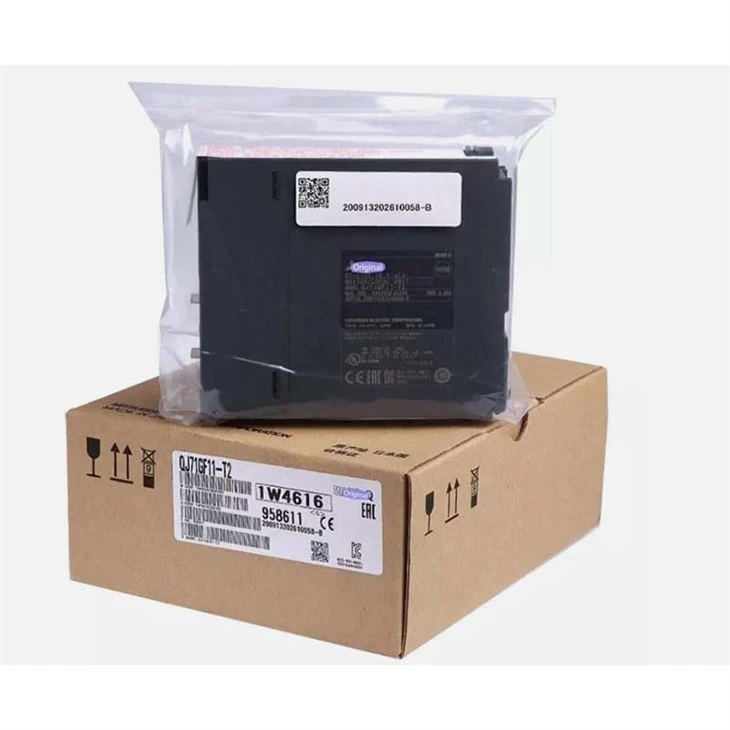
When working with Q - series PLCs, it's also important to consider the communication modules. For example, the Mitsubishi QJ71GF11 - T2 can be used to establish Ethernet communication between the PLC and the HMI, enabling high - speed data transfer and remote access.
2. Mitsubishi FX - Series PLCs
The FX - series is a popular choice for small - to - medium - sized industrial applications due to its compact size, affordability, and flexibility.
The GOT1000 series from Mitsubishi is a great option for FX - series PLCs. It offers a simple yet powerful interface for monitoring and controlling FX - series PLCs. The GOT1000 series has a built - in programming software that allows users to easily create custom screens and applications. It can communicate with FX - series PLCs using serial communication protocols, providing a reliable connection.
The Weintek cMT series is also highly compatible with FX - series PLCs. These HMIs are known for their rich feature set and easy - to - use programming environment. The Weintek cMT series supports multiple communication interfaces, including Ethernet and serial ports, which can be used to connect to FX - series PLCs.
For specific models like the Mitsubishi FX3U - 32DP, the choice of HMI should be made based on the communication requirements. The FX3U - 32DP has a Profibus - DP interface, so an HMI with Profibus - DP communication support would be ideal for seamless integration.
The Mitsubishi Fx2n 4ad is an analog input module for the FX2N series. When using this module, an HMI that can display and process analog data accurately is necessary. The GOT1000 series can handle such requirements effectively, allowing operators to monitor the analog input values in real - time.
Factors to Consider When Choosing an HMI for Mitsubishi PLCs
1. Communication Protocols
Different HMIs support different communication protocols. It's essential to choose an HMI that supports the communication protocol used by your Mitsubishi PLC. Common protocols include Ethernet/IP, Modbus, Profibus, and Mitsubishi's proprietary protocols. Make sure the HMI can communicate with the PLC using the same protocol to ensure reliable data transfer.
2. Screen Size and Resolution
The screen size and resolution of the HMI depend on the application requirements. For applications where detailed process information needs to be displayed, a larger screen with high resolution is preferable. On the other hand, for space - constrained applications, a smaller screen may be sufficient.

3. Functionality and Features
Consider the functionality and features offered by the HMI. Some HMIs come with advanced features such as data logging, alarm management, and remote access. These features can enhance the usability and efficiency of your automation system.
4. Cost
Cost is always a factor in any purchasing decision. Compare the prices of different HMIs while considering their features and compatibility. Look for an HMI that offers the best value for money without compromising on quality and performance.
Conclusion
In conclusion, there are numerous HMIs available that are compatible with Mitsubishi PLCs. Whether you are using the high - performance Q - series or the compact FX - series, there is an HMI that can meet your specific requirements. By considering factors such as communication protocols, screen size, functionality, and cost, you can choose the right HMI for your Mitsubishi PLC.
If you are interested in purchasing Mitsubishi PLCs or compatible HMIs for your automation projects, I encourage you to get in touch with me for a detailed discussion. I can provide you with more information, offer technical support, and help you find the best solutions for your needs.
References
- Mitsubishi Electric Corporation. Mitsubishi PLC User Manuals.
- HMI manufacturers' product documentation, including GOT2000, GOT1000, eView MT8000, and Weintek cMT series.


