


Yo, what's up! I'm a supplier of Schneider HMI products, and today I wanna chat about the limitations of the simulation function in Schneider HMI software.
First off, let me give you a bit of background. Schneider HMI software is pretty cool. It's got a bunch of features that make it great for industrial control and automation. The simulation function, in particular, is supposed to let you test and debug your HMI projects without having to connect to real hardware. It sounds awesome, right? But like any tool, it's not perfect.
One of the major limitations is the accuracy of the simulation. Sometimes, the simulation doesn't really reflect what's gonna happen in the real world. For example, when it comes to handling real - time data. In a real - world scenario, data from sensors and other devices can come in at irregular intervals and with different data rates. But in the simulation, the software might assume a more idealized situation. It might process data in a uniform way, which can lead to inaccurate results. Say you're simulating a temperature control system. In the real world, the temperature sensor might send data every few seconds, and the data could have some noise. But in the simulation, the software might just feed in clean, evenly spaced data, so you won't get a true picture of how the system will perform when it's actually up and running.
Another limitation is related to the complexity of the hardware interactions. Schneider HMI software is designed to work with a wide range of hardware devices. However, in the simulation, it can't fully replicate all the nuances of these hardware interactions. For instance, if you're using a Schneider Electric HMIGXU5512 HMI with a specific type of motor controller, the simulation might not be able to accurately represent how the HMI and the motor controller will communicate in terms of signal strength, timing, and error handling. There could be electrical interference in the real - world setup that the simulation simply can't account for. This means that when you move from the simulation phase to the actual implementation, you might run into issues that you didn't anticipate during the simulation.
The simulation also has limitations when it comes to handling large - scale projects. If you're working on a complex industrial automation project with multiple HMIs, sensors, and actuators all interconnected, the simulation can slow down significantly. The software might struggle to handle the large amount of data and the complex logic involved. It could take a long time to run the simulation, and sometimes it might even crash. This is a real pain in the neck, especially when you're on a tight deadline. You don't want to waste hours waiting for a simulation to finish, only to find out that it crashed halfway through.
In addition, the simulation function might not support all the features of the HMI hardware. For example, some advanced touch - screen gestures or specific hardware - specific functions might not be available in the simulation. Take the HMIGXU3512 - 7 Inch Widescreen, which might have some unique touch - screen capabilities. The simulation might not be able to fully mimic these features, so you won't be able to test how users will interact with the HMI in a real - world scenario. This can be a problem when you're designing an intuitive user interface. You might think everything looks great in the simulation, but when users start using the actual HMI, they might find it difficult to perform certain actions because the simulation didn't accurately represent the hardware's capabilities.
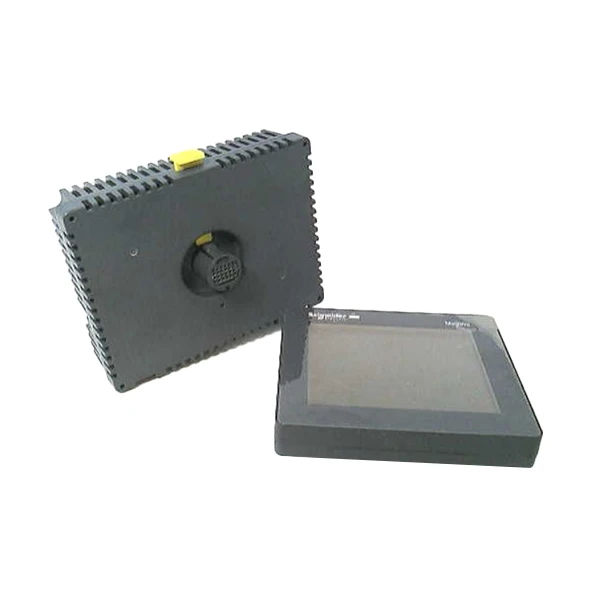

Furthermore, the simulation environment is somewhat isolated. It doesn't take into account the external factors that can affect the HMI system. For example, in an industrial setting, there could be electromagnetic interference from other equipment, or the HMI might be exposed to extreme temperatures or humidity. The simulation can't replicate these environmental conditions, so you might miss out on potential problems that could occur in the real world. If you're using a Schneider Electric Hmistu655 Touch Panel in a factory where there's a lot of electrical noise, the simulation won't show you how the panel will perform under those conditions.
Despite these limitations, the simulation function in Schneider HMI software still has its uses. It's a great starting point for getting a basic understanding of how your HMI project will work. It can help you identify some obvious errors and test simple logic. But it's important to keep in mind that it's just a tool, and you can't rely on it completely.
If you're in the market for Schneider HMI products, don't let these limitations scare you off. These products are still top - notch in the industry, and with proper testing and implementation, you can overcome the issues that the simulation might not catch. We, as a supplier, are here to help you every step of the way. Whether you need advice on choosing the right HMI for your project, or you're facing problems during the implementation phase, we've got your back.
If you're interested in learning more about our Schneider HMI products or have any questions regarding the simulation limitations or anything else, feel free to reach out to us. We're always happy to have a chat and discuss how we can meet your specific needs. Let's start a conversation and see how we can make your industrial automation project a success.
References
- Schneider Electric HMI product manuals
- Industry reports on HMI simulation software limitations


