


As a trusted supplier of Schneider PLCs, I've had the privilege of witnessing firsthand the transformative power of these industrial automation workhorses. One of the most critical aspects of leveraging the full potential of Schneider PLCs is understanding the programming environment that breathes life into them. In this blog post, I'll delve into the programming environment for Schneider PLCs, exploring its features, benefits, and how it can enhance your automation projects.
The Importance of a Robust Programming Environment
Before we dive into the specifics of Schneider's programming environment, let's take a moment to understand why it's so crucial. A programming environment serves as the bridge between human operators and the PLC hardware. It allows engineers and technicians to write, test, and deploy control programs that govern the behavior of industrial processes. A well-designed programming environment can significantly streamline the development process, improve code quality, and enhance system reliability.
Schneider's Programming Environment: Unity Pro
Schneider Electric offers a comprehensive programming environment called Unity Pro. This integrated development environment (IDE) is specifically tailored for programming Schneider PLCs, providing a wide range of features and tools to simplify the automation process.
1. Intuitive User Interface
Unity Pro boasts an intuitive and user-friendly interface that makes it easy for both novice and experienced programmers to navigate. The interface is organized into different windows and panels, allowing users to access various functions and tools with ease. For example, the Project Explorer window provides a hierarchical view of the project structure, making it easy to manage different components such as programs, functions, and variables.
2. Multiple Programming Languages
One of the key strengths of Unity Pro is its support for multiple programming languages. It adheres to the IEC 61131-3 standard, which defines five programming languages for industrial automation: Ladder Diagram (LD), Function Block Diagram (FBD), Structured Text (ST), Instruction List (IL), and Sequential Function Chart (SFC). This flexibility allows programmers to choose the language that best suits their needs and expertise.
For instance, Ladder Diagram is a graphical programming language that resembles electrical schematics, making it easy for electrical engineers to understand and use. On the other hand, Structured Text is a high-level programming language similar to Pascal, which is well-suited for complex algorithms and mathematical calculations.
3. Advanced Debugging Tools
Debugging is an essential part of the programming process, and Unity Pro provides a comprehensive set of debugging tools to help programmers identify and fix issues quickly. The debugger allows users to set breakpoints, step through the code, and monitor the values of variables in real-time. This helps in pinpointing the source of errors and ensuring that the program behaves as expected.
4. Simulation and Testing
Unity Pro also includes a powerful simulation and testing environment that allows users to test their programs without the need for physical hardware. The simulator mimics the behavior of the PLC, allowing programmers to verify the functionality of their programs and identify any potential issues before deploying them to the actual system. This can save a significant amount of time and money, especially in large-scale automation projects.
Key Features of Unity Pro
In addition to the features mentioned above, Unity Pro offers several other key features that enhance its functionality and usability.
1. Library Management
Unity Pro provides a library management system that allows users to store and reuse frequently used code blocks and functions. This can significantly reduce development time and improve code consistency. For example, you can create a library of standard functions for common tasks such as motor control or sensor reading, and then reuse these functions in different projects.
2. Online and Offline Programming
Unity Pro supports both online and offline programming modes. In offline mode, users can develop and test their programs on a computer without connecting to the PLC. Once the program is ready, it can be transferred to the PLC in online mode. Online programming allows users to make changes to the program while the PLC is running, which can be useful for troubleshooting and fine-tuning the system.
3. Communication Configuration
Schneider PLCs support a wide range of communication protocols, and Unity Pro provides a simple and intuitive way to configure these protocols. The communication configuration wizard allows users to set up communication links between the PLC and other devices such as HMIs, sensors, and actuators. This ensures seamless integration of the PLC into the overall automation system.
Real-World Applications
To illustrate the practical applications of Schneider's programming environment, let's take a look at a few real-world examples.
1. Manufacturing Automation
In a manufacturing plant, Schneider PLCs programmed using Unity Pro can be used to control various processes such as conveyor belts, robotic arms, and assembly lines. For example, a conveyor belt system can be programmed to start and stop based on the presence of products, and the speed of the conveyor can be adjusted automatically to optimize the production process.
2. Building Automation
Schneider PLCs are also widely used in building automation systems to control lighting, heating, ventilation, and air conditioning (HVAC) systems. Unity Pro can be used to program the PLCs to monitor and control these systems based on factors such as occupancy, temperature, and time of day. This can help in reducing energy consumption and improving the comfort of building occupants.
3. Water and Wastewater Treatment
In the water and wastewater treatment industry, Schneider PLCs programmed with Unity Pro can be used to control various processes such as pumping, filtration, and disinfection. For example, a PLC can be programmed to monitor the water level in a tank and control the pumps to maintain the desired level.
Our Product Offerings
As a Schneider PLC supplier, we offer a wide range of Schneider PLC products to meet the diverse needs of our customers. Some of our popular products include:
- Schneider TCSESM043F2CS0: This is a high-performance PLC that offers advanced features and capabilities for industrial automation applications.
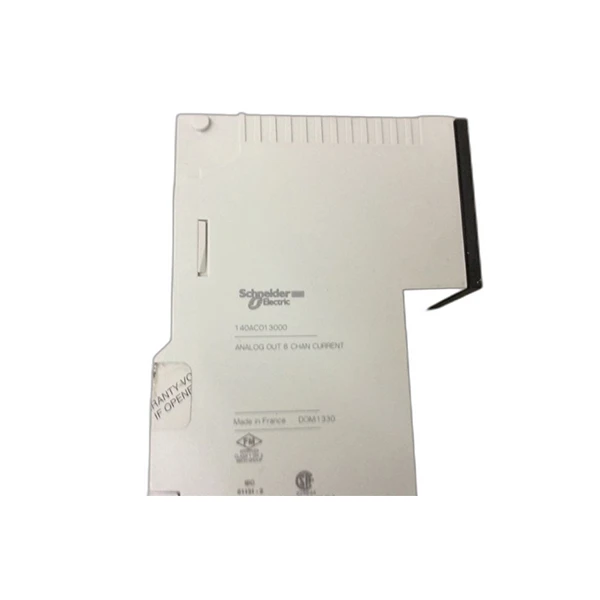
- Schneider 140ACO13000: This PLC is known for its reliability and flexibility, making it suitable for a wide range of applications.
- TSXP572634M Schneider Electric: This is a powerful PLC that provides high-speed processing and extensive communication options.
Contact Us for Procurement
If you're interested in purchasing Schneider PLCs or need more information about our products and services, we encourage you to contact us for procurement洽谈. Our team of experts is ready to assist you in finding the right solutions for your automation needs. Whether you're a small business looking to automate a single process or a large corporation in need of a comprehensive automation system, we have the expertise and resources to help you succeed.
References
- Schneider Electric. (n.d.). Unity Pro - Integrated Development Environment. Retrieved from [Schneider Electric official website]
- IEC 61131-3. (2013). Programmable controllers - Part 3: Programming languages. International Electrotechnical Commission.


