

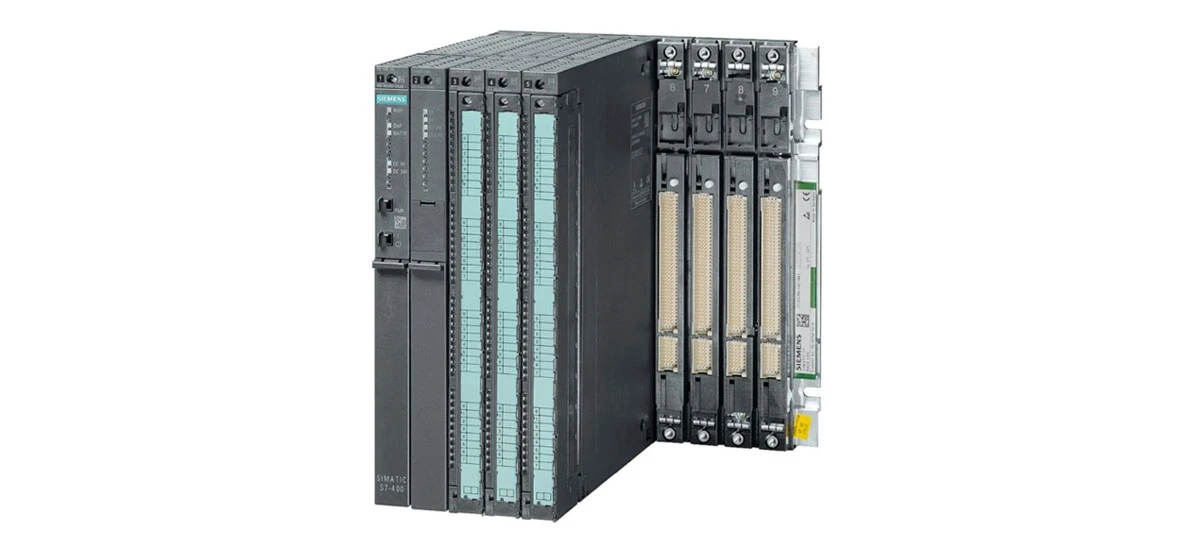
Optimize Program Structure for Siemens S7 400
Use Modular Programming with FBs and FCs
Siemens S7 400 performs best when programs are organized into modular components like Function Blocks (FBs) and Functions (FCs). Modular programming helps the CPU process tasks more efficiently by breaking complex operations into smaller, manageable parts. For example, in a packaging line automation system, you can create separate FBs for conveyor control, sensor monitoring, and packaging logic. This approach aligns with Siemens S7 400 program optimization tips because it reduces the CPU's workload-instead of scanning one large program, the Siemens S7 400 only executes the modules needed for specific operations. Siemens recommends this method in its official documentation, as it improves code reusability and makes troubleshooting easier.
Avoid Redundant Code and Deep Nesting
Redundant code and overly nested conditional statements (like IF-ELSE or CASE structures) slow down the Siemens S7 400's processing speed. To optimize, audit your program for repeated logic and replace it with reusable FCs. For instance, if two different sections of your code check for low pressure in a tank, create a single FC that returns a boolean result and call it wherever needed. Additionally, limit nesting to 3-4 levels maximum. Deep nesting forces the Siemens S7 400 to store multiple intermediate results in memory, increasing cycle time. Following this practice is key to how to improve Siemens S7 400 processing speed in high-demand industrial environments.
Prioritize Critical Tasks in the Cycle
The Siemens S7 400 executes tasks in a cyclic manner, so prioritizing critical operations ensures they run first. Use the CPU's task configuration to assign higher priority to time-sensitive tasks, such as emergency stop logic or safety interlocks. Non-critical tasks like data logging or status reporting can be assigned lower priority or scheduled as background tasks. This setup prevents the Siemens S7 400 from spending too much time on non-essential work, keeping the main cycle time consistent. In automotive assembly lines, this optimization has helped reduce cycle time delays by up to 30% for Siemens S7 400-based systems.
Effective Memory Management for Siemens S7 400
Clean Up Unused Variables and Blocks
Unused variables, data blocks (DBs), and function blocks waste the Siemens S7 400's RAM and flash memory, leading to slower performance. Regularly review your program with Siemens TIA Portal or Step 7 software to delete obsolete elements. For example, if a project originally included a temperature sensor that was later removed, delete the corresponding variables and DBs. Siemens S7 400 memory management for industrial use also involves avoiding "dead code"-sections of program that never execute. This cleanup frees up memory for critical operations and reduces the time the CPU spends scanning irrelevant data.
Allocate Data Blocks Strategically
How you allocate data blocks directly impacts the Siemens S7 400's performance. Group related variables (e.g., all variables for a pump system) into the same DB to minimize memory access time. Use global DBs for variables shared across multiple FBs/FCs and instance DBs for variables specific to a single FB. Additionally, avoid overusing large arrays unless necessary-large arrays take longer to read and write. For example, if you only need to store 10 temperature values, don't create an array of 100 elements. Siemens recommends keeping DBs under 64 KB for optimal access speed on the Siemens S7 400.
Use Optimized Data Types
Choosing the right data types reduces memory usage and speeds up processing on the Siemens S7 400. Use the smallest data type that fits your needs: for example, use INT (16-bit) instead of DINT (32-bit) for values between -32768 and 32767, or BOOL (1-bit) for on/off statuses. Avoid using REAL (floating-point) numbers unless you need decimal precision, as they require more CPU resources to process. This practice not only saves memory but also improves the Siemens S7 400's calculation speed. In a water treatment plant, switching from REAL to INT for non-precision measurements reduced the Siemens S7 400's CPU load by 15%.
Improve Communication Performance of Siemens S7 400
Optimize Network Baud Rate and Topology
The Siemens S7 400 relies on communication networks like PROFINET, MPI, or PROFIBUS to interact with other devices (e.g., HMI panels, sensors, or other PLCs). To optimize, set the network baud rate to the highest value supported by all devices-for PROFINET, this is typically 100 Mbps. A well-designed network topology also matters: use a star topology for PROFINET to minimize signal collisions, and avoid long cable runs that can cause signal degradation. Siemens S7 400 communication optimization in automation also involves placing the PLC close to critical devices to reduce latency. For example, in a manufacturing cell, locating the Siemens S7 400 near robots and sensors cut down communication delays by 25%.
Reduce Unnecessary Data Exchanges
Excessive data exchanges between the Siemens S7 400 and other devices consume network bandwidth and CPU resources. Only transmit data that is essential for operation-avoid sending constant values or statuses that don't change frequently. Use cyclic data exchange for time-sensitive information (e.g., process values) and acyclic exchange for non-urgent tasks (e.g., configuration changes). Additionally, use data compression for large datasets if supported by your network protocol. This reduces the amount of data sent over the network, freeing up resources for the Siemens S7 400 to focus on control tasks.
Use Efficient Communication Protocols
Choosing the right communication protocol can significantly improve the Siemens S7 400's performance. PROFINET is ideal for high-speed, real-time applications, while MPI is suitable for small-scale networks with a few devices. Avoid using older protocols like PROFIBUS DP if PROFINET is available, as PROFINET offers faster data transfer and better scalability. When communicating with HMI panels, use Siemens' proprietary protocols like S7 Communication, which is optimized for the Siemens S7 400. This ensures seamless data transfer and reduces the CPU's communication overhead.
Optimize Hardware Configuration for Siemens S7 400
Ensure Module Compatibility
Using incompatible or outdated modules can cause performance issues with the Siemens S7 400. Always check that I/O modules, communication modules, and expansion units are compatible with your CPU model (e.g., S7-412, S7-414, or S7-417). Incompatible modules may cause communication errors or increase cycle time. Additionally, use Siemens-certified modules to ensure reliability-third-party modules may not meet the same performance standards. For example, a non-certified analog input module might send noisy data, forcing the Siemens S7 400 to spend more time filtering signals.
Distribute Load Across Modules
Overloading a single I/O module can slow down the Siemens S7 400's data acquisition speed. Distribute input and output signals across multiple modules to balance the load. For example, if you have 32 digital sensors, use two 16-channel modules instead of one 32-channel module. This reduces the time the CPU takes to read data from each module. Additionally, place high-speed I/O modules (e.g., for pulse train outputs) in slots closer to the CPU, as these slots have faster data paths. This configuration ensures the Siemens S7 400 can process high-speed signals without delays.
Update Firmware Regularly
Outdated firmware can limit the Siemens S7 400's performance and stability. Siemens regularly releases firmware updates that include performance improvements, bug fixes, and new features. Check the Siemens Support Portal for the latest firmware versions for your CPU and modules, and install them using TIA Portal or Step 7. For example, a firmware update for the S7-417 CPU improved its processing speed for floating-point calculations by 20%. Updating firmware also ensures compatibility with new software tools and modules, keeping your Siemens S7 400 system running efficiently.
Regular Maintenance and Monitoring for Siemens S7 400
Monitor Cycle Time and Resource Usage
Regularly monitoring the Siemens S7 400's cycle time and resource usage helps identify performance bottlenecks early. Use TIA Portal's diagnostic tools or the CPU's built-in web server to track key metrics: cycle time (should stay below the maximum allowed value for your application), CPU load (ideally below 70%), and memory usage. If cycle time increases suddenly, it may indicate a problem like redundant code or a faulty module. Setting up alerts for high CPU load or memory usage allows you to address issues before they affect production.
Troubleshoot Performance Bottlenecks
When performance issues arise, use a systematic approach to troubleshoot the Siemens S7 400. Start by checking for common problems: redundant code, overloaded modules, or communication errors. Use tools like the Siemens S7 Diagnostics Tool to analyze program logic and identify inefficient code. For example, if the CPU load is high, the tool can show which FBs or FCs are using the most resources. Troubleshoot Siemens S7 400 performance issues by testing changes in a non-production environment first-this avoids disrupting operations. Common fixes include optimizing code, replacing faulty modules, or adjusting communication settings.
Follow Siemens Recommended Maintenance Schedules
Siemens provides maintenance guidelines for the S7 400 to ensure long-term performance. Follow these schedules: clean the CPU and modules regularly to remove dust (which can cause overheating), check cable connections for tightness (loose connections cause communication errors), and back up the program and configuration data monthly. Overheating is a common cause of performance degradation-ensure the Siemens S7 400 is installed in a well-ventilated cabinet with proper cooling. Following these maintenance steps extends the lifespan of the Siemens S7 400 and keeps it running at peak performance.
Conclusion: Maximize Siemens S7 400 Performance in Industrial Automation
To achieve peak performance from your Siemens S7 400 in industrial automation, integrating the above best practices is essential. From structuring programs with modular FBs and FCs to eliminating redundant code, these steps directly address how to improve Siemens S7 400 processing speed by reducing CPU load and cycle time. Effective memory management-including cleaning unused variables, strategic DB allocation, and using optimized data types-ensures the Siemens S7 400 uses its resources efficiently, aligning with Siemens S7 400 memory management for industrial use. Optimizing communication through proper network setup, minimized data exchanges, and efficient protocols enhances the Siemens S7 400's ability to interact with other automation devices without latency. Hardware configuration best practices, such as using compatible Siemens-certified modules, distributing load, and updating firmware, prevent bottlenecks that can hinder the Siemens S7 400's performance. Finally, regular monitoring, systematic troubleshooting, and adherence to Siemens' maintenance guidelines ensure the Siemens S7 400 maintains reliability and efficiency over time. By following these evidence-based strategies-backed by Siemens' official recommendations and real-world industrial examples-you can unlock the full potential of your Siemens S7 400 system, ensuring consistent, high-performance operation in even the most demanding automation environments.


