

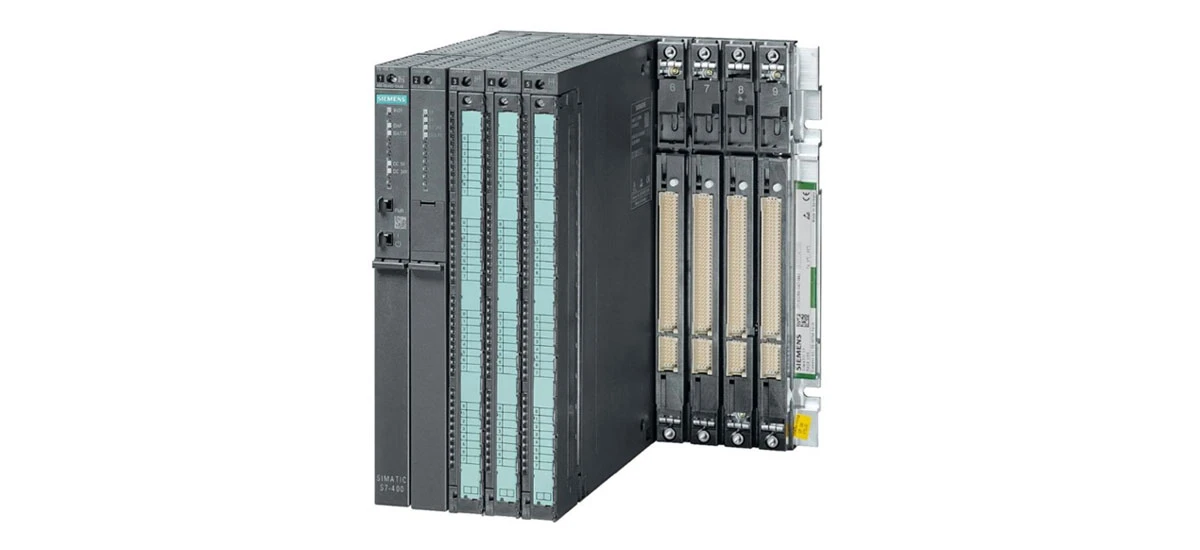
Introduction to Siemens S7-400 PLC Networking
Siemens S7-400 PLCs are powerful industrial control units widely used in manufacturing, energy, and automation systems. In modern industrial setups, these PLCs rarely work alone-they rely on robust networking and communication protocols to connect with sensors, actuators, HMIs (Human-Machine Interfaces), and other control devices. Industrial networking with Siemens S7-400 PLC is critical for sharing data, coordinating tasks, and ensuring smooth operation of entire production lines. Whether in a small factory or a large industrial complex, the ability of Siemens S7-400 PLCs to communicate effectively determines the efficiency and reliability of the automation system.
Key Communication Protocols for Siemens S7-400
Profibus for Siemens S7-400 PLCs
Profibus is one of the most widely used industrial communication protocols, and Siemens S7-400 PLCs fully support Profibus-DP (Decentralized Peripherals) for fast data exchange. This protocol is ideal for connecting Siemens S7-400 PLCs to remote I/O modules, frequency converters, and other field devices. Setting up Siemens S7-400 Profibus communication involves selecting the correct baud rate (from 9.6 kbps to 12 Mbps), assigning unique addresses to each device, and using shielded Profibus cables to reduce interference. In industrial environments, Profibus-DP ensures that critical data-such as temperature readings or motor speeds-reaches the Siemens S7-400 PLC in real time, making it essential for time-sensitive applications.
PROFINET for Siemens S7-400 Connectivity
As an Ethernet-based protocol, PROFINET offers higher speed and flexibility than Profibus, making it a top choice for modern Siemens S7-400 networks. Siemens S7-400 PLCs can connect to PROFINET devices using built-in Ethernet ports or dedicated PROFINET modules. This protocol supports both real-time (RT) and isochronous real-time (IRT) communication, which is perfect for complex systems where multiple Siemens S7-400 PLCs and devices need to sync their operations. PROFINET also allows for easy integration with IT systems, enabling remote monitoring and control of Siemens S7-400 PLCs from a central location. For businesses scaling their automation systems, PROFINET's ability to handle hundreds of devices makes it a reliable option for Siemens S7-400 networking.
MPI (Multi-Point Interface) for Siemens S7-400
MPI is a simple, cost-effective communication protocol designed for small-scale Siemens S7-400 networks. It is commonly used to connect Siemens S7-400 PLCs to HMIs or other Siemens PLCs (such as S7-300 or S7-1200) for basic data exchange. MPI operates at baud rates up to 187.5 kbps and uses a bus topology, meaning multiple devices can share the same cable. While not as fast as Profibus or PROFINET, MPI is easy to configure and requires minimal hardware. When troubleshooting Siemens S7-400 MPI protocol issues, common fixes include checking for address conflicts (each device must have a unique MPI address) and ensuring the bus terminators are properly installed at both ends of the cable.
Ethernet/IP for Siemens S7-400 Integration
Ethernet/IP is another popular protocol that allows Siemens S7-400 PLCs to communicate over standard Ethernet networks. This protocol is widely adopted across industries, making it easy to connect Siemens S7-400 PLCs to devices from different manufacturers. Configuring Ethernet for Siemens S7-400 involves setting a static IP address, subnet mask, and gateway on the PLC's Ethernet module. Once configured, the Siemens S7-400 can exchange data with computers, servers, and other Ethernet/IP-enabled devices. Ethernet/IP is especially useful for applications that require large data transfers, such as logging production data or updating PLC programs remotely. Its compatibility with standard Ethernet hardware also reduces setup costs for Siemens S7-400 networks.
Setting Up Networks for Siemens S7-400 PLCs
Hardware Requirements for Siemens S7-400 Networking
To build a reliable network for Siemens S7-400 PLCs, you need specific hardware components. The core is the Siemens S7-400 CPU, which comes with built-in communication ports (such as MPI or Ethernet) or supports expansion modules for Profibus or PROFINET. For Profibus networks, you'll need Profibus-DP modules, shielded twisted-pair cables, and DP connectors with built-in terminators. For Ethernet/PROFINET networks, Cat5e or Cat6 cables, Ethernet switches, and PROFINET modules are essential. It's important to choose hardware that is compatible with Siemens S7-400 PLCs to avoid connectivity issues-always check the manufacturer's specifications for Siemens S7-400 communication protocols compatibility.
Software Configuration for Siemens S7-400 Communication
Configuring Siemens S7-400 networking requires Siemens Step7 software, which is designed specifically for programming and configuring S7 PLCs. The steps include creating a new project in Step7, adding the Siemens S7-400 CPU and communication modules to the hardware configuration, and setting protocol parameters (such as addresses, baud rates, and IP settings). For example, when setting up Profibus, you assign a Profibus address to the Siemens S7-400 PLC and each connected device, then link the devices in the Step7 project. For Ethernet configuration, you set a unique IP address for the Siemens S7-400 and configure the subnet mask to match other devices on the network. After configuration, you download the project to the Siemens S7-400 PLC and test the connections using Step7's online diagnostic tools.
Troubleshooting Siemens S7-400 Communication Issues
Common Problems with Siemens S7-400 Networking
Even with proper setup, Siemens S7-400 communication issues can occur. Common problems include address conflicts (when two devices use the same Profibus or IP address), damaged cables or connectors, incorrect protocol settings, and faulty communication modules. Another frequent issue is poor signal quality in Profibus networks, often caused by unshielded cables or missing terminators. For MPI networks, slow data transfer or dropped connections may result from overloading the bus with too many devices. In Ethernet/PROFINET networks, firewall settings or network congestion can prevent the Siemens S7-400 PLC from communicating with other devices.
Solutions for Siemens S7-400 Communication Errors
To fix Siemens S7-400 communication issues, start by checking the basics: ensure all cables are properly connected and undamaged, verify that each device has a unique address, and confirm that protocol settings (baud rate, IP address, subnet mask) match across the network. For Profibus networks, use a Profibus tester to check signal quality and ensure terminators are installed at both ends of the bus. For MPI protocol troubleshooting, reduce the number of devices on the bus or increase the baud rate if possible. For Ethernet issues, check firewall settings to allow traffic to the Siemens S7-400 PLC's IP address and use network monitoring tools to identify congestion. If a communication module is faulty, replace it with a compatible module designed for Siemens S7-400 PLCs.
Advantages of Siemens S7-400 Networking in Industrial Settings
Reliable Data Transfer with Siemens S7-400 PLCs
Siemens S7-400 PLCs are known for their robust design, and their supported communication protocols maintain this reliability in industrial environments. Profibus and PROFINET are designed to withstand electromagnetic interference, temperature fluctuations, and vibration-common challenges in factories. This ensures that data transferred between the Siemens S7-400 PLC and other devices is accurate and consistent, reducing the risk of production errors. Whether in an automotive assembly line or a power plant, the reliable communication of Siemens S7-400 PLCs keeps critical processes running smoothly.
Scalability of Siemens S7-400 Communication Networks
One of the key benefits of Siemens S7-400 networking is scalability. As businesses grow, they can easily add more devices to their Siemens S7-400 network without replacing the entire system. Profibus networks can support up to 127 devices per segment, while PROFINET and Ethernet/IP allow for even more connections. The Siemens S7-400's ability to support multiple protocols also means businesses can integrate new devices that use different protocols, such as adding Ethernet/IP sensors to an existing Profibus network. This scalability makes Siemens S7-400 PLCs a long-term investment for growing industrial operations.
Compatibility with Industrial Devices
Siemens S7-400 communication protocols compatibility is a major advantage for industrial users. These PLCs work seamlessly with devices from Siemens and other leading manufacturers, including HMIs, sensors, actuators, and frequency converters. Whether you're using a Siemens HMI or a third-party Ethernet/IP sensor, the Siemens S7-400 can communicate with it using standard protocols. This compatibility reduces integration costs and simplifies system design, as users don't have to limit themselves to a single brand of devices. For example, a factory can use Siemens S7-400 PLCs with Profibus-DP I/O modules from one manufacturer and PROFINET HMIs from another, creating a flexible and cost-effective automation system.
Siemens S7-400 PLCs' networking capabilities and support for diverse communication protocols make them a cornerstone of modern industrial automation. By understanding how to set up, configure, and troubleshoot these networks, businesses can maximize the efficiency and reliability of their automation systems. Whether using Profibus for fast field communication, PROFINET for real-time sync, or Ethernet/IP for IT integration, Siemens S7-400 PLCs deliver the connectivity needed for today's industrial environments.


