

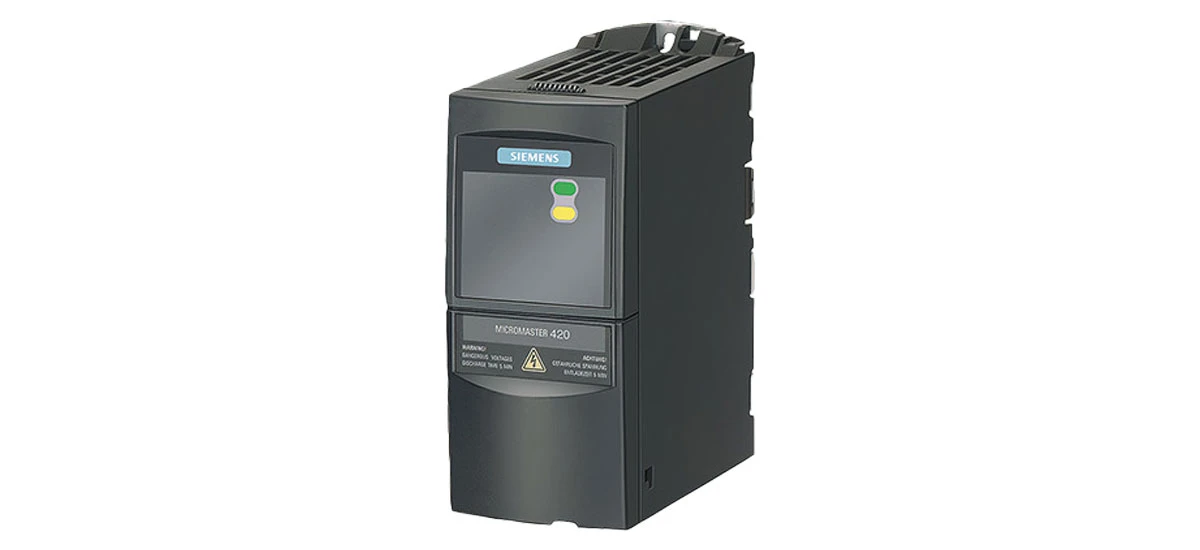
In the fast-paced world of industrial operations, staying ahead means making smart choices about your equipment. One such smart choice is upgrading to the Siemens MicroMaster420. This device has become a go-to solution for many industries, from automotive factories to food processing plants, and for good reason. Let's explore why upgrading to Siemens MicroMaster420 is a great move and the best practices to make sure it goes smoothly.
Why Choose Siemens MicroMaster420?
Siemens MicroMaster420 is a reliable and efficient inverter drive that helps control electric motors in various machines-think conveyor belts, pumps, and mixers. It's designed to handle different industrial tasks, from simple on/off control to precise speed regulation for complex processes. One of the big reasons to choose it is its durability. It can work well even in tough factory conditions, withstanding dust, vibrations, and temperature changes ranging from -10°C to 50°C, which is common in many production environments.
Another significant advantage is energy efficiency. Siemens MicroMaster420 regulates the motor speed based on the workload, which means it consumes less electricity than earlier drives that run at full speed continuously. For example, with this drive, a pump that only needs to run at half speed for a portion of the day can save up to 30% on energy. This not only lowers energy bills, but it also helps businesses accomplish environmental goals such as lowering carbon footprints. Plus, it's simple to use. The user-friendly interface, which includes clear buttons and a digital display, making it straightforward to set up and monitor its performance, even for those who are not motor control specialists.
What's more, Siemens MicroMaster420 is highly compatible with most standard electric motors, whether they're new or a few years old. This means you don't have to replace your existing motors when upgrading, saving you extra costs. It also comes with built-in safety features, such as overload protection, which shuts down the drive if the motor gets too hot, preventing expensive damage.
Best Practices for Upgrading to Siemens MicroMaster420
Assess Your Current Setup First
Before starting the upgrade, take a good look at your current motor control system. This isn't just a quick check-spend time documenting details like the motors' horsepower, voltage requirements, and how often they run. For example, if you have a 5-horsepower motor that runs 12 hours a day, note that down. Also, list any problems you've had with your current system, such as frequent breakdowns or high energy bills. This helps you make sure that Siemens MicroMaster420 is the right fit.
You need to ensure that the drive's capacity matches the motors' needs. Siemens MicroMaster420 comes in different models, ranging from 0.12 kW to 11 kW, so pick one that's slightly larger than your motor's maximum power to avoid overloading. For example, if your motor uses 3 kW, a 4 kW Siemens MicroMaster420 would be a safe choice. If you're unsure, check the motor's nameplate or ask a Siemens technician for help.
Plan the Installation Process
Proper planning is crucial for a smooth upgrade. To start with, decide on the location where the Siemens MicroMaster420 will be installed. It should be a place that's easy to access for maintenance-you'll need space to open the drive's cover and check connections later. But it also needs protection: keep it away from direct sunlight, water leaks, and areas where heavy objects might fall on it. If your factory has a lot of dust, consider installing a small enclosure with a fan to keep the drive clean.
Next, assemble all of the installation tools and equipment, including wires (be sure they're the correct gauge for the current), connections, and mounting brackets. You may also need a voltage tester to check for live wires before proceeding. Make a list and tick off items as you acquire them to avoid last-minute treks to the hardware shop.
You should also create a timeline for the installation. Break it down into steps: disconnecting the old drive (1 hour), mounting the new Siemens MicroMaster420 (30 minutes), wiring (2 hours), testing (1 hour). This helps minimize downtime in your operations. Let your team know about the schedule a week in advance so they can pause production or switch to backup machines if needed. If possible, do the installation during a planned maintenance period-like a weekend-to avoid disrupting production.
Follow the Siemens MicroMaster420 Installation Guide
The installation guide provided by Siemens is a valuable resource-don't skip reading it. It's not just a bunch of rules; it's a step-by-step map to success. For example, the guide will tell you exactly how much space to leave around the drive for cooling (usually at least 10 cm on all sides) and which wires go into which terminals.
Make sure to read it carefully before starting the installation. Pay attention to the wiring instructions, as incorrect wiring can damage the drive or cause safety issues like electric shocks. When connecting the drive to the motor and the power supply, double-check all the connections. Use a screwdriver to tighten terminals-loose wires can cause sparks and overheating. Ensure that the wires are properly insulated; if any insulation is cracked, replace the wire before proceeding.
Set the parameters on the drive based on your specific application. The guide will show you how to adjust settings like speed (from 0 to 600 Hz), acceleration (when the motor reaches full speed), and deceleration (how quickly it stops). To avoid jarring products on a conveyor belt, use moderate acceleration; however, a mixer may require more acceleration. Record your parameter settings in a notebook in case you need to reset the disk later.
Test the System After Installation
Once the installation is done, don't start using it right away in full production. Testing is like a practice run to catch problems early. Begin with a "no-load test": disconnect the motor from the machine (like taking the conveyor belt off) and run the motor at low speed. Listen for strange noises-grinding or buzzing could mean a wiring mistake.
After that, do a "load test" by reconnecting the machine and running it as you normally would. Run the motor at different speeds-20%, 50%, and 100% of its maximum speed-to check if the drive controls it smoothly. Monitor the drive's performance for any unusual sounds or errors. The digital display on Siemens MicroMaster420 will show error codes if something's wrong, like "F0001" for overcurrent. Look up these codes in the manual to find solutions.
If you notice any issues during testing, refer back to the installation guide or contact Siemens support for help. Their technical team can walk you through troubleshooting over the phone. It's better to fix problems early than to have them cause bigger issues later-like a sudden breakdown during a busy production day.
Train Your Team
Even though Siemens MicroMaster420 is user-friendly, it's important to train your team on how to use and maintain it. Start with a short session (30-60 minutes) to cover the basics: how to turn the drive on/off, how to adjust speed using the buttons, and what the display symbols mean. For example, show them that the "△" button increases speed and the "▽" button decreases it.
Teach them how to check for errors. If the drive shows a red light, that means there's a problem-show your team how to press the "reset" button and what to do if the error comes back. Also, cover basic troubleshooting: if the motor won't start, check if the power is on, the wires are connected, and the drive is in "run" mode.
Siemens also offers training programs for their products. Consider enrolling one or two team members in their online courses-they're free and take just a few hours. These courses go deeper, teaching things like advanced parameter settings and how to use software tools to monitor the drive's performance. You can also print out the quick-start guide from Siemens' website and keep it near the drive for easy reference.
Regular Maintenance for Longevity
To keep your Siemens MicroMaster420 in top condition, regular maintenance is a must. Think of it like taking care of a car-small, frequent checks prevent big repairs. Start by cleaning: dust and dirt can block the drive's cooling fans, making it overheat. Use a soft brush or compressed air to clean the vents every month. In dusty environments, like woodworking shops, clean it every two weeks.
Check the connections periodically-every three months-to make sure they're still tight. Loose wires can cause the drive to work harder, using more energy. Look for signs of damage, like burned spots on the terminals, which mean a connection is faulty. If you find any, turn off the power, disconnect the wire, and clean the terminal before reconnecting it.
Keep an eye on the driving temperature. The Siemens MicroMaster420 features a built-in temperature sensor, and the display will indicate if it becomes too hot (over 50°C). If it's overheating, make sure the cooling fan is working and that the drive isn't in a too warm environment. You may need to add a fan to the room or relocate the drive to a cooler location.
Follow the maintenance schedule recommended by Siemens-they suggest a full inspection every six months, where a technician checks the internal components. This might seem like extra work, but it keeps the drive running for years. Many businesses report that their Siemens MicroMaster420 lasts 10+ years with proper maintenance.
Enjoy the Benefits of Upgrading
After upgrading to Siemens MicroMaster420, you'll start to see the benefits right away. Your operations will be more efficient, with reduced energy costs-some businesses save 15-40% on their electricity bills, depending on how they use the motors. The reliable performance of the drive will minimize downtime; instead of stopping production for repairs every few weeks, you might only need minor checks.
Easy maintenance will save your team time and effort. Instead of spending hours repairing old drives, they may concentrate on other things. Another advantage is that the MicroMaster420 is compatible with other Siemens products; if you later upgrade to a Siemens PLC (control system), it will integrate smoothly, making your entire operation smarter.
Summary: Key Points for Upgrading to Siemens MicroMaster420
Upgrading to Siemens MicroMaster420 is a strategic move to enhance industrial operations, thanks to its durability, energy efficiency, and user-friendly design. To ensure success, follow these core steps: first, assess your current motor system to confirm compatibility, noting details like power needs and usage patterns. Next, plan the installation carefully-choose a protected yet accessible location, gather tools, and schedule work to minimize downtime. Always follow the Siemens MicroMaster420 installation guide for wiring and parameter setup to avoid errors. After installation, test thoroughly with no-load and load checks to catch issues early. Train your team to operate and troubleshoot the drive, using Siemens' free resources for deeper knowledge. Finally, maintain regularly by cleaning, checking connections, and monitoring temperature to extend the drive's lifespan. By following these practices, businesses can enjoy lower energy costs, reduced downtime, and long-term operational efficiency, making Siemens MicroMaster420 a valuable investment for future-proofing operations.


