

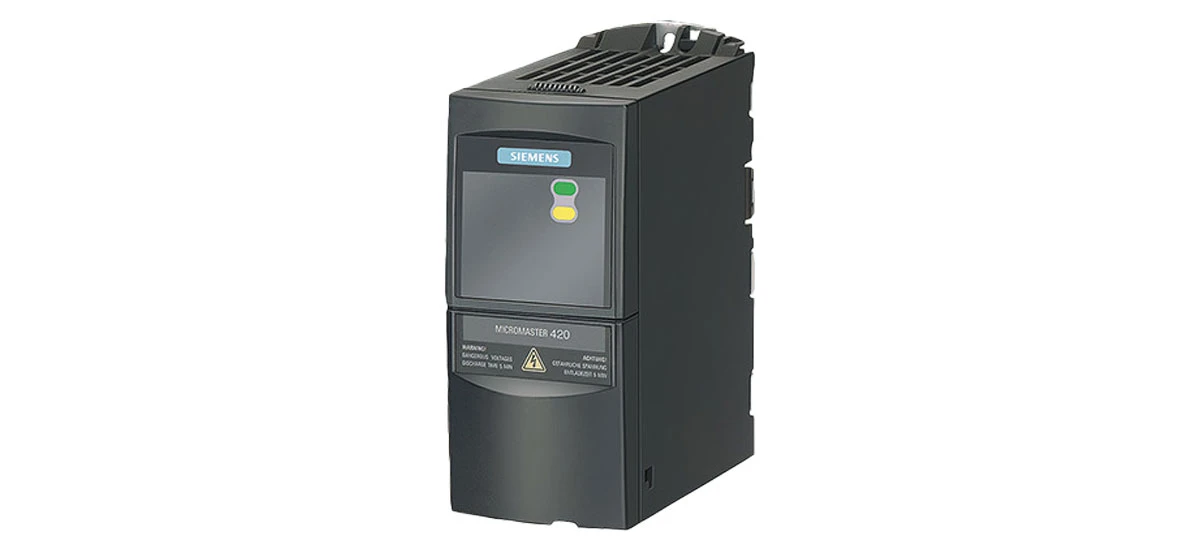
In the fast-paced world of industrial automation, precision and efficiency are the cornerstones of success. At the heart of many automated systems lies the need to control electric motors with accuracy-whether it's adjusting the speed of a conveyor belt in a warehouse, regulating a pump in a water treatment plant, or fine-tuning a mixer in a manufacturing line. This is where the Siemens MicroMaster420 shines. As a versatile frequency converter, the Siemens MicroMaster420 is designed to optimize motor performance, but its true potential is unlocked when seamlessly integrated with PLCs (Programmable Logic Controllers) like Siemens S7 and other automation systems. In this guide, we'll explore how to achieve smooth integration, the benefits it brings, and key considerations to ensure your setup runs flawlessly-all while highlighting the critical role of the Siemens MicroMaster420 in modern industrial operations.
What is Siemens MicroMaster420?
The Siemens MicroMaster420 is more than just a frequency converter; it's a workhorse in industrial motor control. Engineered by Siemens, this device adjusts the frequency of the electrical power supplied to motors, allowing precise control over their speed, torque, and energy consumption. From small-scale machinery in workshops to large industrial plants, the Siemens MicroMaster420 adapts to diverse needs-whether it's slowing down a packaging machine for delicate items or ramping up a fan in a cooling system. Its compact design, user-friendly interface, and robust build make it a top choice for engineers. But to fully leverage its capabilities, integrating the Siemens MicroMaster420 with PLCs and automation systems is non-negotiable. Without this integration, manual adjustments and disconnected operations can lead to inefficiencies, downtime, and increased energy costs.
Integrating Siemens MicroMaster420 with Siemens S7 PLCs
Connection Methods
Siemens MicroMaster420 and Siemens S7 PLC integration is a match made in industrial heaven, thanks to Siemens' seamless communication protocols. The most trusted method is via PROFIBUS DP, a widely used industrial communication standard. The Siemens MicroMaster420 has a built-in PROFIBUS interface that allows it to talk to the Siemens S7 PLC smoothly. Another option is using digital inputs and outputs for simple control tasks, where the PLC sends on/off signals or preset speed commands directly to the Siemens MicroMaster420. For applications needing continuous speed adjustments, analog signals (0-10V or 4-20mA) are ideal, as they let the Siemens S7 PLC fine-tune the motor speed in real time.
Step-by-Step Integration Process
- Hardware Preparation: Gather the necessary cables (PROFIBUS cable for digital communication, shielded wires for analog/digital I/O) and tools. Ensure the Siemens MicroMaster420 and Siemens S7 PLC are powered off during setup to avoid electrical damage.
- Physical Connection: For PROFIBUS, connect the PROFIBUS cable from the PLC's PROFIBUS port to the Siemens MicroMaster420's PROFIBUS interface. Secure the connectors with screws to prevent loose connections. For analog/digital I/O, link the PLC's output terminals to the corresponding input terminals on the Siemens MicroMaster420-refer to the wiring diagram in the Siemens manual to avoid mistakes.
- Software Configuration: Use Siemens TIA Portal (for S7-1200/1500) or STEP 7 (for older S7 models) to configure the PLC. Set the PROFIBUS address for the Siemens MicroMaster420 (matching the address set on the drive via its keypad) and define data exchange: speed commands from PLC to Siemens MicroMaster420, and status feedback (like motor overload alerts) from the drive to the PLC.
- Testing & Calibration: Power on both devices and run a test sequence. Send a start command from the PLC and check if the Siemens MicroMaster420 starts the motor. Adjust parameters like acceleration time via the drive's menu to ensure smooth operation. Use the PLC's monitoring tool to verify data flow between the two devices.
Integrating Siemens MicroMaster420 with Other PLCs
Compatible PLC Brands & Protocols
The Siemens MicroMaster420 isn't limited to Siemens S7 PLCs-it works well with many other brands. For Allen-Bradley PLCs (e.g., CompactLogix), use Modbus RTU over RS-485: attach a Modbus RTU adapter to the Siemens MicroMaster420's serial port, then connect it to the PLC via a twisted-pair cable. Mitsubishi FX PLCs pair nicely with the Siemens MicroMaster420 using analog signals (0-10V) for simple speed control, requiring minimal programming. Omron PLCs can connect via digital I/O, making them a good choice for basic on/off and speed setpoint tasks in small factories.
Key Considerations for Cross-Brand Integration
- Signal Compatibility: Check that the PLC's output signals (voltage/current) match the Siemens MicroMaster420's input specs. For example, if the PLC outputs 4-20mA, ensure the drive is set to accept this range for speed control. Mismatched signals can cause the Siemens MicroMaster420 to malfunction or even fail.
- Protocol Settings: When using Modbus, set the same baud rate (e.g., 9600 bps) and parity (e.g., no parity) on both the PLC and Siemens MicroMaster420. Assign a unique Modbus address to the drive to prevent data conflicts in networks with multiple devices.
- Electrical Noise Reduction: Use shielded cables and ground them properly to protect communication between the PLC and Siemens MicroMaster420. Factories with large motors or welders often have electrical noise, which can disrupt signals if not addressed.
Benefits of Siemens MicroMaster420 Integration in Automation Systems
Enhanced Control & Precision
Integrating Siemens MicroMaster420 with PLCs and automation systems puts precise motor control at your fingertips. The PLC can send real-time speed commands to the Siemens MicroMaster420, allowing for instant adjustments based on production needs. For example, in a bottling plant, the PLC can tell the Siemens MicroMaster420 to slow the conveyor belt when a bottle jams, preventing spills and damage. This level of control ensures consistent product quality and reduces waste.
Energy Efficiency & Cost Savings
The Siemens MicroMaster420 is designed to save energy, and integration with automation systems amplifies this benefit. The PLC can monitor production demand and tell the Siemens MicroMaster420 to adjust motor speed accordingly. In a water treatment plant, for instance, when water levels are low, the PLC signals the Siemens MicroMaster420 to slow the pump motor, cutting energy use by up to 40% compared to running at full speed nonstop. Over time, these savings add up, reducing operational costs significantly.
Simplified Monitoring & Maintenance
When integrated, the Siemens MicroMaster420 sends valuable data to the PLC and automation system, such as motor temperature, current draw, and error codes. Operators can view this data on a central HMI, making it easy to track the drive's performance. If the Siemens MicroMaster420 detects a problem (like a blocked motor), it sends an alert to the PLC, which triggers a notification on the HMI. This allows maintenance teams to fix issues before they cause downtime, keeping production running smoothly.
Flexibility & Scalability
Automation systems often need to adapt to new production lines or processes, and the Siemens MicroMaster420 integration makes this easy. By reprogramming the PLC, you can change the Siemens MicroMaster420's settings-like speed limits or acceleration times-without physically accessing the drive. This flexibility is perfect for industries with changing needs, such as food processing, where different products require different conveyor speeds. Additionally, adding more Siemens MicroMaster420 drives to the system is simple, as the PLC can manage multiple drives through a single communication network.
How to Troubleshoot Common Integration Issues
No Communication Between PLC and Siemens MicroMaster420
If the PLC and Siemens MicroMaster420 aren't communicating, start by checking the basics. First, verify that both devices are powered on and the cables are securely connected. Next, check the communication protocol settings-ensure the PROFIBUS address (for Siemens S7) or Modbus address (for other PLCs) on the Siemens MicroMaster420 matches the PLC's configuration. If using Modbus, confirm the baud rate and parity settings are the same on both devices. If problems persist, test the cables with a multimeter to check for breaks, and inspect the connectors for damage. A faulty cable is a common culprit in communication failures with the Siemens MicroMaster420.
Motor Runs Erratically After Integration
Erratic motor behavior (e.g., sudden speed changes or stalling) often stems from signal issues. For analog control, check if the PLC's output signal is stable-use a multimeter to measure the voltage or current. If the signal fluctuates, it may be due to electrical noise; add a signal conditioner or move the cable away from power lines. For the Siemens MicroMaster420, check the acceleration/deceleration settings-if they're too short, the motor may jerk. Adjust these parameters via the drive's keypad or software. Also, ensure the motor load isn't exceeding the Siemens MicroMaster420's rated capacity, as overloading can cause erratic performance.
Error Codes on Siemens MicroMaster420
The Siemens MicroMaster420 displays error codes to indicate issues, and integrating with a PLC means these codes can be sent directly to the automation system for quick diagnosis. Common codes include F0001 (overcurrent), which may mean the motor is overloaded or there's a short in the wiring. Check the motor connections and reduce the load if needed. F0002 (overvoltage) often occurs if the power supply is unstable-install a surge protector to protect the Siemens MicroMaster420. For F0003 (undervoltage), check the incoming power and ensure the supply voltage matches the drive's rating. Refer to the Siemens MicroMaster420 manual for a full list of error codes and solutions.
Data Mismatch Between PLC and Drive
Sometimes the PLC shows incorrect data (e.g., wrong speed reading) from the Siemens MicroMaster420. This usually happens when the data format or scaling is misconfigured. For example, if the PLC expects speed in RPM but the Siemens MicroMaster420 sends it in Hz, the values won't match. Adjust the scaling in the PLC program to convert the drive's output to the correct unit. Also, check the data length-ensure both devices are set to exchange 16-bit or 32-bit data as needed. Re-sync the data exchange settings between the PLC and Siemens MicroMaster420 to resolve mismatches.
Summary: Why Siemens MicroMaster420 Integration Matters
Integrating the Siemens MicroMaster420 with PLCs-whether Siemens S7 or other brands-and automation systems is essential for modern industrial efficiency. It transforms the Siemens MicroMaster420 from a standalone drive into a key part of a smart, connected system, enabling precise control, energy savings, and easy monitoring. By following proper integration steps, addressing cross-brand compatibility, and knowing how to troubleshoot common issues, you can maximize the Siemens MicroMaster420's performance. Whether in manufacturing, water treatment, or packaging, this integration ensures smoother operations, lower costs, and greater flexibility. The Siemens MicroMaster420 isn't just a frequency converter-it's a cornerstone of efficient automation, and integrating it properly unlocks its full potential.


