


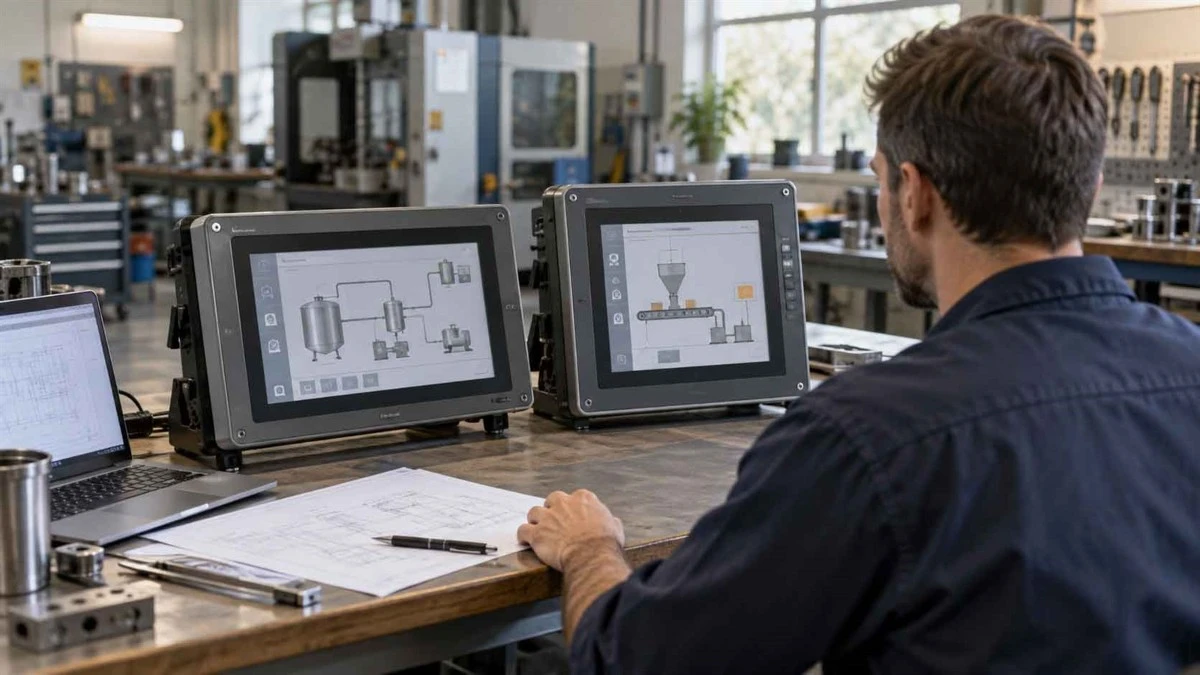
Choosing between PanelView and another HMI is not simply a choice between a familiar brand and a lower hardware price. For an existing Allen-Bradley PLC installation, the decision should account for the application you can retain, the functions you need, and the work required before production can resume.
Our recommended starting point is straightforward: assess project reuse before switching platforms, but do not preserve the existing platform without checking whether it still meets your requirements.
This PanelView vs other HMIs guide focuses on that decision. It compares documented platform differences, explains migration costs, and identifies what to verify before requesting a quotation.
Start With Your Existing System and Project Constraints
Are You Replacing a Failed Terminal or Planning an Upgrade?
Separate immediate restoration from planned improvement. An urgent replacement calls for a verified route back to the required operating condition. An upgrade allows you to reconsider functions, software, and maintenance arrangements. A new machine has fewer inherited HMI constraints, although customer specifications may still determine acceptable platforms.
Use the following starting points rather than treating every request as a search for a cheaper panel.
|
Project situation |
First question |
Initial direction to assess |
|
Urgent replacement |
Can a verified backup restore the required functions? |
Compatible replacement within the existing platform |
|
Planned upgrade |
Which requirement is the current HMI failing to meet? |
Existing platform versus migration |
|
New machine |
Which control and maintenance requirements are mandatory? |
Candidates selected against the same specification |
Which Controllers, Applications and Standards Must Stay?
Record the PLC model, installed HMI, communication arrangement, application files, and maximum acceptable interruption. Separate mandatory requirements from preferences.
For example, keeping the existing PLC might be mandatory, while retaining the original screen layout might be negotiable. Missing project files are an information gap, not a separate project type. Resolve that gap before estimating application reuse.
Define the Platforms Before Comparing Them
Separate the PanelView Software Families
PanelView is not one software environment. PanelView Plus 7 uses FactoryTalk View Machine Edition, while PanelView 5000 uses Studio 5000 View Designer. PanelView 800 applications use Connected Components Workbench. Their shared branding does not remove the need to assess software compatibility.
For a comparison within the Allen-Bradley range, see our PanelView 800 vs PanelView Plus 7 guide. Here, the main question is whether changing the HMI platform is justified, rather than which PanelView family to buy.
Compare Specific Alternatives, Not a Single Generic HMI Category
Name the alternative platform and software release. A broad phrase such as "Siemens HMI" is insufficient for a compatibility decision.
The comparison below uses Siemens Unified Comfort Panels with WinCC Unified V21 as a documented alternative. Siemens identifies these panels among the devices supporting its Allen-Bradley EtherNet/IP drivers. This is evidence for evaluating a communication route, not approval of a complete PanelView replacement.
Compare Every Option Against the Same Requirements
PLC Communication and Engineering Integration
The table separates published platform facts from the engineering assessment they require. It is not a statement that the products are mechanically interchangeable or that Chentuo has tested them together.
|
Comparison point |
PanelView Plus 7 |
Siemens Unified Comfort with WinCC Unified V21 |
|
Engineering environment |
FactoryTalk View Studio for Machine Edition |
WinCC Unified |
|
Published connection information |
Rockwell specifies one controller for Plus 7 Standard; assess Performance separately |
Siemens documents connections to approved Allen-Bradley controllers and multipoint communication with up to four approved PLCs |
|
Existing FactoryTalk application: planning approach |
Assess reuse within the applicable software and hardware versions |
Budget migration work unless a suitable conversion route is demonstrated |
|
Required project evidence |
Application compatibility, capacity, and functional tests |
Exact controller support, driver configuration, and functional tests |
Rockwell supplies the Plus 7 information; Siemens supplies the V21 driver conditions. The connection figures describe different product and driver scopes, not equal overall capacity or performance.
For HMI compatibility with CompactLogix, check the exact CPU and firmware, not just the family name. Request a controlled demonstration using representative tags, including numerical values, array elements, and communication status. Siemens publishes separate data type requirements for its Allen-Bradley drivers, illustrating why protocol availability alone is insufficient.
Consider a project requiring two direct PLC connections. Plus 7 Standard's published single-controller scope would not meet that requirement. The next step would be to assess a suitably specified Performance terminal or another documented candidate, not to declare every PanelView unsuitable. For the Siemens option, verify that both controllers fall within the approved V21 configuration. This is an initial screening decision, not a final equipment recommendation.
Also distinguish communication from engineering integration. Rockwell documents Logix tag, alarm, and diagnostic integration for PanelView 5000. Do not assume another HMI reproduces those workflows simply because it reads controller data. Identify the functions your existing application actually uses.
Alarms, Recipes, Logging and Operator Functions
Turn each function into an acceptance requirement. Instead of writing "supports alarms," specify which conditions generate alarms, how acknowledgment works, and what operators must see after communication is interrupted.
For recipes, define who may change values and how a completed transfer is confirmed. For logging, specify the required data, recording interval, retention period, and export format.
Ask each candidate to demonstrate the same operating sequence. A list of feature names is not enough to establish equivalent behavior. Include the screens operators use during abnormal conditions, not only the normal production display.
For example, an acceptance test for a recipe should distinguish the operator's request from confirmation that the intended values reached the controller. Similarly, a displayed alarm acknowledgment should be checked against the agreed acknowledgment behavior. Define these tests with the responsible engineer in an approved test environment. They expose differences that a screen demonstration alone may leave unresolved.
Installation, Environment and Network Requirements
Compare the proposed model against the existing enclosure and site conditions. Verify panel cutout, mounting depth, power, cable clearance, touch operation, and environmental requirements from the exact product documentation.
Treat network topology as another requirement to prove. Where a ring arrangement or legacy interface is involved, have the responsible engineer assess the whole connection path. Do not substitute port count for a topology check.
Maintenance, Lifecycle and Remote Access Requirements
Evaluate how the maintenance team would support each option. Ask who will own the editable project, which software will be available, and how a replacement terminal will be restored.
For remote access, define permitted users, approval requirements, and the plant's access policy before selecting a feature. Keep lifecycle status, support arrangements, and actual supplier availability as separate checks.
Require a handover package containing the approved application, relevant version information, and recovery instructions. Compare whether your team can maintain that package with its available tools. A platform preference is easier to defend when the support responsibility is clear, rather than resting on one engineer's familiarity.
Record each result as documented, project tested, unresolved, or unsuitable. A manufacturer document and a successful application test answer different questions.
Estimate What a Platform Change Will Actually Require
Can the Existing Application Be Reused, Converted or Rebuilt?
Begin with an application inventory. Establish whether you have an editable project, a runtime file used to operate the terminal, or only supporting materials such as screenshots and tag lists.
Have the engineer check the file's source, software version, accessibility, and suitability for the target. Do not promise recovery from a runtime file before examining its conditions. Equally, do not assume every migration requires rebuilding everything.
Use Rockwell's Product Compatibility and Download Center to investigate relevant product versions. That check supports the assessment; it does not demonstrate that the complete application will behave correctly.
Map the Work Beyond Screen Graphics
Create a work register before comparing engineering quotations. For each item, record whether it can be retained, requires modification, needs rebuilding, or remains unresolved.
|
Work package |
Evidence to collect |
Completion requirement |
|
Screens and navigation |
Existing project and operator review |
Required operating paths demonstrated |
|
Tags and communication |
Tag inventory and driver documentation |
Representative data and status behavior verified |
|
Alarms, recipes and access |
Existing configuration and operating requirements |
Agreed functional tests passed |
|
Backup and recovery |
Files, versions and restoration procedure |
Recovery demonstrated on the intended configuration |
Assign an owner and an estimating basis to each package. This makes the HMI migration cost traceable to actual work rather than an unexplained allowance.
Define Validation and Rollback Before Ordering
Agree on acceptance criteria before committing to production installation. Include normal operation, communication interruption, restart behavior, and the operator permissions relevant to the application.
Define who authorizes commissioning, who records unresolved issues, and what would trigger a rollback. Establish the equipment, files, and time needed for recovery. Simply keeping the old panel does not constitute a complete rollback plan.
Once the platform direction is clear, our PanelView model selection and replacement guide covers the separate task of narrowing an Allen-Bradley terminal to an exact configuration.
Calculate Total Cost Instead of Comparing Panel Prices
Build a Cost Model With the Same Scope
Compare the same requirements over the same period, such as three years. A practical HMI total cost of ownership model is:
Hardware and installation + additional software + engineering and validation + training + planned interruption + maintenance and spares.
Record both the amount and its basis. Use supplier quotations for hardware and software, scoped estimates for engineering, and plant information for interruption costs. Mark uncertain inputs rather than disguising them as precise figures.
Exclude historical spending that cannot change between the options. Include future costs that will change, and avoid counting engineering or commissioning twice. Use consistent currency and delivery assumptions.
Make uncertainty visible with a reasonable range for work that has not yet been tested. When the preferred option changes across that range, prioritize the validation task that would narrow it. This directs engineering effort toward the assumption most likely to change the purchasing decision.
Find the Point Where Hardware Savings Disappear
Illustrative calculation only: assume an alternative panel costs $1,500 less and requires additional engineering at $100 per hour. These are hypothetical inputs, not market prices, Chentuo quotations, or customer results.
Dividing $1,500 by $100 gives a threshold of 15 additional engineering hours.
|
Additional engineering |
Added engineering cost |
Result against the $1,500 hardware saving |
|
8 hours |
$800 |
$700 saving remains |
|
15 hours |
$1,500 |
Hardware saving is fully offset |
|
25 hours |
$2,500 |
Alternative costs $1,000 more |
This comparison excludes differences in software, installation, training, interruption, and maintenance. Add those before making a decision. The useful question is not whether migration takes 15 hours, but whether your evidenced work estimate changes the preferred option.
Show When an Alternative Can Still Be the Better Choice
A different platform deserves serious consideration when there is little reusable application work, its required functions fit better, or the team already has the necessary tools and skills. Test those conditions rather than treating them as automatic savings.
For an OEM building several identical machines, separate development performed once from costs incurred on every unit. A migration cost that is difficult to justify for one repair may produce a different result across a validated machine design.
Choose from the complete comparison, not a hardware discount or an assumed brand premium.
Apply the Framework to Three Decision Scenarios
The following scenarios illustrate the decision process. They are not Chentuo customer case studies.
An Existing Logix System With a Reusable HMI Project
Assume a machine has an accessible FactoryTalk View ME project and a short installation window. The required functions are unchanged.
Assess a compatible PanelView Plus route first, while retaining an alternative as a comparison. Verify the reusable application scope and target versions before approving either option. The next step is a restoration and functional assessment, not an automatic purchase based on the existing brand.
A New Machine With Multiple Controller Requirements
Assume a new machine must exchange data with specified controllers and has no existing HMI application. Compare candidates against those exact connections, required operator functions, and the engineering team's available resources.
A third-party HMI for an Allen-Bradley PLC belongs on the shortlist when its documented support matches the project. The next step is a representative communication and application demonstration, followed by a cost comparison using the same scope.
A Legacy Terminal With Missing Project Files
Assume the installed terminal is identified, but no editable project has been located. Before committing to another platform, establish what can be recovered and what must be specified again.
Keep immediate restoration and planned modernization as separate options. Request hardware pricing with the unknown engineering scope clearly stated. The next step is a documented application assessment, not a promise that a replacement panel will restore the machine.
Verify the Hardware and Supply Terms Before You Buy
Confirm the Full Catalog Number, Series and Version Requirements
Transfer the engineering decision into the purchase specification. Include the complete catalog number, Series, required versions, and any mandatory installation or environmental conditions. Flag any proposed substitution for review before dispatch.
When the decision remains within Allen-Bradley, use our Allen-Bradley HMI range to identify products for further inquiry. Product browsing should follow technical screening, not replace it.
Clarify Product Condition, Warranty and Software Entitlements
Ask the supplier to state product condition, available test evidence, included accessories, and warranty terms in writing. For surplus or refurbished equipment, request a clear description of what was inspected or tested.
Confirm software entitlements and manufacturer support separately from the supplier's warranty. Do not treat a general statement such as "original product" as an answer to every procurement question.
Check Delivery Against the Actual Project Deadline
Provide the destination and required arrival date. Ask for confirmed dispatch arrangements and shipping assumptions rather than relying on a general availability statement.
At Chentuo, our product range includes Allen-Bradley and Siemens HMI product categories. For sourcing discussions, submit the required model or describe the candidate platform, quantity, and delivery needs through our Request a Quote page. Specific availability and commercial terms require confirmation.
FAQ

Can a Third-Party HMI Work With an Allen-Bradley PLC?
Can I Reuse a FactoryTalk View ME Project on Another HMI Platform?
Can a Siemens HMI Replace a PanelView Without Changing the PLC?
Does the Same Screen Size Mean an HMI Is a Direct Replacement?
How Should I Check PanelView Lifecycle and Firmware Compatibility?
What Information Is Needed for a PanelView Alternative Quote?
Choose the Platform You Can Validate and Maintain
Retain PanelView when verified project reuse, required functions, and maintenance arrangements justify that route. Evaluate alternatives when demonstrated benefits justify migration work and the resulting support model.
Before placing an order, identify the preferred candidate, unresolved requirements, estimated conversion work, and acceptance plan. For the procurement step, request an HMI quotation from Chentuo with your known hardware and project requirements. Keep the quotation process and final engineering approval distinct.


