



Choosing between PanelView 800 vs PanelView Plus 7 is not simply a matter of screen size, memory or buying the more powerful HMI. The right choice depends on the PLC already in your machine, the engineering software your team uses, the number of controllers and displays involved, communication requirements, future expansion and whether you are specifying a new system or replacing a failed terminal.
For a small machine built around Micro800, PanelView 800 may be entirely sufficient. For a CompactLogix or ControlLogix application using FactoryTalk View Machine Edition, PanelView Plus 7 Standard often makes more sense. PanelView Plus 7 Performance becomes relevant when the project requires greater application capacity, more advanced networking, additional storage or a more demanding visualization architecture.
This guide focuses specifically on choosing within the Allen-Bradley PanelView family. If you are still deciding between HMI brands, see our Siemens vs. Allen-Bradley HMI comparison first, then return here once you have narrowed the platform choice.
PanelView 800 vs PanelView Plus 7 at a Glance
The table below is intended as a shortlist, not a substitute for checking the exact catalog number, Series and firmware before ordering.
|
Decision Factor |
PanelView 800 |
PanelView Plus 7 Standard |
PanelView Plus 7 Performance |
|
Best fit |
Small and relatively simple machines |
Mid-range FactoryTalk ME applications |
Larger and more demanding HMI applications |
|
Engineering software |
Connected Components Workbench |
FactoryTalk View Machine Edition |
FactoryTalk View Machine Edition |
|
Typical PLC context |
Micro800, selected CompactLogix applications |
CompactLogix and ControlLogix |
Larger CompactLogix and ControlLogix systems |
|
Current display range |
4 to 10 in. |
4 to 15 in. |
7 to 19 in. |
|
Application complexity |
Lower |
Medium |
Higher |
|
Serial / Modbus use |
Useful for legacy and mixed-device applications |
Mainly Ethernet-oriented application architecture |
Ethernet-oriented, more advanced network architecture |
|
Ethernet |
Yes |
Single or DLR options |
Two Ethernet ports supporting DLR, linear or star topology |
|
Remote functions |
Verify exact firmware requirements |
VNC and FactoryTalk ViewPoint |
VNC and FactoryTalk ViewPoint |
|
Current lifecycle direction |
Active Mature |
Active on representative current models |
Active on representative current models |
|
First question to ask |
Is the application simple enough? |
Does FactoryTalk ME fit the existing architecture? |
Does the application actually require Performance capability? |
Rockwell currently positions PanelView 800 as a 4 to 10 inch platform optimized for Micro800 and also supports selected CompactLogix controllers. PanelView Plus 7 is split into Standard and Performance versions, with different memory, display, network and operating-system characteristics.
The Biggest Difference Is System Complexity, Not Screen Size
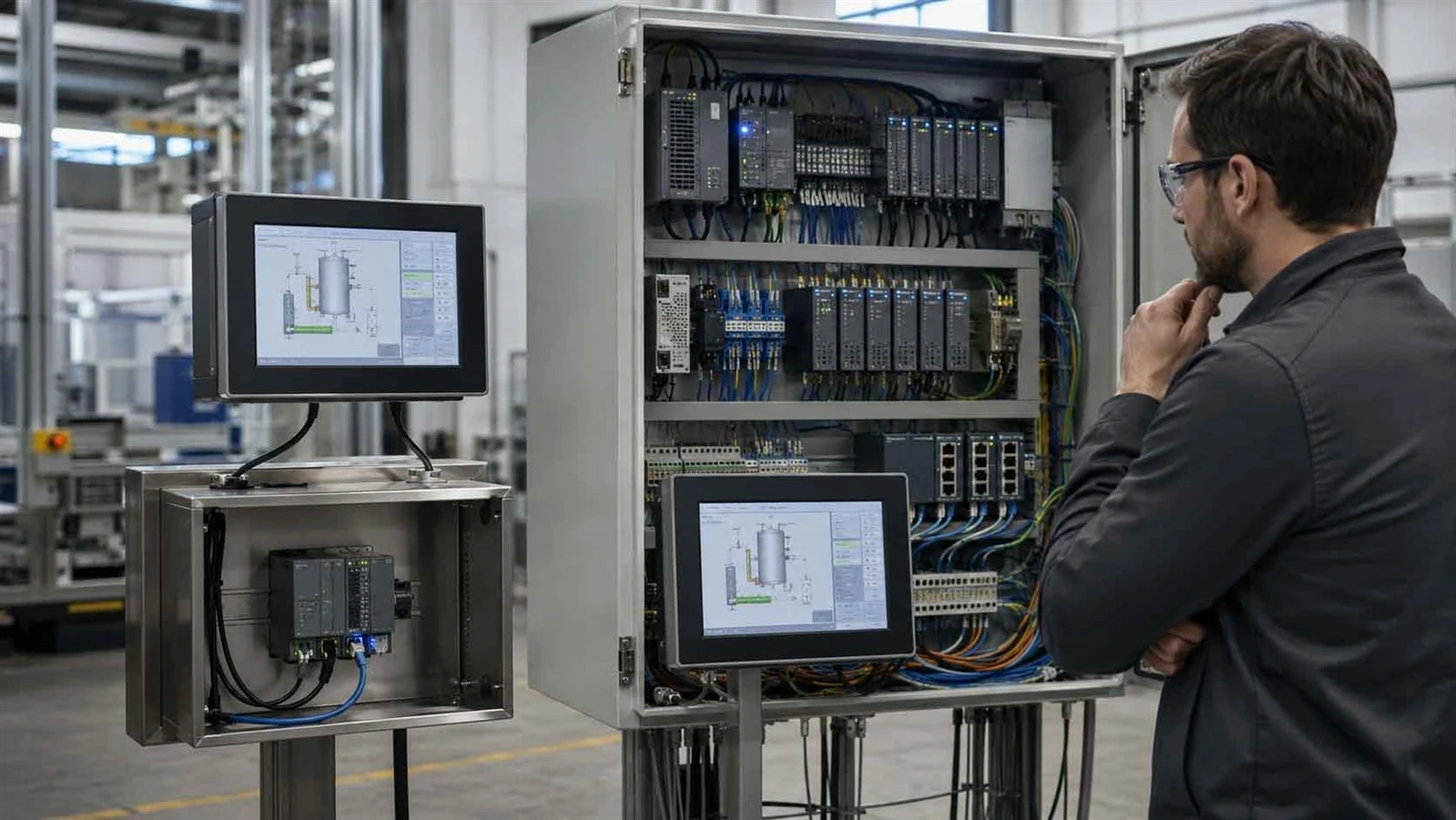
A common mistake is to select an HMI by screen size first. A seven-inch terminal does not automatically belong in one family, and a larger display does not automatically justify PanelView Plus 7 Performance.
The more useful question is: how complicated is the application behind the screen?
When PanelView 800 Is Enough
PanelView 800 is a logical starting point for a stand-alone OEM machine, particularly when the controller is a Micro800 and the HMI application has a limited number of operating screens, alarms, recipes and diagnostic functions.
Rockwell positions the family for micro and small controllers and provides built-in Ethernet and serial communication. Current documentation also supports communication architectures including Modbus, which can be useful when a machine contains legacy or third-party equipment.
Consider a packaging or material-handling machine with one controller, several operator screens and straightforward alarm handling. Installing a larger FactoryTalk-based platform may add engineering and hardware cost without solving a real application problem.
The key is not whether PanelView 800 is less capable than Plus 7. It is whether the application needs the capabilities that Plus 7 adds.
When PanelView Plus 7 Standard Makes More Sense
PanelView Plus 7 Standard becomes more attractive when the project is already centered on FactoryTalk View Machine Edition, when visualization requirements are growing, or when the plant wants to standardize its HMI engineering around the broader Rockwell architecture.
Rockwell currently specifies Standard terminals with display options from 4 to 15 inches, FactoryTalk View ME support, remote monitoring through VNC and FactoryTalk ViewPoint, and application limits of up to 100 screens and 500 alarms under the stated FactoryTalk ME configuration.
This means Standard should not be viewed merely as a more expensive PanelView 800. It represents a different engineering environment.
For example, if a plant already maintains FactoryTalk View ME applications and its engineers are trained on that platform, rebuilding a project in another environment simply to save on HMI hardware can increase commissioning and maintenance effort.
When PanelView Plus 7 Performance Is Justified
Performance should enter the shortlist when the application genuinely requires more resources and system flexibility.
Current PanelView Plus 7 Performance models provide substantially more RAM and internal storage than Standard, two Ethernet ports supporting DLR, linear or star topologies, display sizes up to 19 inches, and Windows 10 IoT Core on the current platform.
That makes Performance more relevant for larger applications, more complex operator interfaces, greater data requirements, demanding network architectures or projects that need additional room for future development.
However, do not select Performance only because it is the highest specification. If Standard already satisfies the PLC architecture, application size, network and visualization requirements, the extra capability may provide little practical return.
Software: CCW vs FactoryTalk View Machine Edition
Software is often more important than the HMI purchase price because it affects engineering hours, application migration, training and future maintenance.

PanelView 800 and Connected Components Workbench
PanelView 800 applications are developed using Connected Components Workbench, commonly abbreviated as CCW. The environment fits naturally with Rockwell's Micro800 ecosystem and is particularly practical for smaller machine-level automation projects. Rockwell's current PanelView 800 page directs users to Connected Components Workbench as its design and configuration software.
For an OEM building a new Micro800 machine with no existing FactoryTalk View ME project to maintain, this can be a straightforward architecture.
PanelView Plus 7 and FactoryTalk View ME
PanelView Plus 7 Standard and Performance use FactoryTalk View Machine Edition. Applications are built in FactoryTalk View Studio for Machine Edition and deployed to the terminal environment. Rockwell identifies FactoryTalk View ME as the standard software for the current PanelView Plus 7 platform.
This matters when your plant already has engineers, project files, naming conventions and maintenance procedures built around FactoryTalk.
A lower hardware price does not automatically create a lower project cost. Recreating screens, alarms, communications and maintenance documentation can easily matter more than the price difference between two terminals.
PLC and Controller Compatibility
Your PLC should narrow the shortlist, but controller compatibility alone should not make the final decision.
For Micro800 applications, PanelView 800 is the natural family to evaluate first. Rockwell specifically optimizes PanelView 800 for Micro800 controllers.
For CompactLogix, the answer is more conditional. PanelView 800 supports selected CompactLogix families, including documented CompactLogix 5370 and selected 5380 applications. A simple CompactLogix machine therefore does not automatically require PanelView Plus 7.
Once the application requires a larger FactoryTalk ME project, more extensive visualization, additional network capability or a plant-wide Rockwell standard, Plus 7 becomes more attractive.
For ControlLogix and multi-controller architectures, PanelView Plus 7 is generally the more natural direction because the HMI is increasingly part of a larger Integrated Architecture environment rather than a stand-alone machine interface.
The important rule is simple: compatible does not mean optimal. Verify the exact controller generation, firmware, communication path and HMI project requirements before making the selection.
If you need a broader explanation of Allen-Bradley controller families before choosing the HMI, an internal link here to your Allen-Bradley PLC Families Explained or Allen-Bradley PLC Buying Guide article is appropriate.
Communication and Network Differences

Both product families can operate inside Ethernet-based industrial systems, but their communication roles are not identical.
PanelView 800 combines Ethernet with serial connectivity and supports communication scenarios including Modbus RTU and Modbus TCP. This can be useful for smaller machines or retrofits that must communicate with equipment outside a pure Logix architecture.
PanelView Plus 7 Standard is more closely aligned with FactoryTalk and Ethernet-based Rockwell systems. Performance goes further with two Ethernet ports supporting DLR, linear and star network topologies on the current product line.
Do not purchase a more advanced HMI just because DLR appears on the feature list. A stand-alone machine on a simple Ethernet network may gain little from it. In contrast, network architecture becomes more important when the HMI sits inside a larger production line where resilience and topology are part of the system design.
For third-party PLC integration, check protocol and driver support first. An Allen-Bradley HMI is not automatically the best choice simply because it can communicate with the device.
Display, Alarm and Application Capacity
Memory and screen count matter only when they reflect the real workload of the application.
A machine with six operating pages, basic setup screens and a small alarm list has very different requirements from a production line with extensive diagnostics, maintenance screens, recipes, trends and hundreds of operator messages.
PanelView Plus 7 Standard currently supports up to 100 screens and 500 alarms in the documented FactoryTalk ME configuration. Performance provides significantly more processing and storage resources, which gives the project greater headroom.
Screen size should also be selected around the operator. Consider viewing distance, information density, available panel space and the existing cutout if the project is a retrofit.
In a replacement project, changing from one display size to another can turn an electrical replacement into a mechanical redesign.
PanelView Plus 7 Standard vs Performance: Do Not Treat Them as One Product
One of the easiest ways to make a PanelView comparison inaccurate is to describe every Plus 7 terminal as if it has the same architecture.
Standard and Performance have meaningful differences in operating system, resources, networking and application capability. Current Standard models use Windows CE 6.0, while current Performance products use Windows 10 IoT Core LTSC.
Series also matters.
Rockwell specifically warns that PanelView Plus 7 Performance Series B introduced new hardware and Windows 10 IoT Core compared with Series A, with functional differences that may require application or process changes.
That makes Series identification particularly important for replacement work. Never assume that two terminals with the same broad family name are interchangeable without checking the complete catalog number, Series, firmware and project compatibility.
Lifecycle and Long-Term Availability in 2026
Lifecycle now creates an important distinction between PanelView 800 and Plus 7.
Rockwell announced that the PanelView 800 family, including 2711R-T4T, 2711R-T7T and 2711R-T10T, moved to Active Mature status on January 31, 2026. Rockwell's current individual product pages also show this status.

Active Mature does not mean discontinued. It means lifecycle should carry more weight when specifying equipment that is expected to remain a plant standard for many years.
By comparison, representative Plus 7 models such as 2711P-T7C22D8S Standard and 2711P-T15C22D9P Performance currently show Active status.
For a new OEM machine platform, that difference can influence long-term standardization. For an existing machine that already uses PanelView 800, compatibility and production continuity may still be more important than moving to a different HMI family.
New Machine vs Replacement Project: The Decision Changes
A new machine and a failed HMI should not follow the same selection process.
For a new machine, start with the engineering architecture. Identify the PLC family, software environment, expected application complexity, network design, lifecycle target and future scalability. Only after those decisions should you narrow the exact catalog number.
For a replacement project, start by identifying what is already installed.
Before ordering a replacement PanelView, verify the following information:
|
Item to Check |
Why It Matters |
|
Full catalog number |
Identifies the exact hardware configuration |
|
Series |
Hardware and operating-system behavior can differ |
|
Firmware |
Can affect application and feature compatibility |
|
Display and cutout |
Determines mechanical fit |
|
Input power |
Prevents electrical mismatch |
|
Communication ports |
Must match the installed network |
|
Existing application and software version |
Determines whether the project can be restored or migrated |
If a production line is down and the only information supplied is "I need a seven-inch PanelView," that is not enough to quote a safe replacement.
At SZCT Automation, our role is not only to identify an available HMI. For replacement inquiries, providing the nameplate information, complete catalog number, Series and quantity helps us narrow the correct Allen-Bradley terminal and reduce the risk of ordering a unit that cannot be used in the existing system.
Which PanelView Should You Choose? Four Real-World Scenarios
Scenario 1: Small Stand-Alone Machine with Micro800
A machine has one Micro800 controller, straightforward operator screens, limited alarms and no requirement for a large FactoryTalk ME architecture.
Start with PanelView 800. The combination matches the intended small-machine ecosystem, and moving to Plus 7 may add cost and engineering complexity without solving a real constraint.
Scenario 2: CompactLogix Packaging Machine
A CompactLogix controller does not determine the answer by itself.
If the machine remains relatively simple and the selected controller is supported, PanelView 800 can still be evaluated. If the plant already uses FactoryTalk View ME, needs more visualization capacity or wants a standardized Rockwell HMI environment, PanelView Plus 7 Standard becomes more logical.
Scenario 3: Large ControlLogix Production Line
Now consider several controllers, extensive diagnostics, more alarms, remote access, a larger operator interface and future expansion.

This is where PanelView Plus 7 Standard vs Performance becomes the real comparison. If Standard stays comfortably inside the project requirements, it may be enough. When additional resources, network architecture and application headroom are required, Performance becomes easier to justify.
Scenario 4: Replacing a Failed Existing PanelView
Do not begin by asking which new model is more powerful.
First identify the existing catalog number, Series, firmware, project software, communication interface and panel dimensions. A direct or near-direct replacement may reduce downtime and engineering risk compared with a platform change.
Only after compatibility has been checked should you evaluate whether migration to another PanelView family is worthwhile.
Popular PanelView Models to Consider
For PanelView 800, common catalog numbers include 2711R-T4T, 2711R-T7T and 2711R-T10T, covering the current 4.3, 7 and 10.4 inch family.
For PanelView Plus 7 Standard, models such as 2711P-T7C22D8S provide a useful starting point when you need a FactoryTalk View ME based Standard terminal.
For Performance applications, models in the 2711P Performance family include options such as 2711P-T15C22D9P, with larger display and resource requirements.
Rather than choosing from the catalog number alone, first determine the family and application requirements, then verify the exact configuration.
Browse our Allen-Bradley HMI category or use the SZCT Model Library when you already have a catalog number and want to narrow the available product.
Final Recommendation
Choose PanelView 800 when the machine is relatively simple, the controller architecture fits the supported Micro800 or selected CompactLogix environment, serial or Modbus communication is useful, and the project does not need the additional FactoryTalk ME capacity of Plus 7.
Choose PanelView Plus 7 Standard when FactoryTalk View ME is part of the engineering standard, the application requires greater visualization capacity, or CompactLogix and ControlLogix integration is becoming more central to the machine architecture.
Choose PanelView Plus 7 Performance when the application has genuinely moved beyond Standard requirements in project size, memory, storage, networking, visualization or future expansion.
For replacement projects, do not select solely on performance. Verify the exact catalog number, Series, firmware, communication and existing HMI application first.
If you already know the part number, you can browse our Allen-Bradley HMI range or submit the catalog number, Series and quantity through our Request a Quote page for availability and sourcing support.
FAQ

What is the main difference between PanelView 800 and PanelView Plus 7?
Does PanelView 800 work with CompactLogix?
What software is used to program PanelView 800?
What software does PanelView Plus 7 use?
Is PanelView 800 discontinued?
Can I replace a PanelView 800 with a PanelView Plus 7?


