

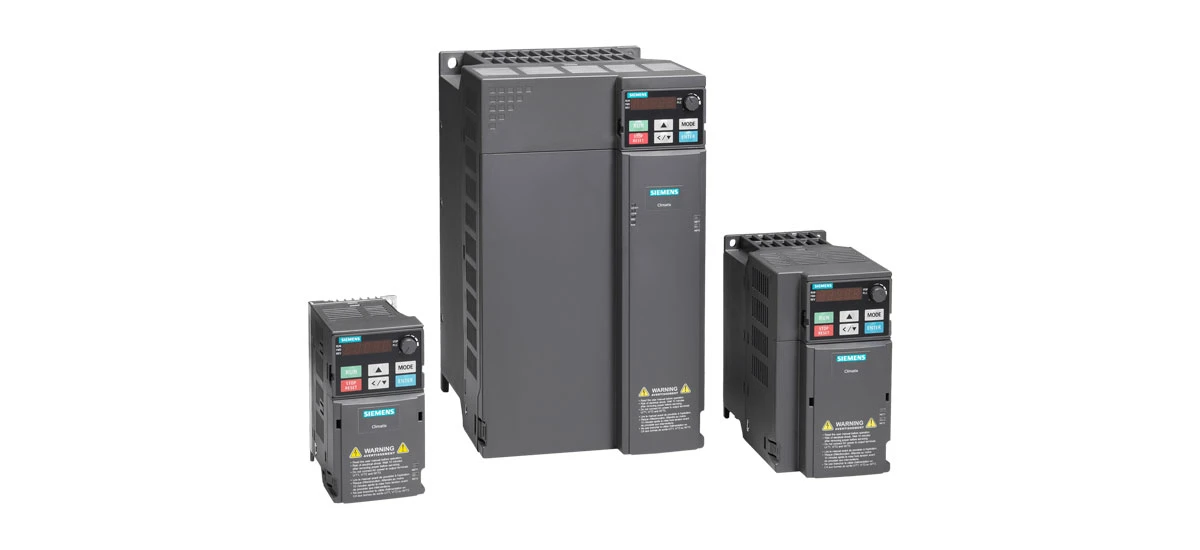
If you work with electric motors, you've probably heard of Siemens VFDs. A Siemens VFD, or variable frequency drive, is a device that controls the speed and torque of electric motors. One of the most important features of a Siemens VFD is its overload capability. Siemens VFD overload capability protects the drive and the motor from damage when the load is too high. In this blog, we'll explain what Siemens VFD overload capability is, how thermal modeling works in Siemens VFD, and how to understand Siemens VFD trip curves. We'll also cover common issues and solutions to help you get the most out of your Siemens VFD.
What Is Siemens VFD Overload Capability?
Siemens VFD overload capability is the ability of the variable frequency drive to handle a load that is higher than its rated capacity for a certain period of time. Every Siemens VFD has a rated load, which is the maximum load it can handle continuously without overheating or being damaged. When the load exceeds this rating, the Siemens VFD's overload protection kicks in to prevent damage. This feature is crucial for industrial applications, where motors often face sudden changes in load, such as pumps, fans, and conveyors. Siemens VFD overload capability ensures that the drive and motor can handle these temporary overloads without failing.
Definition of Siemens VFD Overload Capability
Simply put, Siemens VFD overload capability is the drive's ability to tolerate excessive load for a short time. For example, many Siemens VFD models, like the SINAMICS V20, can handle 150% of their rated overload for 60 seconds. Some models also have a low overload setting, such as 110% of rated output current for 60 seconds in a 300-second cycle. This means if the motor's load suddenly jumps to 150% of its normal load, the Siemens VFD will keep running for 60 seconds before shutting down to protect itself and the motor. This short window gives you time to adjust the load or fix the issue before any damage occurs.
Why Siemens VFD Overload Capability Matters
Siemens VFD overload capability is essential for two main reasons: protecting equipment and ensuring productivity. Without this feature, a sudden overload could burn out the Siemens VFD or the motor, leading to expensive repairs and downtime. In industrial settings, even a short period of downtime can cost a lot of money. Siemens VFD overload capability also helps with Siemens VFD overload capability for motors, as it prevents the motors from overheating and wearing out faster. By handling temporary overloads, the Siemens VFD keeps your operations running smoothly and extends the lifespan of your equipment.
Thermal Modeling in Siemens VFD
To understand Siemens VFD overload capability, you first need to know about thermal modeling. Thermal modeling is a key part of how Siemens VFD protects itself and the motor from overload. A Siemens VFD uses thermal modeling to track the temperature of its internal components and the connected motor. This helps the drive determine when it's at risk of overheating and when to trigger overload protection. Let's break down what thermal modeling is and how it works in a Siemens VFD.
Siemens VFD Thermal Modeling Basics
Thermal modeling in a Siemens VFD is a way to calculate and monitor the heat buildup in the drive and the motor. When a Siemens VFD runs, its internal parts (like the inverter) and the motor generate heat. If this heat builds up too much, it can damage the equipment. The thermal model in the Siemens VFD uses data like motor power, current, and ambient temperature to estimate how much heat is being produced and how fast it's dissipating. For Siemens standard motors, the thermal model is very accurate, but for third-party motors, you can use parameters like P1910 to run a motor parameter auto-identification, which makes the thermal model more precise.
How Thermal Modeling Works in Siemens VFD
The thermal model in a Siemens VFD works by continuously monitoring the motor's current and using an I²t calculation to track heat buildup. I²t stands for "current squared multiplied by time," and it's a way to measure the heat generated by electrical current. The Siemens VFD compares the I²t value to a set limit (stored in parameters like P0604 for MM440 models) to see if the heat is getting too high. If the limit is exceeded, the Siemens VFD will take action, like sounding an alarm or tripping (shutting down) to prevent overheating. This process happens in real time, so the Siemens VFD can respond quickly to changes in load and temperature.
Trip Curves for Siemens VFD
Trip curves are another important part of Siemens VFD overload capability. A Siemens VFD trip curve is a graph that shows how long the drive can handle different levels of overload before tripping. These curves help you understand the Siemens VFD's overload limits and plan your operations accordingly. Learning how to read Siemens VFD trip curves is key to using your drive safely and effectively.
What Are Siemens VFD Trip Curves?
Siemens VFD trip curves are time-current curves that show the relationship between the overload current (as a percentage of the rated current) and the time it takes for the Siemens VFD to trip. The curve has two main parts: the long-time function and the short-time function. The long-time part of the curve shows the overload trip time for lower levels of overload (like 110% to 150% of rated current). The short-time part shows the trip time for higher overloads (like 180% of rated current). For example, a Siemens VFD might trip after 60 seconds at 150% overload but only 10 seconds at 180% overload.
How to Read Siemens VFD Trip Curves
Reading Siemens VFD trip curves is simple once you know what to look for. The x-axis (horizontal line) shows the overload current as a percentage of the Siemens VFD's rated current. The y-axis (vertical line) shows the time in seconds or minutes. To use the curve, find the percentage of overload your motor is experiencing on the x-axis, then follow the curve up to the y-axis to see how long the Siemens VFD can handle that overload before tripping. For example, if your Siemens VFD's trip curve shows that 150% overload corresponds to 60 seconds, you know the drive will shut down after 60 seconds if the load stays that high. This helps you adjust your operations to avoid tripping the Siemens VFD.
Common Causes of Siemens VFD Overload Trips
Even with strong Siemens VFD overload capability, overload trips can still happen. Understanding the common causes of Siemens VFD overload trips can help you prevent them and keep your equipment running. Let's look at the most common reasons for overload trips in Siemens VFDs.
External Factors
Many overload trips are caused by external factors outside the Siemens VFD itself. One common cause is a motor that is overloaded or stuck (seized). If the motor can't spin freely (due to a blocked fan or worn bearings), it will draw more current, triggering the Siemens VFD's overload protection. Another external factor is poor cooling. If the Siemens VFD's cooling fan isn't working or the environment is too hot (above 40℃), the drive will overheat faster, leading to an overload trip. Every 1℃ increase in ambient temperature above 40℃ reduces the Siemens VFD's capacity by 5%. Power supply issues, like voltage fluctuations exceeding ±10%, can also cause overload trips.
Parameter Settings Issues
Sometimes, overload trips are caused by incorrect parameter settings in the Siemens VFD. For example, if you set the motor's rated power (P0307) incorrectly, the Siemens VFD will use the wrong thermal model, leading to false overload trips. Another common mistake is setting the acceleration time (P1120) too short, especially for large equipment like pumps or fans. A short acceleration time makes the motor draw more current, which can trigger the Siemens VFD's overload protection. To avoid this, set the acceleration time to at least 10–15 seconds for heavy loads. Incorrect overload protection coefficient (P0640) settings can also cause trips.
How to Prevent Siemens VFD Overload Trips
Preventing Siemens VFD overload trips is easy with a few simple steps. By following these tips, you can make the most of your Siemens VFD overload capability and reduce downtime.
First, check the motor and mechanical system regularly. Make sure the motor isn't stuck and the bearings are well-lubricated. Use a megohmmeter to check the motor's winding insulation (if it's less than 1 MΩ, it needs repair). Second, optimize the Siemens VFD's parameter settings. Ensure that parameters like P0307 (motor rated power) and P0304 (motor rated current) match the motor's nameplate. Set the acceleration time (P1120) appropriately for your load. Third, maintain proper cooling. Clean the Siemens VFD's air vents regularly, and make sure the cooling fan is working. If the environment is hot, consider adding extra cooling equipment. Finally, avoid frequent resets. Resetting the Siemens VFD without fixing the cause of the trip can damage the drive's components, like the IGBTs.
Conclusion
Siemens VFD overload capability is a critical feature that protects your drive and motor from damage. By understanding thermal modeling and trip curves, you can use your Siemens VFD more effectively and avoid costly downtime. Thermal modeling in Siemens VFD tracks heat buildup to prevent overheating, while trip curves show you how long the drive can handle overloads. Common causes of overload trips include external factors like motor issues and poor cooling, as well as incorrect parameter settings. By following the prevention tips, you can ensure your Siemens VFD runs smoothly and reliably.
Whether you're using a Siemens SINAMICS V20, G120, or another model, understanding Siemens VFD overload capability is key to getting the most out of your equipment. If you have questions about your Siemens VFD's overload settings or need help troubleshooting, consult the Siemens user manual or contact a Siemens service professional. With proper care and understanding, your Siemens VFD will provide reliable performance for years to come.


