

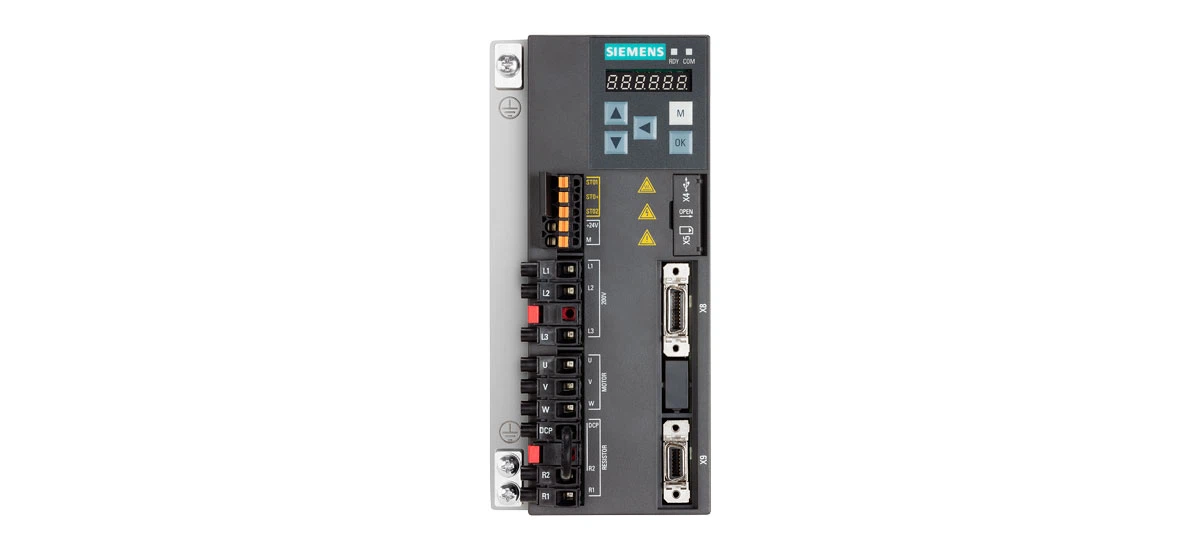
Sinamics V90 servo drives are trusted components in many industrial setups, from factory assembly lines to robotic systems. These drives control the speed and position of motors with precision, but like any electronic device, they can run into problems. When a Sinamics V90 drive hits a snag, it displays an error code on its screen. These Sinamics V90 error codes are crucial-they act as a guide to help you figure out what's wrong quickly. By learning to interpret these codes and apply simple fixes, you can minimize downtime and keep your machinery operating efficiently. In this handbook, we'll break down 10 of the most common Sinamics V90 error codes, explaining what they mean and how to resolve them, using easy-to-understand language for beginners.
Common Sinamics V90 Error Codes and Their Fixes
F02001 Error Code
The F02001 error code points to a power supply issue. This means the Sinamics V90 drive isn't receiving a steady or sufficient amount of electricity to function. Start by inspecting the power cable: look for frayed wires or loose plugs. Sometimes, a cable that's slightly pulled out can cause intermittent power loss. Next, use a multimeter to check the voltage from your power source. The Sinamics V90 drive has a specific voltage range (usually listed in the user manual), so make sure the input matches this range. If the voltage is too low or fluctuates a lot, the drive can't work properly. In some cases, a faulty power outlet or a tripped circuit breaker might be the culprit-check these as well. If the power source itself is damaged, replacing it with a compatible one will often fix F02001.
F02002 Error Code
F02002 is an overcurrent error, which occurs when more electric current flows through the Sinamics V90 drive than it can handle. One common cause is an overloaded motor. For example, if a conveyor belt connected to the motor is carrying more weight than it's designed for, the motor has to work harder, drawing extra current. Try reducing the load-unload some items from the belt or adjust the machine's settings to lighten the workload. If the load is normal, check the motor wires. Damaged insulation on wires can cause short circuits, leading to overcurrent. Look for cuts or burns on the wires; if you find any, replace the wires with new ones of the same gauge. Another thing to check is the motor's bearings-worn bearings can make the motor less efficient, increasing current usage.
F02003 Error Code
When F02003 appears, the Sinamics V90 drive is overheating. All electronic devices generate heat, but the drive has a built-in safety feature that shuts it down if temperatures get too high. First, check the drive's location. Is it in a tight space with other hot machines? Is there dust blocking the vents? Move the drive to an area with better airflow, or use a fan to cool the surrounding space. If your Sinamics V90 model has an internal cooling fan, listen to see if it's running-if not, the fan might be clogged with dust or broken. Clean the fan with compressed air, or replace it if it's faulty. Also, check if the drive is being used for longer periods than recommended-giving it short breaks can prevent overheating.
F02004 Error Code
F02004 means the Sinamics V90 drive isn't recognizing the connected motor. This is often a connection issue. Unplug the motor cable from both the drive and the motor, then plug it back in firmly-sometimes, a loose connection is the problem. Inspect the cable for damage, like bent pins or cuts, and replace it if needed. If the connection is fine, check if the motor is compatible with your Sinamics V90 drive. The drive is designed to work with specific motor types and sizes, which are listed in the product specifications. Using a motor that's too powerful or has a different voltage rating can cause this error. Refer to the user manual to confirm compatibility, and swap out the motor if it's not a match.
F02005 Error Code
F02005 indicates a communication breakdown between the Sinamics V90 drive and the control system (like a PLC or computer). This can happen if the communication cable (such as Ethernet or Profibus) is loose or damaged. Disconnect the cable and check for bent pins, dirt, or cuts. Wipe the connectors with a dry cloth to remove dust, then reconnect the cable securely. If the cable is damaged, replace it with a new one of the same type. Another step is to check the communication settings on both the drive and the control system. They need to use the same protocol and baud rate to talk to each other. If the settings don't match, adjust them using the drive's software. Restarting both the Sinamics V90 drive and the control system can also reset the communication link and fix F02005.
F02006 Error Code
This error code pops up when the motor is spinning faster than the maximum speed set in the Sinamics V90 drive. To fix it, you'll need to adjust the speed parameters. Use the drive's software (like STARTER) to access the settings and lower the maximum speed limit. Make sure the new speed is within the motor's safe operating range. Sometimes, external forces can cause the motor to overspeed-for example, a downhill conveyor might make the motor spin faster than intended. In such cases, adding a brake or adjusting the machine's mechanics to counteract the external force can help. Also, check if the speed sensor (if used) is working correctly-a faulty sensor might send wrong signals to the drive, making it allow higher speeds.
F02007 Error Code
F02007 is an undercurrent error, meaning not enough current is reaching the motor from the Sinamics V90 drive. Start by checking the motor windings-these are the coils of wire inside the motor that create magnetic fields. If a winding is broken or burned out, the motor can't draw enough current. You can test the windings with a multimeter: set it to the resistance mode and touch the motor's terminals. If the reading is much higher than the manufacturer's specification, the windings are damaged. In that case, the motor will need repair or replacement. Loose connections between the drive and the motor can also cause undercurrent-tighten all terminal screws and ensure the wires are properly crimped. Corroded connectors can block current flow too, so clean them with a wire brush if needed.
F02008 Error Code
F02008 signals a problem with the Sinamics V90 drive's internal memory, where important settings and data are stored. A simple reset often fixes this-turn off the drive's power, wait 30 seconds, then turn it back on. This gives the memory a chance to reload correctly. If the error returns, the firmware (the drive's built-in software) might be corrupted. Check the manufacturer's website for the latest firmware update for your Sinamics V90 model. Download the update and install it using the drive's software. Make sure to follow the installation steps carefully to avoid further issues. This is a key part of Sinamics V90 common error troubleshooting, as outdated or corrupted firmware can cause various memory-related errors.
F02009 Error Code
F02009 points to an encoder issue. The encoder is a device that tells the Sinamics V90 drive the motor's position and speed. If the encoder isn't working, the drive can't control the motor properly. First, check the encoder cable-look for breaks, kinks, or loose connections. The cable is often thin and can get damaged easily, so handle it carefully. If the cable is damaged, replace it with a compatible one. Next, check the encoder's mounting-if it's loose, it might not send accurate signals. Tighten the screws holding the encoder to the motor, but be careful not to overtighten them. If the encoder itself is faulty, you might need to replace it-this is a job best done by a technician if you're not familiar with encoder installation.
F02010 Error Code
F02010 means the Sinamics V90 drive has detected a short circuit, which is a dangerous situation where electricity flows through an unintended path (like two wires touching). Turn off the power immediately to avoid electric shocks or damage. Inspect all wires connected to the drive-look for bare spots where the insulation has worn away, causing the wires to touch. Use electrical tape to insulate any bare areas, and separate the wires to prevent them from touching again. Check the drive's terminals too-if any metal parts are bent and touching, straighten them carefully. If the short circuit is inside the drive (you might smell burning or see smoke), do not attempt to fix it yourself. Contact a qualified technician to repair or replace the drive, as internal short circuits can be complex to resolve.
Tips for Preventing Sinamics V90 Error Codes
To avoid dealing with these error codes often, regular maintenance is key. Keep the Sinamics V90 drive clean and free of dust. Check the cables and connections regularly to make sure they're tight and not damaged. Follow the manufacturer's guidelines for operating the drive within its limits, like voltage and load. Also, keeping a record of the error codes that appear can help you spot patterns and fix issues before they get worse.
Sinamics V90 error codes don't have to be scary. With this handbook, you can identify common errors and fix them quickly. Remember, most issues are related to power, connections, or overloading. By following the simple fixes here, you can keep your Sinamics V90 drive running well. For more help, refer to the drive's user manual or contact the manufacturer.


