


Hey there! As an ABB VFD supplier, I've had my fair share of experiences dealing with the ins and outs of communicating between ABB VFDs (Variable Frequency Drives) and other devices. It's a topic that comes up a lot, so I thought I'd share some tips and insights on how to make this communication smooth and efficient.
Why Communication Matters
First off, let's talk about why it's so important to get your ABB VFDs talking to other devices. In modern industrial setups, everything is interconnected. You've got sensors, PLCs (Programmable Logic Controllers), HMIs (Human - Machine Interfaces), and a whole bunch of other equipment that need to work together seamlessly. ABB VFDs are at the heart of many systems, controlling the speed and torque of electric motors. When they can communicate effectively with other devices, it means better control, improved efficiency, and fewer headaches for everyone involved.

Common Communication Methods
Modbus RTU
Modbus RTU is one of the most widely used communication protocols for ABB VFDs. It's a serial communication protocol that's relatively easy to set up and understand. With Modbus RTU, you can exchange data between the VFD and other devices like PLCs or HMIs.
The basic idea is that the master device (usually a PLC) sends requests to the slave device (the ABB VFD) to read or write data. For example, you can read the current speed of the motor from the VFD or write a new speed setpoint to it. To set up Modbus RTU communication, you'll need to configure the communication parameters on both the master and slave devices. This includes things like the baud rate, parity, and stop bits.
Most ABB VFDs come with built - in Modbus RTU support, which makes it convenient. You can usually configure the Modbus settings through the VFD's control panel or using a programming tool. Once the settings are configured correctly, the master device can start sending requests, and the VFD will respond accordingly.
Profibus
Profibus is another popular communication protocol, especially in European and Asian industrial applications. It's a high - speed fieldbus system that allows for fast and reliable communication between multiple devices.
ABB VFDs can be configured to work as Profibus slaves. This means that they can receive commands from a Profibus master (like a PLC) and send back status information. Profibus offers a higher data transfer rate compared to Modbus RTU, which is great for applications where real - time control is crucial.
Setting up Profibus communication requires a Profibus interface module on the ABB VFD. You'll also need to configure the Profibus parameters, such as the station address and the data transfer rate. Once everything is set up, the VFD can be integrated into the Profibus network, and communication can start.
Ethernet - based Protocols
In today's digital age, Ethernet - based communication protocols are becoming more and more popular. ABB VFDs support several Ethernet protocols, such as Ethernet/IP and Modbus TCP.
Ethernet/IP is a widely used industrial Ethernet protocol in North America. It allows for easy integration of ABB VFDs into industrial networks. With Ethernet/IP, you can use standard Ethernet cables and switches, which makes the installation process much simpler. You can also take advantage of the high - speed data transfer capabilities of Ethernet to exchange large amounts of data between the VFD and other devices.
Modbus TCP is similar to Modbus RTU but uses TCP/IP as the underlying transport protocol. It's a simple and straightforward protocol that's easy to implement. You can use Modbus TCP to communicate with ABB VFDs over a local area network (LAN) or even over the internet if proper security measures are in place.
Configuring ABB VFDs for Communication
Parameter Settings
Configuring ABB VFDs for communication involves setting a bunch of parameters. These parameters determine how the VFD communicates with other devices. For example, in the case of Modbus RTU, you'll need to set the slave address, the communication speed, and the data format.
On most ABB VFDs, you can access the parameter settings through the control panel. You'll need to navigate through the menu system to find the relevant communication parameters. It's important to double - check these settings to make sure they match the settings on the other devices in the network.
Using Programming Tools
For more complex configurations, you might want to use programming tools provided by ABB. These tools allow you to configure the VFD in a more detailed and precise way. You can also use them to monitor and troubleshoot the communication between the VFD and other devices.
One such tool is the ABB DriveCom PC software. With DriveCom, you can connect to the VFD using a USB or serial cable and configure all the communication parameters. You can also view real - time data from the VFD, such as motor speed, current, and voltage.
Troubleshooting Communication Issues
Check the Physical Connections
If you're having trouble getting your ABB VFD to communicate with other devices, the first thing to check is the physical connections. Make sure that all the cables are properly plugged in and that there are no loose connections. Also, check for any damaged cables or connectors.
Verify the Parameter Settings
As mentioned earlier, incorrect parameter settings can cause communication problems. Double - check all the communication parameters on both the VFD and the other devices in the network. Make sure that the baud rate, parity, and other settings match.
Use Diagnostic Tools
Most ABB VFDs come with built - in diagnostic features that can help you troubleshoot communication issues. You can use these features to check the status of the communication interface and to identify any errors. Additionally, programming tools like DriveCom can provide detailed diagnostic information to help you pinpoint the problem.
Examples of ABB VFDs for Different Applications
ABB ACS880 - 01 - 061A - 3 Inverter
The ABB ACS880 - 01 - 061A - 3 Inverter is a powerful and versatile drive that can be used in a wide range of applications. It supports multiple communication protocols, including Modbus RTU, Profibus, and Ethernet/IP. This makes it easy to integrate into different industrial networks. Whether you're controlling a conveyor belt, a pump, or a fan, the ACS880 - 01 - 061A - 3 can handle it with ease.
ABB ACS355 - 03E - 08A8 - 4 Inverter Drive
The ABB ACS355 - 03E - 08A8 - 4 Inverter Drive is a compact and cost - effective solution for smaller applications. It also supports Modbus RTU communication, which is great for simple control systems. This drive is commonly used in applications like small - scale manufacturing equipment and HVAC systems.
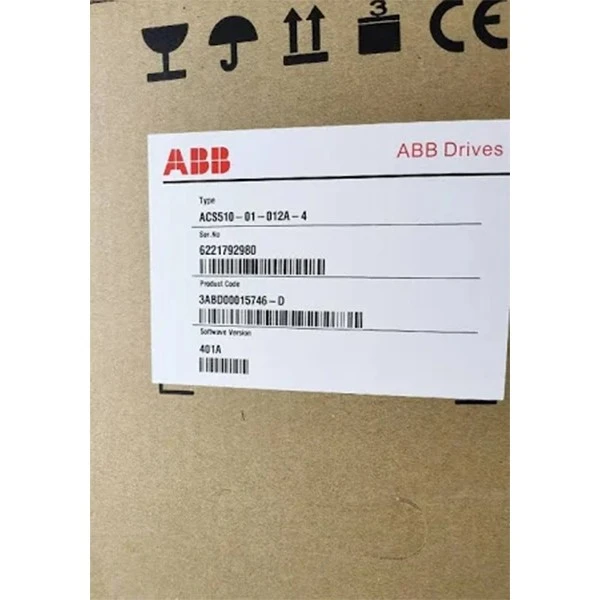
ABB ACS510 - 01 - 012A - 4 Inverter
The ABB ACS510 - 01 - 012A - 4 Inverter is designed specifically for pump and fan applications. It offers energy - saving features and supports various communication protocols, including Modbus TCP. With its easy - to - use interface and reliable performance, it's a popular choice for building automation and water treatment systems.
Wrapping Up
Communicating between ABB VFDs and other devices might seem a bit daunting at first, but with the right knowledge and tools, it's definitely doable. By understanding the different communication protocols, configuring the VFDs correctly, and knowing how to troubleshoot issues, you can ensure that your industrial systems run smoothly.
If you're in the market for ABB VFDs or need help with communication setup, don't hesitate to reach out. I'm here to assist you with all your ABB VFD needs. Whether it's choosing the right drive for your application or getting the communication up and running, I've got you covered. Let's start a conversation and see how we can make your industrial processes more efficient and reliable.
References
- ABB VFD User Manuals
- Industrial Communication Protocol Standards


