


Hey there! I'm a supplier of Siemens PLCs, and today I'm gonna walk you through how to configure OPC UA communication for Siemens PLC. OPC UA, or Open Platform Communications Unified Architecture, is a game - changer when it comes to industrial communication. It provides a secure and reliable way to exchange data between different devices and systems.
Why OPC UA for Siemens PLC?
First off, let's talk about why you'd want to use OPC UA with your Siemens PLC. OPC UA offers platform - independent communication. That means no matter what kind of operating system or hardware you're using on the client side, it can communicate with your Siemens PLC. It also has built - in security features, which are crucial in today's industrial environment where cyber threats are on the rise.
Another great thing is its scalability. Whether you have a small - scale project with just a few data points or a large - scale industrial plant with thousands of variables, OPC UA can handle it. And it supports various data types, from simple integers to complex arrays and structures.
Prerequisites
Before you start configuring OPC UA communication, there are a few things you need to have in place.
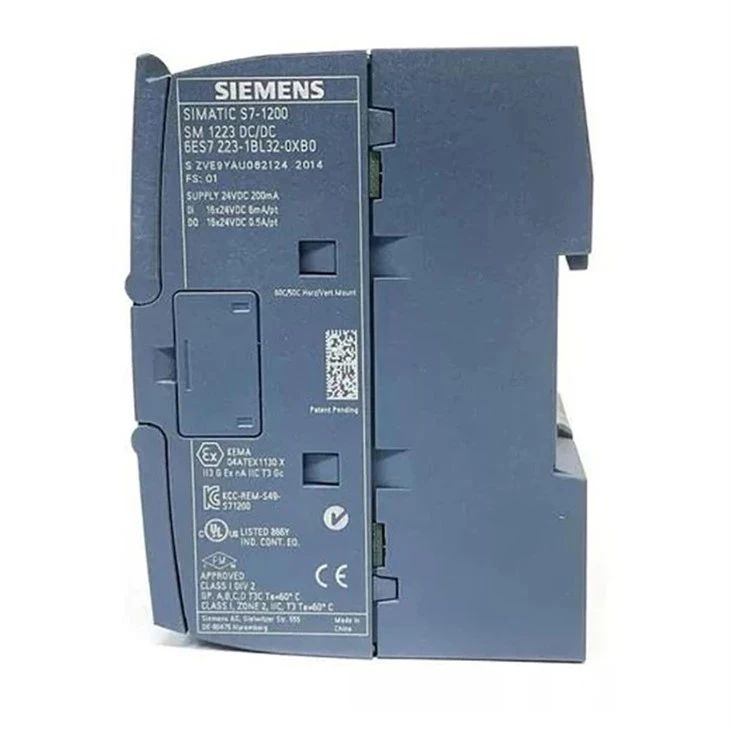
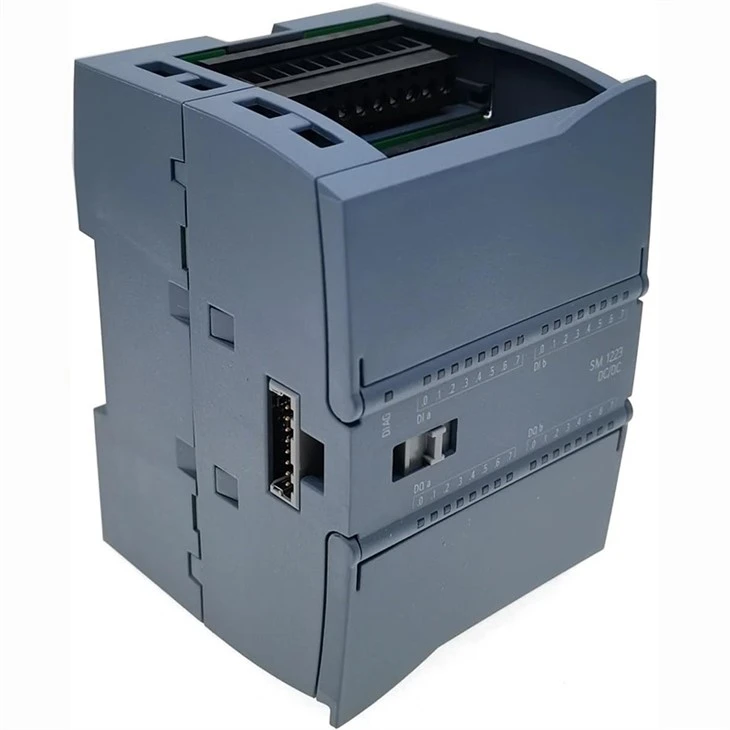
- Siemens PLC: You'll obviously need a Siemens PLC. Some popular models that support OPC UA are the SIMATIC S7 - 1200 SM 1223 and the SIMATIC S7 - 1500 CPU 1511 6ES7511 - 1AK02 - 0AB0. Make sure your PLC has the necessary firmware version to support OPC UA. You can check the Siemens official documentation for the specific requirements.
- Power Supply: A reliable power supply is essential. The Siemens 6EP1334 - 2BA20 SITOP PSU100S is a great option to keep your PLC up and running.
- OPC UA Client: You'll need an OPC UA client software. There are many options available, both free and paid. Some popular ones include UaExpert, which is a free and feature - rich OPC UA client that you can use for testing and configuration.
- Network Connection: Your PLC and the OPC UA client need to be on the same network. Make sure the network settings are configured correctly, and there are no firewall rules blocking the OPC UA communication ports (usually port 4840).
Configuration Steps
Step 1: Enable OPC UA Server on the PLC
The first step is to enable the OPC UA server on your Siemens PLC.
- Open the TIA Portal software (if you're using a S7 - 1200 or S7 - 1500 PLC). TIA Portal is Siemens' integrated engineering framework for programming and configuring their PLCs.
- Navigate to the device view of your PLC.
- Look for the OPC UA server settings. In most cases, you'll find it under the "Communication" or "Services" section.
- Enable the OPC UA server. You may need to configure some basic settings like the server name, port number, and security policy. For security, you can choose between different levels of encryption and authentication, depending on your requirements.
Step 2: Define Data Sources
Once the OPC UA server is enabled, you need to define the data sources that you want to make available for communication.
- In the TIA Portal, go to the "Tags" or "Data Blocks" section.
- Select the variables or data blocks that you want to expose via OPC UA. You can choose individual variables, entire data blocks, or a combination of both.
- Assign a unique identifier to each data source. This identifier will be used by the OPC UA client to access the data.
- Map the data sources to the OPC UA address space. This step is important as it determines how the data will be organized and accessed by the client.
Step 3: Configure the OPC UA Client
Now it's time to configure the OPC UA client to connect to your Siemens PLC.
- Open your OPC UA client software (e.g., UaExpert).
- In the client, create a new connection. Enter the IP address of your Siemens PLC and the port number of the OPC UA server (usually 4840).
- Select the appropriate security settings. Make sure they match the settings you configured on the PLC.
- Once the connection is established, browse the OPC UA address space of the PLC. You should see the data sources that you defined in step 2.
- You can now read and write data to the PLC using the OPC UA client. Try reading some data points to verify that the communication is working correctly.
Step 4: Testing and Troubleshooting
After you've completed the configuration, it's important to test the OPC UA communication thoroughly.
- Read and write some test data to make sure the communication is bidirectional. Try changing a variable value on the client side and see if it gets updated on the PLC, and vice versa.
- Check for any error messages in the OPC UA client or the PLC diagnostic information. If there are errors, refer to the Siemens documentation or the OPC UA client's user manual for troubleshooting steps.
- Monitor the network traffic using network monitoring tools. This can help you identify any issues related to network connectivity or port blocking.
Best Practices
Here are some best practices to keep in mind when configuring OPC UA communication for Siemens PLC:
- Security First: Always use the highest level of security that your system can support. This includes using strong encryption, authentication, and authorization mechanisms.
- Documentation: Keep detailed documentation of your OPC UA configuration, including the data sources, security settings, and any customizations. This will make it easier to troubleshoot issues and perform maintenance in the future.
- Regular Testing: Periodically test the OPC UA communication to ensure that it's still working correctly. This can help you catch any potential issues before they cause downtime.
- Update Firmware: Keep your PLC's firmware up - to - date. Siemens often releases firmware updates that include bug fixes and improvements to OPC UA support.
Conclusion
Configuring OPC UA communication for Siemens PLC may seem a bit daunting at first, but if you follow the steps outlined above and keep the best practices in mind, you'll be up and running in no time. OPC UA offers a lot of benefits in terms of security, scalability, and interoperability, making it a great choice for industrial communication.
If you're in the market for Siemens PLCs or need help with OPC UA configuration, feel free to reach out. We're here to assist you with all your industrial automation needs. Whether you're a small business or a large - scale industrial enterprise, we have the expertise and products to meet your requirements. Let's start a conversation and see how we can help you optimize your industrial processes.
References
- Siemens TIA Portal Documentation
- OPC Foundation OPC UA Specification
- UaExpert User Manual


