


As a Siemens PLC supplier, I've witnessed firsthand the transformative power of programmable logic controllers in industrial automation. One of the key aspects of leveraging Siemens PLCs to their fullest potential is the ability to create and manage recipes effectively. Recipes in a PLC system allow for the storage and execution of specific sets of parameters and instructions, enabling seamless operation across different production runs and product variations. In this blog post, I'll share some insights and best practices on how to create and manage recipes in Siemens PLCs.
Understanding the Concept of Recipes in Siemens PLCs
Before delving into the process of creating and managing recipes, it's essential to understand what recipes are in the context of Siemens PLCs. A recipe is a collection of data that represents a specific set of operating conditions, parameters, and instructions for a particular process or product. These recipes can be stored in the PLC's memory and recalled as needed to control the automation system.
Recipes are particularly useful in industries where multiple products or variations are produced on the same production line. For example, in a food processing plant, different recipes can be used to control the mixing, cooking, and packaging processes for various food products. By using recipes, operators can quickly switch between different products without having to manually adjust the PLC settings each time.
Creating Recipes in Siemens PLCs
The process of creating recipes in Siemens PLCs involves several steps, from defining the recipe structure to programming the PLC to store and retrieve the recipes. Here's a step-by-step guide on how to create recipes in Siemens PLCs:
Step 1: Define the Recipe Structure
The first step in creating recipes is to define the structure of the recipe. This involves determining the parameters and variables that will be included in the recipe. For example, in a manufacturing process, the recipe might include parameters such as temperature, pressure, speed, and time.
To define the recipe structure, you can use the Siemens TIA Portal, which is a comprehensive engineering framework for programming and configuring Siemens automation systems. In the TIA Portal, you can create a data block to represent the recipe structure. This data block will contain the variables and parameters that make up the recipe.
Step 2: Create the Recipe Data
Once the recipe structure is defined, you can create the actual recipe data. This involves entering the specific values for each parameter in the recipe. For example, if the recipe includes a temperature parameter, you would enter the desired temperature value for that particular recipe.
You can create the recipe data using the TIA Portal's data block editor. Simply open the data block that represents the recipe structure and enter the values for each parameter. You can create multiple recipes by duplicating the data block and modifying the parameter values as needed.

Step 3: Program the PLC to Store and Retrieve Recipes
After creating the recipe data, you need to program the PLC to store and retrieve the recipes. This involves writing ladder logic or function block diagrams in the TIA Portal to control the storage and retrieval process.
To store a recipe, you can use a write instruction to transfer the recipe data from the data block to a specific memory location in the PLC. To retrieve a recipe, you can use a read instruction to transfer the recipe data from the memory location back to the data block.
Here's an example of how you can program the PLC to store and retrieve recipes using ladder logic:
// Store Recipe
LD I0.0 // Start signal
JC STORE_RECIPE
JMP END_PROGRAM

STORE_RECIPE:
MOV DB1.DBW0, MW100 // Transfer recipe data to memory
JMP END_PROGRAM

// Retrieve Recipe
LD I0.1 // Recall signal
JC RETRIEVE_RECIPE
JMP END_PROGRAM

RETRIEVE_RECIPE:
MOV MW100, DB1.DBW0 // Transfer recipe data from memory
JMP END_PROGRAM

END_PROGRAM:
In this example, the I0.0 input is used to start the recipe storage process, and the I0.1 input is used to start the recipe retrieval process. The MOV instruction is used to transfer the recipe data between the data block and the memory location.
Managing Recipes in Siemens PLCs
Once you've created the recipes, you need to manage them effectively to ensure smooth operation of the automation system. Here are some best practices for managing recipes in Siemens PLCs:
Use a Recipe Management System
A recipe management system can help you organize and manage your recipes more efficiently. Siemens offers a range of software tools, such as WinCC OA, that can be used to create a centralized recipe management system. With a recipe management system, you can easily create, edit, delete, and archive recipes, as well as track changes and version history.
Implement Recipe Security
Recipe security is crucial to protect your intellectual property and ensure the integrity of your production processes. Siemens PLCs offer several security features, such as user authentication and access control, that can be used to restrict access to the recipes. You can also use encryption to protect the recipe data from unauthorized access.
Perform Regular Recipe Backups
To prevent data loss and ensure business continuity, it's important to perform regular recipe backups. You can use the Siemens TIA Portal to backup the recipe data to an external storage device, such as a USB drive or a network server. You should also test the backups regularly to ensure that they can be restored successfully.
Using Recipes with Siemens PLC Hardware
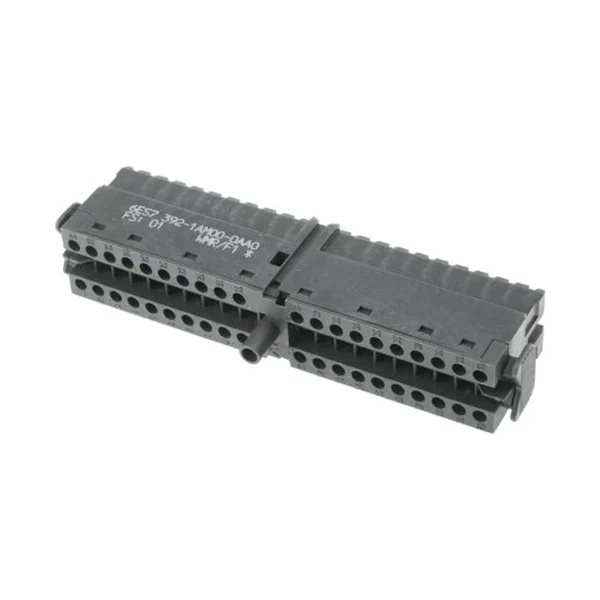
In addition to programming the PLC to create and manage recipes, it's important to choose the right hardware for your application. Siemens offers a wide range of PLC hardware, including the 6ES7392-1AM00-0AA0 Siemens PLC, Siemens 6AU1425-0AA00-0AA0, and Siemens SIMATIC S7-300 PS307, that are suitable for different applications and requirements.
When choosing a PLC hardware, consider factors such as the number of inputs and outputs, the processing power, the memory capacity, and the communication interfaces. You should also ensure that the hardware is compatible with the Siemens TIA Portal and other software tools that you plan to use.
Conclusion
Creating and managing recipes in Siemens PLCs is a powerful way to improve the efficiency and flexibility of your automation system. By following the best practices outlined in this blog post, you can create and manage recipes effectively, ensuring smooth operation and high-quality production.
If you're interested in learning more about how to create and manage recipes in Siemens PLCs, or if you're looking for a reliable Siemens PLC supplier, please feel free to contact us. We have a team of experienced engineers who can provide you with the technical support and expertise you need to implement your automation project successfully.
References
- Siemens AG. (2023). SIMATIC S7-300 Programmable Controllers System Manual.
- Siemens AG. (2023). Totally Integrated Automation Portal (TIA Portal) User Manual.
- Siemens AG. (2023). WinCC OA User Manual.


