


Hey there! As a supplier of Schneider PLC, I've seen firsthand how crucial it is to boost programming efficiency. Whether you're a seasoned pro or just starting out with Schneider PLCs, these tips can make a real difference in your workflow.
Understand the Basics Thoroughly
First things first, you gotta have a solid grasp of the basics. Schneider PLCs come with different models and features, each having its own quirks. For instance, the TM221M32TK Schneider Electric is a popular choice for many industrial applications. It's essential to understand its input/output configurations, memory organization, and the programming environment it uses.
Spend some time going through the user manuals and documentation. These resources are gold mines of information. They'll help you understand how to use the different programming languages supported by Schneider PLCs, like ladder logic, function block diagram, and structured text. Knowing which language to use for a particular task can save you a ton of time. For simple control tasks, ladder logic is often the way to go as it's easy to understand and visualize. But for more complex algorithms, structured text might be more suitable.
Use the Right Tools
Having the right programming tools can significantly improve your efficiency. Schneider offers its own programming software, like Unity Pro. Get familiar with all its features. It has things like code editors, debugging tools, and simulation capabilities.
The code editor in Unity Pro allows you to write, modify, and organize your code easily. You can use features like syntax highlighting to quickly spot errors. The debugging tools are super handy for finding and fixing bugs in your program. You can set breakpoints, step through the code, and monitor variables in real - time. And the simulation feature lets you test your program without having to connect to a physical PLC. This can save you a lot of time, especially when you're working on a large project.
Plan Your Program
Before you start coding, take a step back and plan your program. Sketch out the overall structure and the logic flow. Break down the project into smaller, manageable tasks. This way, you can focus on one thing at a time and avoid getting overwhelmed.
For example, if you're building a control system for a manufacturing process, identify the different stages of the process and how they interact with each other. Create a flowchart or a state diagram to visualize the sequence of operations. This will give you a clear roadmap for your program and make it easier to write the code.
Also, think about the modularity of your program. Try to create reusable code modules. For instance, if you have a function that reads sensor values and converts them to a usable format, you can create a separate module for it. This module can then be used in different parts of your program or even in future projects.
Optimize Your Code
Once you've written your code, take some time to optimize it. Look for ways to simplify your logic. Remove any redundant code or unnecessary steps. For example, if you have multiple nested loops that can be combined into a single loop, do it.
Also, pay attention to the way you use memory. Make sure you're not using more memory than you need. Schneider PLCs have limited memory, so using it efficiently is crucial. Use variables only when necessary and release any resources that are no longer needed.
Leverage Communication Modules
Schneider offers a variety of communication modules, like the Schneider VW3A3627 Communication Module. These modules can help you connect your PLC to other devices, such as sensors, actuators, and other control systems.
By using communication modules, you can create a more integrated and efficient control system. For example, you can use a communication module to connect your PLC to a human - machine interface (HMI). This allows operators to monitor and control the system easily. You can also use communication modules to connect multiple PLCs together in a network, enabling them to share data and work together on a larger project.
Keep Learning and Updating
The field of PLC programming is constantly evolving. New features and technologies are being introduced all the time. As a programmer, it's important to keep learning and stay updated.
Schneider regularly releases updates for its programming software and PLCs. These updates often include bug fixes, performance improvements, and new features. Make sure you install these updates to take advantage of the latest advancements.
You can also join online communities and forums related to Schneider PLC programming. There, you can interact with other programmers, share your experiences, and learn from others. You might find some useful tips and tricks that can help you improve your programming efficiency.
Use Libraries and Templates
Schneider provides libraries of pre - written code and templates that you can use in your projects. These libraries contain functions and blocks for common tasks, such as motor control, temperature regulation, and data logging.
Using these libraries and templates can save you a lot of time. You don't have to write the code from scratch for every single task. You can simply drag and drop the pre - written blocks into your program and customize them as needed. For example, if you're working on a project that requires motor control, you can use a motor control block from the library and adjust its parameters to suit your specific requirements.

Get Familiar with Diagnostic Tools
Diagnostic tools are essential for quickly identifying and resolving issues in your PLC program. Schneider PLCs come with built - in diagnostic features that can help you monitor the status of the PLC, its inputs and outputs, and the program itself.
You can use diagnostic tools to check for errors, such as over - current, over - temperature, and communication failures. They can also help you troubleshoot problems in your program, like incorrect logic or variable values. By using these tools regularly, you can catch and fix problems early, preventing them from causing major disruptions in your system.
Work with High - Quality Components
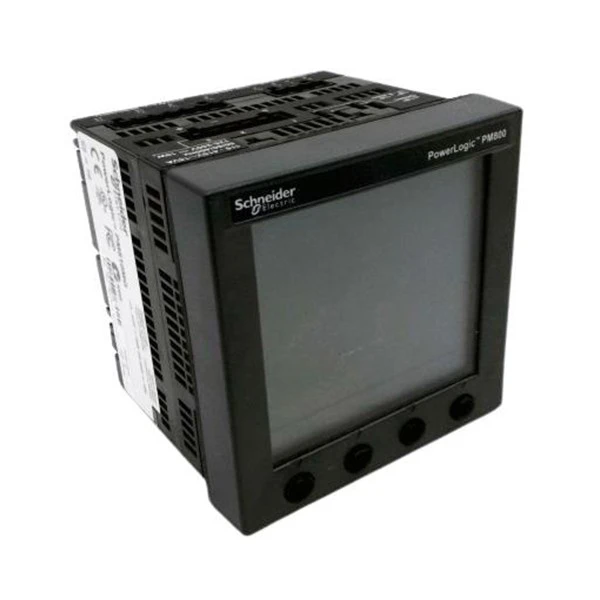
When you're building a control system with Schneider PLCs, it's important to use high - quality components. Components like the Schneider Electric PM810MG are designed to work seamlessly with Schneider PLCs.
High - quality components are more reliable and less likely to cause problems. They can also improve the overall performance of your system. For example, using a high - quality sensor will provide more accurate data, which in turn will make your control program more effective.
Collaborate with Others
If you're working on a large project, collaborating with other programmers can improve efficiency. You can divide the work based on each person's skills and expertise. One person can work on the main control logic, while another can focus on the communication interfaces.
During the development process, have regular meetings to discuss the progress, share ideas, and solve problems together. This way, you can avoid duplication of work and ensure that the different parts of the program integrate smoothly.
Conclusion
Improving the programming efficiency of Schneider PLCs takes time and effort, but it's definitely worth it. By understanding the basics, using the right tools, planning your program, and following the other tips mentioned above, you can write better, more efficient programs.
If you're interested in purchasing Schneider PLCs or need more information about programming them, don't hesitate to reach out. We're here to help you with all your Schneider PLC needs. Whether you're a small business or a large industrial enterprise, we can provide you with the right solutions at competitive prices.
References
- Schneider Electric User Manuals for PLCs and Programming Software
- Online resources and forums related to Schneider PLC programming
- Industry publications on industrial automation and PLC programming


