


As a Siemens HMI supplier, I've had the privilege of working with various industrial clients to establish seamless communication between Siemens HMIs and PLCs. This process is crucial for ensuring efficient and reliable operation in industrial automation systems. In this blog post, I'll share some insights and practical steps on how to achieve this connection.
Understanding the Basics
Before delving into the technical details, it's essential to understand the fundamental roles of HMIs and PLCs in an industrial setting. A Programmable Logic Controller (PLC) is a ruggedized computer used for automation of industrial processes, such as control of machinery on factory assembly lines. It processes input signals from sensors, makes decisions based on a pre - programmed logic, and then sends output signals to actuators to control physical processes.
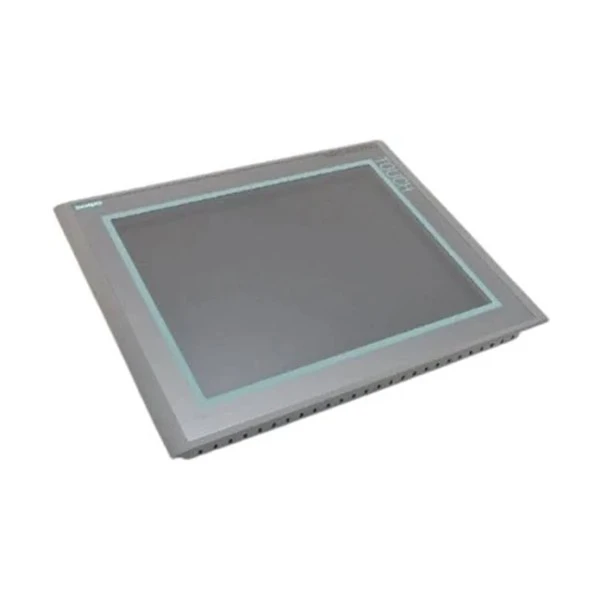
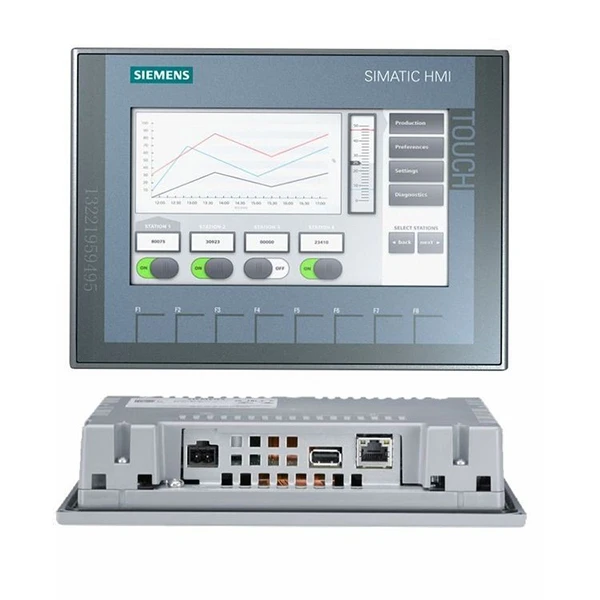
On the other hand, a Human - Machine Interface (HMI) provides a user - friendly way for operators to interact with the PLC. It allows operators to monitor process variables, set parameters, and initiate commands. Siemens offers a wide range of HMIs, including the Siemens SIMATIC KTP600 HMI, SIMATIC HMI KP1200 Comfort, and Siemens 6av6644 - 0ab01 - 2ax0 Simatic Mp 377, each with its own features and capabilities tailored to different industrial needs.
Step 1: Select the Right Communication Protocol
The first step in establishing communication between a Siemens HMI and a PLC is to choose the appropriate communication protocol. Siemens PLCs support several communication protocols, and the choice depends on factors such as the distance between the HMI and the PLC, the required data transfer rate, and the type of PLC model.
- Profibus DP: This is a widely used fieldbus protocol in industrial automation. It offers high - speed data transfer over relatively long distances (up to 1200 meters). Profibus DP is suitable for applications where real - time data exchange is required, such as in manufacturing plants.
- Profinet: Profinet is an Ethernet - based protocol that provides even higher data transfer rates and is well - suited for modern industrial networks. It supports both real - time and non - real - time communication, making it ideal for complex automation systems.
- MPI (Multi - Point Interface): MPI is a simple and cost - effective communication protocol used for basic communication between Siemens devices. It is typically used for programming and diagnostic purposes, as well as for communication over short distances.
Step 2: Hardware Configuration
Once you've selected the communication protocol, the next step is to configure the hardware.
- PLC Configuration: For the PLC, you need to ensure that the appropriate communication module is installed and configured. For example, if you're using Profibus DP, you'll need a Profibus DP master or slave module installed in the PLC. You'll also need to set the communication parameters such as the baud rate, station address, and data format.
- HMI Configuration: On the HMI side, you need to connect the HMI to the network using the appropriate cable (e.g., Ethernet cable for Profinet or Profibus cable for Profibus DP). You'll also need to configure the HMI's communication settings to match those of the PLC. This includes setting the communication protocol, the IP address (for Profinet), or the station address (for Profibus DP).
Step 3: Software Configuration
After the hardware is configured, you need to use the appropriate software to establish the communication between the HMI and the PLC.
- PLC Programming Software: For Siemens PLCs, the most commonly used programming software is TIA Portal (Totally Integrated Automation Portal). In TIA Portal, you can create a project, configure the PLC hardware, and write the control logic. You'll also need to configure the communication settings for the selected protocol.
- HMI Configuration Software: Siemens provides WinCC Unified or WinCC Flexible software for configuring HMIs. In this software, you can create the HMI screens, define the variables to be displayed or controlled, and establish the communication link to the PLC. You'll need to specify the PLC's communication settings (e.g., IP address, station address) and map the HMI variables to the corresponding PLC memory locations.
Step 4: Testing and Troubleshooting
Once the software configuration is complete, it's time to test the communication between the HMI and the PLC.
- Initial Testing: Start by powering on the HMI and the PLC and checking if the communication link is established. You can use diagnostic tools in the HMI configuration software to verify the connection status. If the connection is successful, you should be able to read and write data between the HMI and the PLC.
- Troubleshooting: If you encounter any issues during testing, there are several steps you can take to troubleshoot. Check the hardware connections to ensure that all cables are properly plugged in. Verify the communication settings in both the PLC and the HMI to make sure they match. You can also use diagnostic tools provided by Siemens to identify and resolve any communication errors.
Step 5: Optimization and Maintenance
After the communication is successfully established, it's important to optimize the system for better performance and to perform regular maintenance.
- Performance Optimization: You can optimize the communication by adjusting the data transfer rate, reducing the amount of unnecessary data being transferred, and implementing proper buffering techniques. This will help to improve the overall system performance and reduce the risk of data loss.
- Maintenance: Regularly check the hardware components for any signs of wear or damage. Update the software on both the HMI and the PLC to ensure that you have the latest features and bug fixes. Also, perform periodic backups of the HMI and PLC configurations to prevent data loss in case of a system failure.
Conclusion
Establishing communication between a Siemens HMI and a PLC is a multi - step process that requires careful planning, proper hardware and software configuration, and thorough testing. By following the steps outlined in this blog post, you can ensure a reliable and efficient communication link between your HMI and PLC, which is essential for the smooth operation of your industrial automation system.
If you're in the market for Siemens HMIs or need assistance with establishing communication between HMIs and PLCs, I'd be more than happy to help. Feel free to reach out to discuss your specific requirements and explore how we can work together to meet your industrial automation needs.
References
- Siemens Industry Online Support. (n.d.). Communication Protocols in Siemens Automation Systems.
- TIA Portal User Manual. Siemens AG.
- WinCC Unified/WinCC Flexible User Manual. Siemens AG.


