


Hey there! As an HMI (Human Machine Interface) supplier, I know firsthand how crucial it is to train operators to use HMIs effectively. In this blog post, I'll share some tips and tricks that have worked wonders for me and my clients.
Understanding the Basics
Before you start training your operators, it's essential to ensure they have a solid understanding of what an HMI is and how it works. An HMI serves as the bridge between humans and machines, allowing operators to monitor and control industrial processes easily. It's like having a dashboard for your machinery, providing real-time data and actionable insights.
Here are some key points to cover during the basic training:
- Functionality: Explain the core functions of the HMI, such as displaying information, receiving input, and triggering actions.
- Interface Design: Familiarize operators with the layout, buttons, and navigation elements of the HMI. Make sure they know where to find important data and controls.
- Safety Features: Highlight the safety features of the HMI, such as emergency stop buttons and warning alarms. Emphasize the importance of following safety protocols at all times.
Hands-On Training
Once your operators have a grasp of the basics, it's time to move on to hands-on training. This is where they'll get to interact with the HMI and apply their knowledge in a real-world setting. Here are some tips to make the hands-on training effective:
- Use Realistic Scenarios: Create training scenarios that mimic the actual tasks operators will perform on the job. This will help them understand how to use the HMI in a practical context.
- Provide Step-by-Step Instructions: Break down complex tasks into smaller, manageable steps and provide clear instructions. This will make it easier for operators to follow along and learn at their own pace.
- Encourage Questions and Feedback: Create an open and supportive learning environment where operators feel comfortable asking questions and providing feedback. This will help you identify areas where they may be struggling and make adjustments to the training as needed.
Product-Specific Training
Different HMIs have different features and capabilities, so it's important to provide product-specific training. This will ensure that operators are familiar with the unique functions of the HMI they'll be using. Here are some popular HMIs and resources you can use for product-specific training:
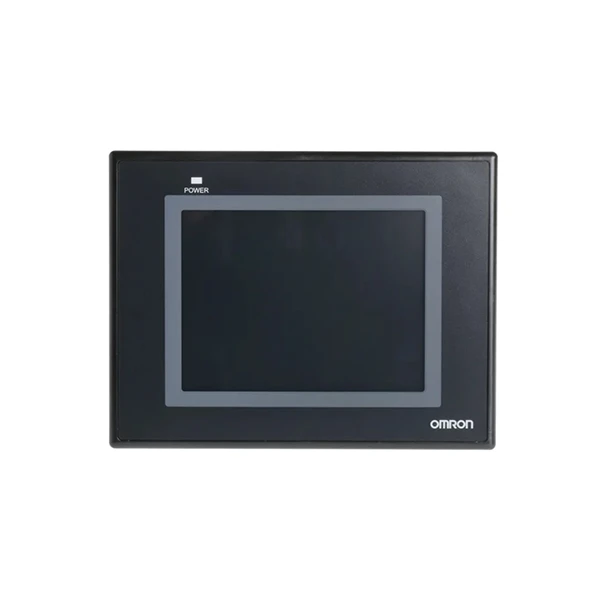
- Omron NB5Q-TW01B: Omron's HMIs are known for their reliability and user-friendly interfaces. You can find detailed user manuals and training videos on the Omron website to help your operators learn how to use the NB5Q-TW01B effectively.
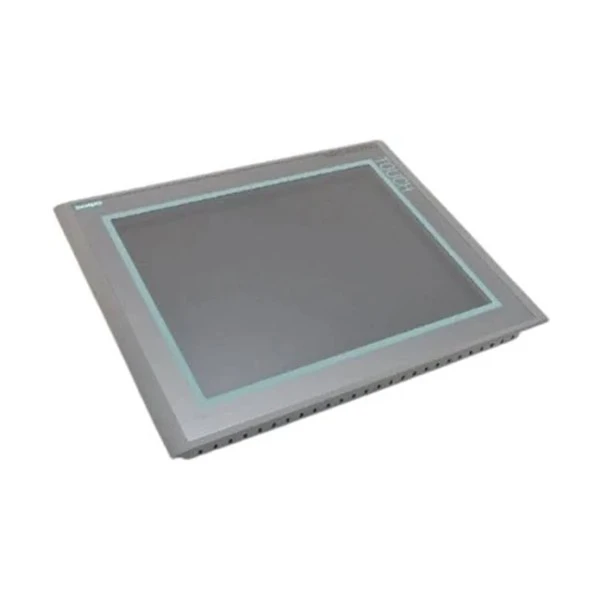
- Siemens 6av6644-0ab01-2ax0 Simatic Mp 377: Siemens' HMIs offer advanced features and integration capabilities. Siemens provides comprehensive training courses and documentation for the Simatic Mp 377, which can be accessed through their official website.
- Siemens 6ES7272-0AA30-0YA0: Another popular HMI from Siemens, the 6ES7272-0AA30-0YA0, offers a range of communication options and programming capabilities. Siemens offers online training modules and support resources to help operators get up to speed quickly.
- Siemens 6AV6 643-0CB01-1AX1 SIMATIC MP277: The SIMATIC MP277 is a versatile HMI that can be customized to meet the specific needs of your application. Siemens provides detailed user guides and training materials to help operators configure and use the MP277 effectively.
- Siemens 6AV6642-0BD01-3AX0: This HMI from Siemens offers a high-resolution touchscreen and intuitive interface. Siemens offers training courses and online resources to help operators take full advantage of the features of the 6AV6642-0BD01-3AX0.
Continuous Learning
Training is not a one-time event; it's an ongoing process. To ensure that your operators stay up-to-date with the latest features and best practices, it's important to provide continuous learning opportunities. Here are some ways to encourage continuous learning:
- Offer Refresher Courses: Periodically offer refresher courses to reinforce the knowledge and skills that operators have learned. This will help them stay sharp and confident in their abilities.
- Provide Access to Online Resources: Make sure operators have access to online resources, such as user manuals, training videos, and forums. This will allow them to learn at their own pace and get answers to their questions whenever they need them.
- Encourage Certification: Encourage operators to obtain certifications in HMI operation and programming. This will not only enhance their skills and knowledge but also demonstrate their commitment to professional development.
Conclusion
Training operators to use an HMI effectively is essential for maximizing productivity, improving safety, and reducing downtime. By following the tips and strategies outlined in this blog post, you can ensure that your operators have the knowledge and skills they need to operate the HMI with confidence.
If you're interested in learning more about our HMI products or would like to discuss a training program for your operators, please don't hesitate to get in touch. We're here to help you every step of the way.
References
- Omron Corporation. Omron NB5Q-TW01B User Manual.
- Siemens AG. Siemens 6av6644-0ab01-2ax0 Simatic Mp 377 Documentation.
- Siemens AG. Siemens 6ES7272-0AA30-0YA0 User Guide.
- Siemens AG. Siemens 6AV6 643-0CB01-1AX1 SIMATIC MP277 Training Materials.
- Siemens AG. Siemens 6AV6642-0BD01-3AX0 Product Information.


