


Programming a Schneider PLC can be a rewarding endeavor, whether you're a seasoned professional or just starting in the field of industrial automation. As a trusted Schneider PLC supplier, I've had the privilege of working with a wide range of Schneider products and helping customers understand how to program them effectively. In this blog post, I'll share some insights and steps on how to program a Schneider PLC, covering everything from the basics to more advanced concepts.
Understanding the Basics of Schneider PLCs
Before diving into programming, it's essential to have a solid understanding of what a PLC is and how Schneider PLCs fit into the industrial automation landscape. A Programmable Logic Controller (PLC) is a digital computer used for automation of industrial processes, such as controlling machinery on factory assembly lines, amusement rides, or light fixtures. Schneider Electric is a leading provider of PLCs, offering a diverse range of products to meet various industrial needs.
Schneider PLCs come in different models and configurations, each designed for specific applications. For example, the TM258LD42DT Schneider Electric is a popular choice for small to medium-sized applications, offering a compact design and a wide range of I/O options. Understanding the features and capabilities of your specific PLC model is crucial for successful programming.
Choosing the Right Programming Software
Schneider Electric provides several programming software options, depending on the PLC model and the complexity of the application. One of the most widely used software packages is Unity Pro, which offers a comprehensive set of tools for programming, configuring, and monitoring Schneider PLCs. Unity Pro supports multiple programming languages, including Ladder Diagram (LD), Function Block Diagram (FBD), Structured Text (ST), and Instruction List (IL), allowing programmers to choose the language that best suits their needs.
Another popular software option is SoMachine, which is specifically designed for programming and configuring Schneider's Modicon M2xx series of PLCs. SoMachine offers a user-friendly interface and a range of features for efficient programming and troubleshooting.
Getting Started with Programming
Once you've chosen the appropriate programming software, the next step is to create a new project. In Unity Pro, for example, you can start by selecting the PLC model and the communication protocol you'll be using to connect to the PLC. You'll also need to configure the I/O modules and define the variables that will be used in your program.
Programming Languages
As mentioned earlier, Schneider PLCs support multiple programming languages. Let's take a closer look at some of the most commonly used languages:
Ladder Diagram (LD)
Ladder Diagram is one of the oldest and most widely used programming languages for PLCs. It uses a graphical representation similar to electrical ladder diagrams, making it easy for electricians and technicians to understand. In LD, the program consists of rungs, each representing a logical operation. Contacts and coils are used to represent input and output conditions, respectively.
Function Block Diagram (FBD)
Function Block Diagram is another graphical programming language that uses blocks to represent functions and operations. FBD is particularly useful for complex control systems, as it allows you to break down the program into smaller, more manageable blocks. Each block can represent a specific function, such as a PID controller or a motor control algorithm.
Structured Text (ST)
Structured Text is a high-level programming language similar to Pascal or C. It uses a text-based syntax to write programs, making it suitable for complex calculations and algorithms. ST is often used for implementing advanced control strategies and data processing tasks.
Instruction List (IL)
Instruction List is a low-level programming language that uses a series of instructions to perform operations. It's similar to assembly language and is typically used for optimizing code and performing low-level tasks.
Writing Your First Program
Let's walk through a simple example of writing a program using Ladder Diagram. Suppose you want to control a motor based on the state of a switch. Here's how you can do it:
- Create a new rung: In the Ladder Diagram editor, create a new rung by clicking on the "New Rung" button.
- Add a contact: Drag and drop a contact from the library onto the rung. This contact represents the input switch.
- Add a coil: Drag and drop a coil onto the rung. This coil represents the output motor.
- Connect the contact and the coil: Connect the contact to the coil using a wire.
- Test the program: Once you've written the program, you can download it to the PLC and test it. You can use the monitoring tools in the programming software to check the status of the input and output signals.
Advanced Programming Concepts
Once you've mastered the basics of programming, you can start exploring more advanced concepts, such as:

PID Control
PID (Proportional-Integral-Derivative) control is a widely used control algorithm for regulating process variables, such as temperature, pressure, and flow. Schneider PLCs support PID control, allowing you to implement PID loops in your programs. You can use the built-in PID function blocks in the programming software to configure and tune the PID controller.
Data Handling
Schneider PLCs can handle large amounts of data, including sensor readings, setpoints, and diagnostic information. You can use variables and data structures to store and manipulate this data in your program. For example, you can use arrays to store a series of sensor readings over time, or you can use structures to organize related data.
Communication
Schneider PLCs support a variety of communication protocols, such as Modbus, Ethernet/IP, and Profibus. You can use these protocols to communicate with other devices, such as HMIs, sensors, and actuators. Communication is essential for integrating the PLC into a larger industrial automation system.
Troubleshooting and Debugging
Even the most experienced programmers encounter bugs and errors in their programs. When this happens, it's important to have a systematic approach to troubleshooting and debugging. Here are some tips:
- Use the monitoring tools: The programming software provides a range of monitoring tools that allow you to check the status of the input and output signals, as well as the values of the variables in your program. Use these tools to identify any issues or discrepancies.
- Check the wiring: Make sure that the wiring between the PLC and the I/O modules is correct and secure. Loose connections or faulty wiring can cause intermittent problems.
- Review the program logic: Carefully review your program logic to ensure that it's correct. Look for any logical errors, such as incorrect use of contacts or coils, or improper sequencing of operations.
Conclusion
Programming a Schneider PLC requires a combination of technical knowledge, practical experience, and problem-solving skills. By understanding the basics of Schneider PLCs, choosing the right programming software, and mastering the programming languages, you can create effective and efficient control systems for a wide range of industrial applications.
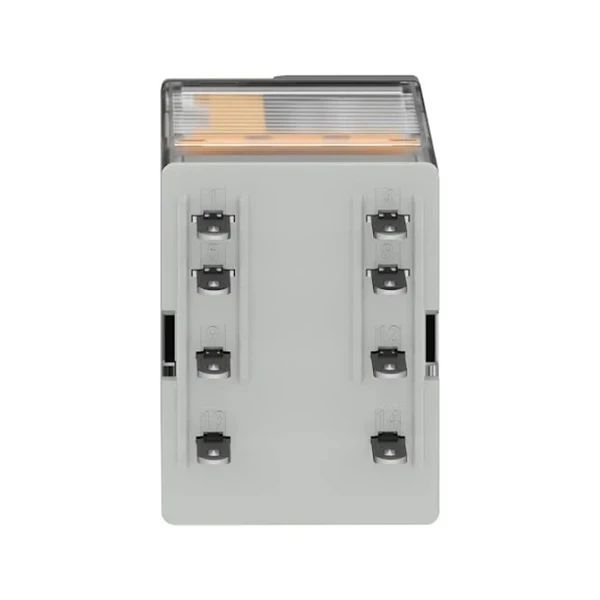
As a Schneider PLC supplier, I'm here to support you every step of the way. Whether you're looking for the right PLC model, need help with programming, or have questions about troubleshooting, I'm available to assist you. If you're interested in purchasing Schneider PLCs or related products, such as the SCHNEIDER RXM2LB2BD Miniature Relay or the Schneider Electric PM810MG, please feel free to contact me for a consultation. I look forward to working with you to meet your industrial automation needs.
References
- Schneider Electric, "Unity Pro User Manual"
- Schneider Electric, "SoMachine User Manual"
- Industrial Automation Handbook, various authors


