


As a supplier of Mitsubishi Variable Frequency Drives (VFDs), I've encountered numerous customers who are keen on setting up automatic restart after a power failure for their Mitsubishi VFDs. This feature is incredibly useful, especially in industrial settings where continuous operation is crucial. In this blog post, I'll guide you through the process of setting up automatic restart after a power failure on Mitsubishi VFDs.
Understanding the Importance of Automatic Restart
Before we delve into the setup process, it's essential to understand why automatic restart after a power failure is so important. In industrial applications, unexpected power outages can disrupt production lines, leading to significant losses in terms of time and money. By enabling automatic restart on your Mitsubishi VFD, you can minimize downtime and ensure that your equipment resumes operation as soon as power is restored.
Prerequisites
Before you begin the setup process, make sure you have the following:
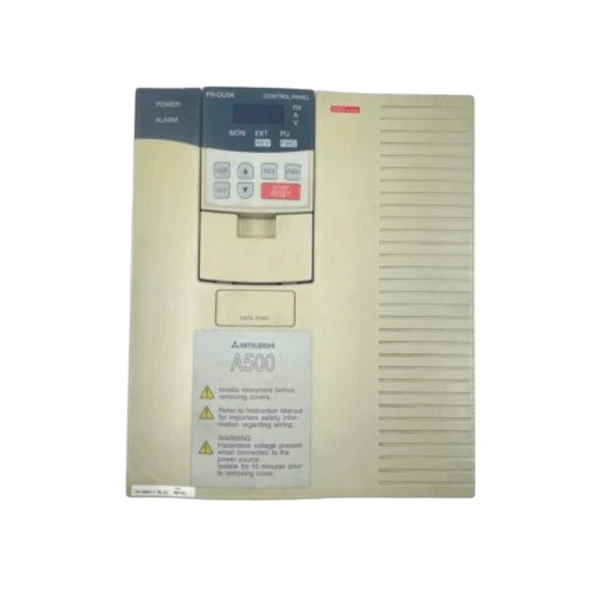
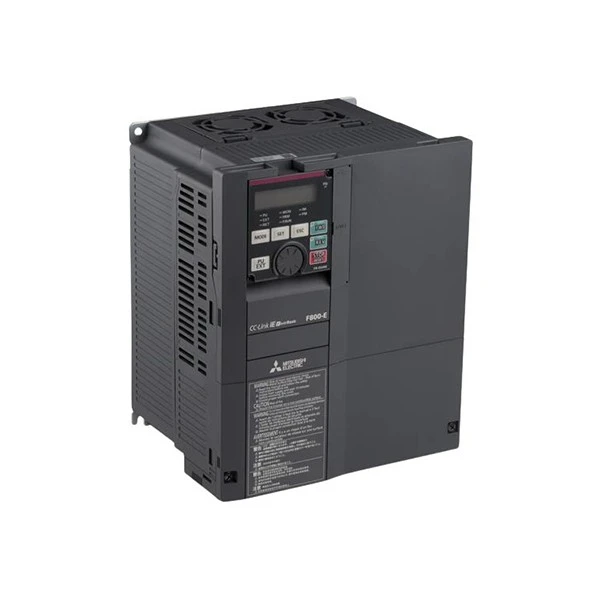
- A Mitsubishi VFD, such as the Mitsubishi FR - A540 - 11K - EC AC Drive, Mitsubishi FR - D740 - 1.5K - CHT VFD, or FR - F840 - 00250 - E2 - 60 Mitsubishi Electric.
- The VFD's operation manual. This manual contains detailed information about the VFD's parameters and settings.
- A stable power supply. Ensure that the power supply to the VFD is stable and within the specified voltage range.
Step - by - Step Setup Process
Step 1: Power Off the VFD
Before making any changes to the VFD's settings, it's crucial to turn off the power to the VFD. This is a safety precaution to prevent any electrical hazards during the setup process.
Step 2: Access the Parameter Setting Mode
Most Mitsubishi VFDs allow you to access the parameter setting mode by pressing the "MODE" or "SET" button on the control panel. Once you've pressed the appropriate button, the display will show the current parameter number.
Step 3: Locate the Automatic Restart Parameter
The parameter for automatic restart after a power failure may vary depending on the model of your Mitsubishi VFD. In general, you'll need to look for parameters related to "Power Failure Restart" or "Automatic Restart".
For example, in some models, the relevant parameter might be "Pr.70" or "Pr.123". Refer to your VFD's operation manual to find the exact parameter number for your model.
Step 4: Set the Automatic Restart Parameter
Once you've located the automatic restart parameter, use the up and down arrow keys on the control panel to change the parameter value. To enable automatic restart, set the parameter value to the appropriate setting.
Common settings include:
- "0": No automatic restart.
- "1": Automatic restart after a power failure.
- "2": Automatic restart with a specified delay.
If you choose a setting with a delay, you may need to set an additional parameter for the delay time. Use the arrow keys to adjust the delay time as needed.
Step 5: Save the Settings
After setting the automatic restart parameter, press the "SET" button on the control panel to save the changes. The display will confirm that the settings have been saved.
Step 6: Power On the VFD
Once you've saved the settings, turn on the power to the VFD. The VFD should now be configured to automatically restart after a power failure.
Testing the Automatic Restart Function
After setting up the automatic restart feature, it's a good idea to test it to ensure that it works correctly. You can simulate a power failure by briefly turning off the power supply to the VFD and then turning it back on.
If the VFD restarts automatically after the power is restored, the setup was successful. If the VFD does not restart, double - check the parameter settings and refer to the operation manual for troubleshooting tips.
Troubleshooting
If you encounter any issues during the setup process or the automatic restart function does not work as expected, here are some common troubleshooting steps:
- Check the parameter settings: Make sure you've set the correct parameter values for automatic restart. Refer to the operation manual for the correct settings.
- Check the power supply: Ensure that the power supply to the VFD is stable and within the specified voltage range. A unstable power supply can cause the VFD to malfunction.
- Check for error codes: If the VFD displays an error code, refer to the operation manual to diagnose and fix the problem.
Conclusion
Setting up automatic restart after a power failure on your Mitsubishi VFD is a relatively straightforward process that can significantly improve the reliability of your equipment. By following the steps outlined in this blog post, you can ensure that your VFD resumes operation quickly after a power outage, minimizing downtime and maximizing productivity.
If you're interested in purchasing Mitsubishi VFDs or need further assistance with setting up automatic restart or any other features, feel free to contact us for procurement and negotiation. We're here to provide you with the best products and services to meet your industrial needs.
References
- Mitsubishi Electric Corporation. (Year). Operation Manual for [VFD Model]. Retrieved from [Manual Source]
- Industrial Automation Handbook. (Year). Variable Frequency Drives. Publisher: [Publisher Name]


