


As a supplier of Omron Variable Frequency Drives (VFDs), I've encountered numerous common faults and have successfully resolved them through various troubleshooting methods. In this blog, I'll share some practical tips on how to troubleshoot common faults of Omron VFDs.
Power - related Faults
No Power
One of the most common issues is when the VFD doesn't power on. First, check the power supply. Ensure that the main power switch is turned on and that there is no tripped circuit breaker. Measure the input voltage using a multimeter. The input voltage should be within the specified range of the VFD. For example, for many Omron VFDs, the input voltage might be 200 - 240V or 380 - 480V depending on the model.
If the input voltage is correct, check the fuse in the VFD. A blown fuse can prevent the VFD from powering up. Replace the fuse with a new one of the same rating if it is blown. Also, inspect the power cables for any signs of damage such as cuts or frayed wires.
Over - voltage or Under - voltage Alarms
Over - voltage alarms can occur due to sudden power surges or incorrect settings. Check the power grid for any instability. If the power grid has frequent voltage fluctuations, consider installing a voltage stabilizer. Adjust the over - voltage protection settings in the VFD according to the actual power supply conditions.
Under - voltage alarms may be caused by a weak power supply or long power cables with high resistance. Check the length and gauge of the power cables. If the cables are too long or too thin, it can cause a significant voltage drop. Replace the cables with ones of appropriate gauge to reduce the voltage drop.
Communication Faults
No Communication with External Devices
When the VFD fails to communicate with external devices such as a PLC or a HMI, first check the communication cables. Ensure that the cables are properly connected and there are no loose connections. Check the communication settings in both the VFD and the external device. Make sure that the baud rate, parity, and data bits are set correctly.
For example, if you are using Modbus communication, verify that the slave address of the VFD is correctly configured in the external device. Also, check if there are any communication interference issues. Shielded cables can help reduce interference. If possible, try to isolate the communication cables from power cables to minimize electromagnetic interference.
Communication Errors
Communication errors can manifest as incorrect data transmission or intermittent communication. Check for any software glitches in the VFD or the external device. Sometimes, a simple reset of both devices can resolve the issue. If the problem persists, update the firmware of the VFD to the latest version. This can often fix known communication bugs.

Motor - related Faults
Motor Not Running
If the motor doesn't run when the VFD is commanded to start, first check the motor wiring. Ensure that the motor is correctly connected to the VFD's output terminals. Check for any loose connections or short - circuits in the motor wiring.
Also, check the motor itself. Use a multimeter to measure the motor's resistance. If the resistance is too high or too low, it may indicate a problem with the motor windings. Check the motor's insulation resistance using an insulation tester. Low insulation resistance can cause the motor to malfunction.
Motor Overheating
Motor overheating can be caused by several factors. First, check the VFD's output frequency and voltage. Incorrect settings can cause the motor to draw excessive current, leading to overheating. Adjust the VFD's parameters such as the V/F ratio to ensure that the motor is operating within its rated parameters.
Check the motor's ventilation. Make sure that the motor's cooling fan is working properly and that there is no blockage in the ventilation openings. If the motor is operating in a high - temperature environment, consider installing additional cooling equipment such as a heat exchanger.
Over - current Faults
Over - current Alarms
Over - current alarms can be triggered by a short - circuit in the motor or the VFD's output circuit. Check the motor and the output cables for any signs of short - circuits. Use a multimeter to measure the resistance between the output terminals of the VFD. If the resistance is very low or close to zero, it may indicate a short - circuit.
Also, check if the motor is overloaded. If the load on the motor is too high, it can cause the current to exceed the rated value of the VFD. Reduce the load on the motor or select a VFD with a higher current rating.
Specific Model - related Considerations
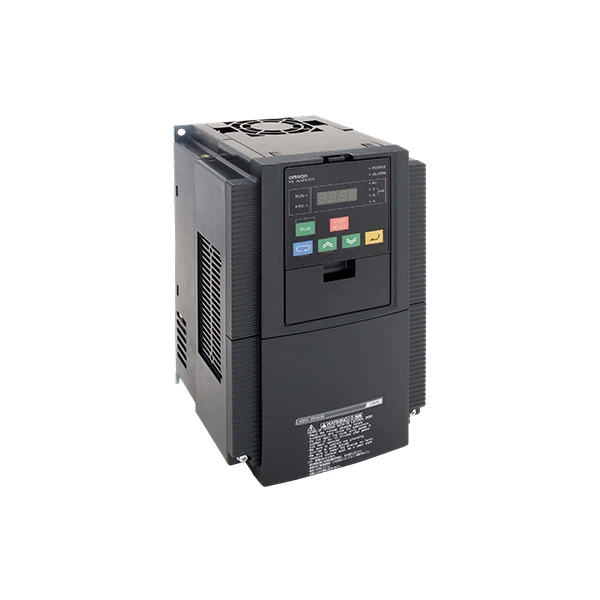
When troubleshooting Omron VFDs, different models may have specific characteristics. For example, the Omron Frequency Inverter 3G3JZ - A4007 is known for its compact design and high - performance features. When troubleshooting this model, pay special attention to its built - in protection functions. Check the user manual for specific fault codes and their meanings.
The Omron 3G3RX - A4150 - E1F is a more advanced model with enhanced communication capabilities. When facing communication - related issues with this model, ensure that the communication protocols are correctly configured.
The Omron 3G3MX2 - A4022 - E is designed for a wide range of industrial applications. For this model, check the input and output parameters carefully as it may be used in different load conditions.
Conclusion
Troubleshooting common faults of Omron VFDs requires a systematic approach. By checking the power supply, communication, motor, and other aspects, most faults can be identified and resolved. If you are still unable to solve the problem after following these steps, don't hesitate to contact us. As a professional Omron VFD supplier, we have a team of experienced technicians who can provide you with in - depth technical support and guidance. Whether you need to purchase new Omron VFDs or require assistance with troubleshooting, we are here to help. Feel free to reach out to us for more information and to start a procurement discussion.
References
- Omron VFD User Manuals
- Industrial Electrical Maintenance Handbooks


