


As a Siemens VFD (Variable Frequency Drive) supplier, I've encountered numerous customers facing parameter - setting errors with their drives. These errors can lead to inefficient operation, system malfunctions, and even equipment damage. In this blog, I'll share some practical tips on how to troubleshoot the parameter setting errors of Siemens VFDs.
Understanding the Basics of Siemens VFD Parameter Settings
Before delving into troubleshooting, it's essential to understand the fundamental aspects of Siemens VFD parameter settings. Siemens VFDs come with a wide range of parameters that control various functions such as speed, torque, acceleration, and deceleration. These parameters are grouped into different categories, including basic settings, motor settings, and application - specific settings.
The basic settings typically involve setting the input voltage, frequency, and control mode. Motor settings are crucial as they define the characteristics of the connected motor, such as its rated power, voltage, current, and speed. Application - specific settings are tailored to the particular use case, like conveyor belt control, pump control, or fan control.
Common Parameter Setting Errors and Their Symptoms
Incorrect Motor Parameter Settings
- Symptom: The VFD may not be able to start the motor, or the motor may run at an incorrect speed. For example, if the rated power of the motor is not set correctly in the VFD, the drive may not supply enough power to start the motor or may over - stress the motor during operation.
- Cause: Lack of proper motor data during installation or incorrect entry of the data. Sometimes, technicians may assume the motor parameters instead of referring to the motor nameplate.
Control Mode Mismatch
- Symptom: Erratic speed control or the inability to maintain a stable speed. If the VFD is set to the wrong control mode, such as setting it to open - loop control when closed - loop control is required, the motor speed may fluctuate significantly.
- Cause: Misunderstanding of the application requirements or incorrect configuration during setup.
Incorrect Frequency and Voltage Settings
- Symptom: The motor may overheat, or the VFD may trip due to over - current or over - voltage faults. If the input frequency or voltage settings in the VFD do not match the actual power supply, it can cause abnormal operation of the motor.
- Cause: Inaccurate information about the power supply or incorrect parameter adjustment.
Troubleshooting Steps
Step 1: Check the Motor Nameplate
The first step in troubleshooting parameter setting errors is to verify the motor parameters against the motor nameplate. The nameplate provides accurate information about the motor's rated power, voltage, current, frequency, and speed. Make sure that all these parameters are correctly entered in the VFD.
Step 2: Review the Control Mode
Understand the requirements of your application and ensure that the VFD is set to the appropriate control mode. For applications that require precise speed control, closed - loop control with an encoder feedback may be necessary. Refer to the VFD user manual to change the control mode if needed.
Step 3: Verify Input Power Supply
Check the actual input voltage and frequency of the power supply and compare them with the settings in the VFD. If there are discrepancies, adjust the VFD parameters accordingly. You can use a multimeter to measure the input voltage and frequency accurately.
Step 4: Reset to Factory Defaults
If you suspect that there are multiple incorrect parameter settings, you can reset the VFD to its factory defaults. However, this should be done with caution as it will erase all the custom settings. After resetting, you need to re - enter the correct parameters based on your motor and application requirements.
Step 5: Use Diagnostic Tools
Most Siemens VFDs are equipped with diagnostic tools that can help you identify parameter - related issues. These tools can display error codes and provide information about the status of various parameters. Refer to the VFD user manual to access and interpret these diagnostic features.
Specific Troubleshooting for Different Siemens VFD Models
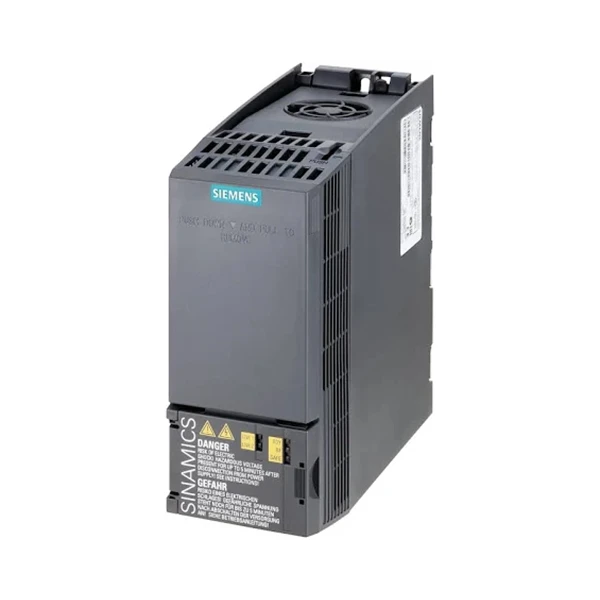
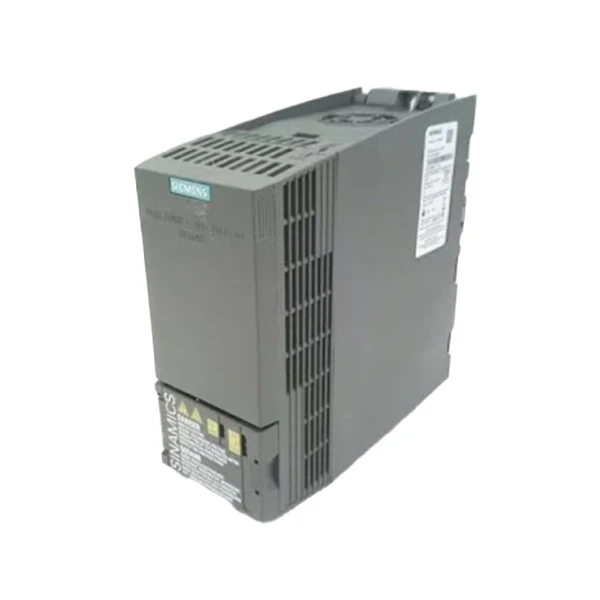
SINAMICS V90
The SINAMICS V90 is a compact and highly integrated drive system. When troubleshooting parameter setting errors in this model, pay special attention to the servo drive parameters. Incorrect settings of the position control parameters, such as the electronic gear ratio, can lead to inaccurate positioning of the motor. You can use the SINAMICS V - ASSISTANT commissioning tool to simplify the parameter setting and troubleshooting process.
SINAMICS S210
The SINAMICS S210 is a new - generation servo drive. One common issue is incorrect encoder settings. If the encoder type and resolution are not set correctly, the drive may not be able to provide accurate speed and position control. Use the SINAMICS Startdrive software to configure and troubleshoot the S210 drive.
SINAMICS G120C
For the SINAMICS G120C, incorrect settings of the PID control parameters can cause problems in applications such as pump and fan control. Make sure to tune the PID parameters according to the system's response characteristics. You can use the built - in commissioning wizard in the G120C to simplify the parameter tuning process.
Preventive Measures
- Proper Training: Ensure that the technicians who install and operate the Siemens VFDs receive proper training. Training programs can help them understand the VFD's functionality, parameter settings, and troubleshooting techniques.
- Documentation: Keep detailed records of the parameter settings for each VFD installation. This documentation can be used as a reference for future maintenance and troubleshooting.
- Regular Maintenance: Conduct regular maintenance checks on the VFDs to ensure that the parameters are still set correctly. Over time, environmental factors and component aging can affect the performance of the drive and may require parameter adjustments.
Conclusion
Troubleshooting parameter setting errors of Siemens VFDs requires a systematic approach. By understanding the common errors, following the troubleshooting steps, and taking preventive measures, you can minimize the downtime and ensure the efficient operation of your VFD systems.
If you are facing any issues with Siemens VFD parameter settings or are interested in purchasing Siemens VFDs, feel free to contact us for professional advice and solutions. We are committed to providing high - quality products and excellent customer service.
References
- Siemens VFD User Manuals
- Technical Documents on Variable Frequency Drives


