


As a trusted supplier of ABB PLCs, I understand the importance of keeping your industrial automation systems up - to - date. One crucial aspect of maintaining peak performance is upgrading the firmware of your ABB PLC. In this blog post, I'll guide you through the process of upgrading the firmware of ABB PLC, covering everything from the reasons for upgrading to the step - by - step process.

Why Upgrade the Firmware of ABB PLC?
- Enhanced Functionality: New firmware versions often come with additional features and capabilities. For example, improved communication protocols can allow your PLC to interface more efficiently with other devices in your automation network. This can lead to better overall system performance and increased productivity.
- Bug Fixes: Like any software, PLC firmware may have bugs or glitches. Upgrading to the latest version can resolve these issues, ensuring the stable and reliable operation of your PLC. This can prevent unexpected system failures and costly downtime.
- Security Improvements: With the increasing threat of cyber - attacks in the industrial sector, firmware upgrades are essential for maintaining the security of your PLC. New firmware versions often include security patches that protect your system from potential vulnerabilities.
Prerequisites for Firmware Upgrade
Before you start the firmware upgrade process, there are several prerequisites you need to take care of:
- Backup Your Data: It's crucial to back up all the existing programs, configurations, and data stored in your PLC. This ensures that you can restore your system to its previous state in case something goes wrong during the upgrade process.
- Check Compatibility: Make sure that the new firmware version is compatible with your specific ABB PLC model. You can find this information in the official ABB documentation or on the ABB website.
- Gather the Necessary Tools: You'll need a suitable programming device, such as a laptop with the appropriate programming software installed. For ABB PLCs, you typically use ABB's programming software like Automation Builder.
- Download the Firmware: Visit the official ABB website and download the latest firmware version for your PLC model. Make sure to get the correct version, as using an incompatible firmware can damage your PLC.
Step - by - Step Guide to Upgrade the Firmware of ABB PLC
Step 1: Prepare the Programming Device
- Install the latest version of the programming software on your laptop. This software allows you to communicate with the PLC and perform the firmware upgrade.
- Connect your programming device to the PLC using a suitable communication cable. Ensure that the connection is stable and secure.
Step 2: Establish Communication with the PLC
- Open the programming software and establish a communication link with the PLC. You may need to configure the communication settings, such as the IP address or serial port, depending on your setup.
- Once the communication is established, you should be able to read the current firmware version of the PLC.
Step 3: Enter the Upgrade Mode
- In the programming software, navigate to the firmware upgrade section. This is usually located in the system configuration or maintenance menu.
- Follow the on - screen instructions to put the PLC into upgrade mode. This may involve resetting the PLC or entering a specific command sequence.
Step 4: Upload the New Firmware
- Select the downloaded firmware file from your computer and start the upload process. The software will transfer the new firmware to the PLC.
- This process may take several minutes, depending on the size of the firmware file and the communication speed. Do not interrupt the upload process during this time.
Step 5: Verify the Upgrade
- After the upload is complete, the PLC will automatically restart and load the new firmware.
- Check the programming software to confirm that the new firmware version is installed correctly. You can also run some basic tests on the PLC to ensure that it is functioning properly.
Troubleshooting Tips
- Communication Issues: If you have trouble establishing communication with the PLC, check the communication cable and settings. Make sure that the cable is not damaged and that the settings in the programming software match the PLC's configuration.
- Upload Failures: If the firmware upload fails, check the file integrity of the downloaded firmware. You may need to redownload the file from the ABB website. Also, ensure that the PLC has enough memory to store the new firmware.
- Post - Upgrade Problems: If the PLC does not function correctly after the upgrade, restore the backup data and contact ABB technical support for further assistance.
Our Product Offerings
As an ABB PLC supplier, we offer a wide range of high - quality ABB PLC products. For example, the Abb 1sbh143001r8822 Contactor Relay is a reliable component for your automation system. It provides excellent performance and durability, ensuring smooth operation of your industrial processes.

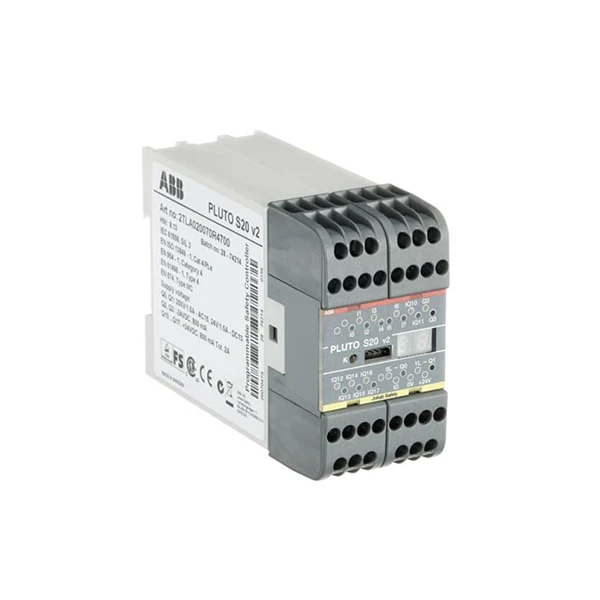
Another great product in our portfolio is the 2TLA020070R4700 ABB PLC. This PLC is known for its advanced features and high - speed processing capabilities, making it suitable for a variety of industrial applications.
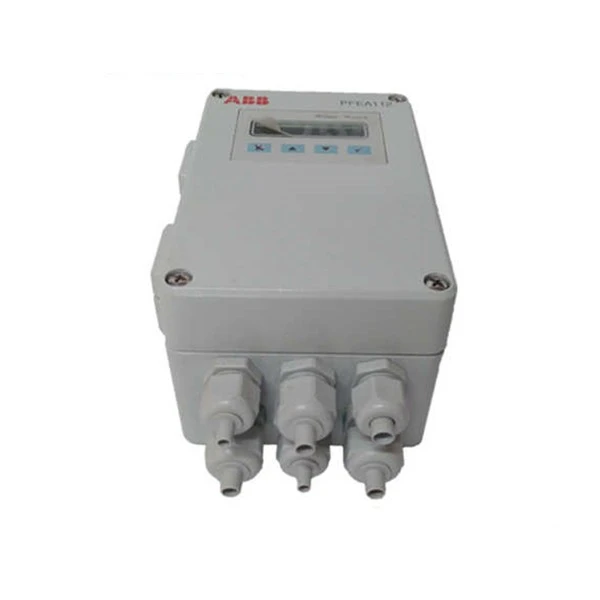
We also supply the ABB PFEA112 - 65 3BSE050091R65, which is a powerful and versatile device. It offers enhanced functionality and can be easily integrated into your existing automation network.
Conclusion
Upgrading the firmware of your ABB PLC is a crucial step in maintaining the performance, security, and reliability of your industrial automation system. By following the steps outlined in this blog post and taking the necessary precautions, you can ensure a successful firmware upgrade.
If you are interested in purchasing ABB PLC products or need further assistance with firmware upgrades, please feel free to contact us for a detailed discussion. We are committed to providing you with the best solutions for your industrial automation needs.
References
- ABB Official Documentation
- ABB Programming Software User Manuals


