


Hey there! As a supplier of Omron PLCs, I've had my fair share of experiences dealing with all sorts of PLC-related questions. One topic that often comes up is how to use the data transfer instructions in an Omron PLC. So, I thought I'd share some insights on this and make it as easy as possible for you to understand.
First off, let's talk a bit about why data transfer instructions are so important. In a PLC system, data needs to be moved around all the time. You might want to transfer data from an input module to a memory location, or from one register to another. This is where data transfer instructions come in handy. They allow you to move data quickly and efficiently, which is crucial for the smooth operation of your PLC system.
Now, let's dive into the different types of data transfer instructions available in Omron PLCs. One of the most commonly used instructions is the MOV (Move) instruction. This instruction is used to move data from a source address to a destination address. For example, if you have a value stored in a register D100 and you want to move it to another register D200, you can use the MOV instruction like this: MOV D100 D200. It's as simple as that!
Another useful instruction is the MVN (Move Not) instruction. This instruction is similar to the MOV instruction, but it moves the complement of the source data to the destination address. So, if the value in D100 is 10, the MVN instruction will move the complement of 10 to D200. This can be useful in certain applications where you need to invert the data.
In addition to the basic MOV and MVN instructions, Omron PLCs also offer more advanced data transfer instructions. For example, the BSET (Block Set) instruction is used to set a block of consecutive memory locations to a specified value. This can be useful when you need to initialize a group of registers or memory locations. The CMP (Compare) instruction is another important instruction. It compares the values of two registers or memory locations and sets a flag based on the result of the comparison. This can be used in conditional control logic.

Now, let's take a look at some practical examples of how to use these data transfer instructions. Suppose you have an Omron PLC system that is monitoring the temperature of a machine. The temperature sensor is connected to an input module, and the temperature value is stored in a register D10. You want to transfer this temperature value to a memory location M100 so that you can display it on a HMI (Human-Machine Interface). You can use the MOV instruction to achieve this: MOV D10 M100.
Another example is if you have a production line where you need to count the number of products passing through a sensor. The counter value is stored in a register C10. You want to transfer this counter value to a register D200 so that you can perform some calculations on it. Again, you can use the MOV instruction: MOV C10 D200.
When using data transfer instructions in an Omron PLC, it's important to pay attention to the data types. Omron PLCs support different data types, such as bit, byte, word, and double word. You need to make sure that the source and destination addresses have the same data type. Otherwise, you might get unexpected results.
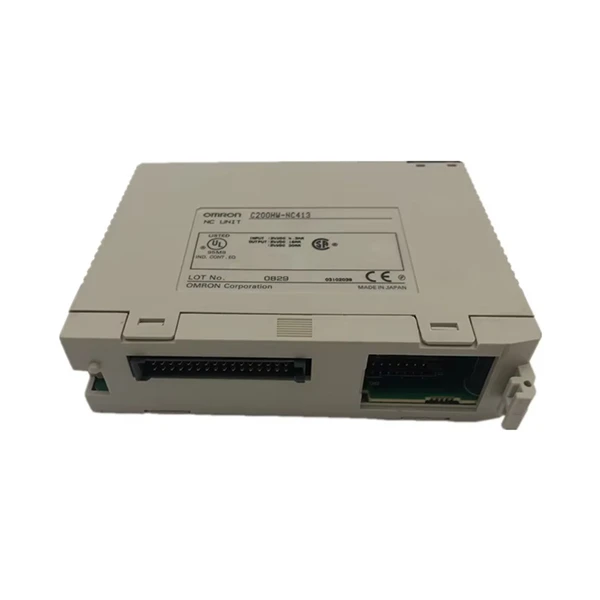
Now, let's talk about some of the Omron PLC models that are commonly used and how they support data transfer instructions. The Omron S8VS-24024 is a popular power supply unit for Omron PLCs. It provides a stable power source for the PLC system, which is essential for the proper operation of the data transfer instructions. The Omron PLC C200HW-NC413 is a high-performance motion control module that also supports data transfer instructions. It can be used to control the movement of motors and other mechanical components in a production line. The Omron CP2E-N14DR-A is a compact PLC that is suitable for small-scale applications. It also has a wide range of data transfer instructions available, making it a versatile choice for various projects.
In conclusion, using data transfer instructions in an Omron PLC is not as complicated as it might seem. By understanding the different types of instructions and how to use them, you can effectively move data around in your PLC system. Whether you're a beginner or an experienced PLC programmer, these instructions are essential for the successful operation of your projects.
If you're interested in purchasing Omron PLCs or have any questions about using data transfer instructions, feel free to get in touch with us. We're here to help you with all your PLC needs. We can provide you with the right products and technical support to ensure that your projects run smoothly.
References:
- Omron PLC Programming Manuals
- Omron Technical Documentation


