


Hey there! I'm a supplier of ABB PLCs, and today I wanna chat about how to use condition monitoring with ABB PLC. Condition monitoring is super important in industrial settings as it helps us keep an eye on the health and performance of equipment, spot potential issues early, and prevent costly breakdowns. Let's dive in!
Understanding Condition Monitoring
First off, let's get clear on what condition monitoring is. It's all about collecting data from various sensors and analyzing it to figure out the state of a machine or system. With ABB PLCs, we can integrate different types of sensors easily to gather data on things like temperature, vibration, pressure, and more.
For example, if you're using a motor in your industrial process, you can install temperature sensors to monitor how hot it gets during operation. High temperatures could indicate a problem, like overloading or a lack of proper lubrication. By using an ABB PLC to collect and analyze this temperature data, you can set up alerts to notify you when the temperature goes above a safe level.
Selecting the Right Sensors
The first step in using condition monitoring with ABB PLC is to pick the right sensors. There are tons of sensors out there, and the choice depends on what you're monitoring.
- Temperature Sensors: These are great for keeping tabs on the heat generated by equipment. Whether it's a motor, a transformer, or a heating element, temperature sensors can provide crucial data. You can connect them to your ABB PLC using the appropriate input modules.
- Vibration Sensors: Vibration can tell you a lot about the mechanical health of a machine. Unusual vibrations might mean there's a misalignment, a worn-out bearing, or some other mechanical issue. ABB PLCs can handle the data from vibration sensors and help you detect these problems early.
- Pressure Sensors: If you're dealing with fluid systems, pressure sensors are a must. They can monitor the pressure in pipes, tanks, or hydraulic systems. Any sudden changes in pressure could signal a leak or a blockage.
When selecting sensors, make sure they are compatible with your ABB PLC. Check the input requirements of the PLC and the output signals of the sensors to ensure a proper connection.
Integrating Sensors with ABB PLC
Once you've chosen the right sensors, it's time to integrate them with your ABB PLC. This process involves a few steps:
- Wiring: Connect the sensors to the appropriate input modules of the ABB PLC. Follow the wiring diagrams provided by both the sensor manufacturer and ABB. Make sure to use the correct cables and connectors to avoid signal interference.
- Configuration: Use the programming software for your ABB PLC, like ABB Automation Builder, to configure the input channels for the sensors. You'll need to set the input type (e.g., analog or digital), the range of the sensor, and any calibration factors.
- Testing: After wiring and configuration, test the connection to make sure the PLC is receiving accurate data from the sensors. You can use the monitoring tools in the programming software to check the sensor readings.
Setting Up Condition Monitoring Parameters
Now that your sensors are integrated with the ABB PLC, it's time to set up the condition monitoring parameters. This involves defining the normal operating ranges for the monitored variables and setting up alerts for abnormal conditions.
- Normal Ranges: Based on the specifications of your equipment and past operating data, determine the normal ranges for temperature, vibration, pressure, etc. For example, if a motor usually operates at a temperature between 40°C and 60°C, you can set these values as the normal range in the PLC.
- Alert Thresholds: Decide on the thresholds for triggering alerts. If the temperature of the motor goes above 65°C, for instance, you might want the PLC to send an alert. You can set up different levels of alerts, such as warning alerts and critical alerts, depending on the severity of the deviation from the normal range.
- Alarm Actions: Define what actions the PLC should take when an alert is triggered. This could include sending an email or SMS notification to the maintenance team, shutting down the equipment to prevent further damage, or logging the event for later analysis.
Analyzing Condition Monitoring Data
Collecting data is one thing, but analyzing it is where the real value lies. ABB PLCs come with powerful data analysis capabilities that can help you make sense of the condition monitoring data.
- Trend Analysis: Look at the trends in the sensor data over time. Are the temperature or vibration levels gradually increasing? This could indicate a developing problem. You can use the historical data stored in the PLC to create trend graphs and identify patterns.
- Comparative Analysis: Compare the current sensor readings with the normal operating ranges and previous readings. If a particular sensor reading is significantly different from the norm, it could be a sign of trouble.
- Fault Diagnosis: Use the data analysis tools in the ABB PLC to diagnose faults. For example, if the vibration levels are high and the temperature is also rising, it could suggest a mechanical problem in the motor.
Using ABB PLC Modules for Condition Monitoring
ABB offers a wide range of PLC modules that are well-suited for condition monitoring. Here are a few examples:
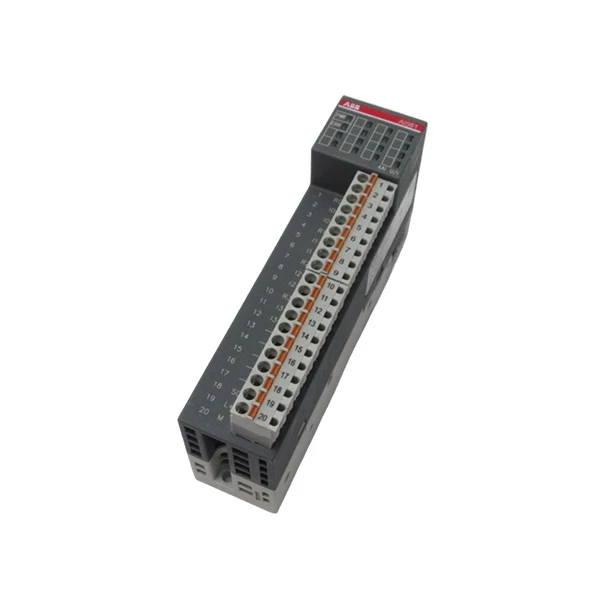
- 1TNE968902R1101 ABB - AI561: This is an analog input module that can be used to connect various analog sensors, such as temperature and pressure sensors, to the ABB PLC. It provides high-resolution data acquisition, which is essential for accurate condition monitoring.
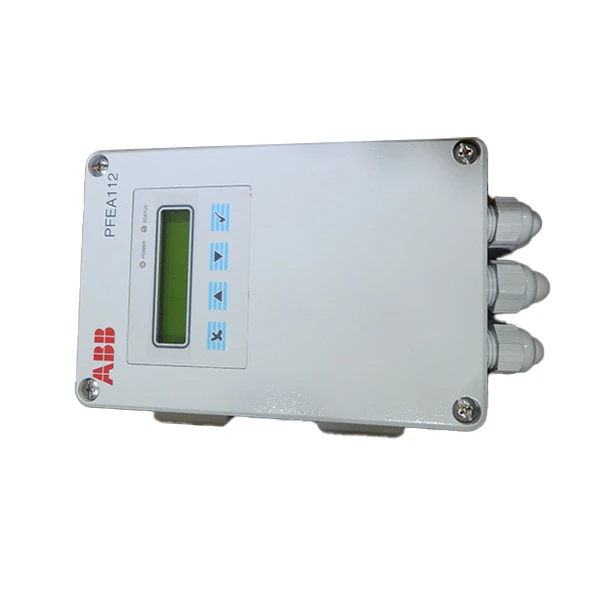
- ABB PFEA112-65 3BSE050091R65: This module is designed for power monitoring and energy management. It can be used to monitor the electrical parameters of equipment, such as voltage, current, and power consumption. By analyzing these parameters, you can detect any abnormal power usage that might indicate a problem.
- ABB CI501-PNIO 1SAP220600R0001: This is a communication module that allows the ABB PLC to communicate with other devices over a Profinet network. It enables seamless integration of the PLC with other monitoring and control systems, making it easier to share and analyze condition monitoring data.
Benefits of Using ABB PLC for Condition Monitoring
Using ABB PLCs for condition monitoring offers several benefits:
- Reliability: ABB is a well-known brand in the industrial automation industry, and its PLCs are known for their reliability. You can trust that your condition monitoring system will operate smoothly and accurately.
- Flexibility: ABB PLCs are highly flexible and can be easily customized to meet the specific needs of your condition monitoring application. You can add or remove sensors, change the monitoring parameters, and integrate with other systems as required.
- Cost-Effectiveness: By detecting potential problems early, condition monitoring with ABB PLCs can help you avoid costly breakdowns and unplanned downtime. This can result in significant cost savings in the long run.
Conclusion
In conclusion, using condition monitoring with ABB PLCs is a smart way to keep your industrial equipment in top shape. By selecting the right sensors, integrating them with the PLC, setting up the monitoring parameters, analyzing the data, and using the appropriate PLC modules, you can create a comprehensive condition monitoring system.
If you're interested in implementing condition monitoring with ABB PLCs in your industrial facility, I'd love to chat. I can help you choose the right sensors and PLC modules, and assist with the installation and configuration process. Contact me to start the procurement and get your condition monitoring system up and running.
References
- ABB Automation Builder User Manual
- Sensor Manufacturer Documentation


