


As a Siemens PLC supplier, I've had the privilege of working closely with various industries to implement efficient assembly line control systems using Siemens PLCs. In this blog post, I'll share some insights on how to use assembly line control with Siemens PLCs, covering everything from system design to programming and troubleshooting.
Understanding the Basics of Assembly Line Control
Assembly line control is a critical aspect of modern manufacturing, where products are assembled in a sequential manner through a series of workstations. The goal is to ensure smooth and efficient production by coordinating the movement of materials, the operation of machinery, and the quality control processes. Siemens PLCs are widely used in assembly line control due to their reliability, flexibility, and advanced features.
System Design
The first step in using Siemens PLCs for assembly line control is to design the system. This involves understanding the requirements of the assembly line, such as the number of workstations, the type of operations performed at each station, and the desired production rate. Based on these requirements, you can select the appropriate Siemens PLC model and configure the input/output (I/O) modules.
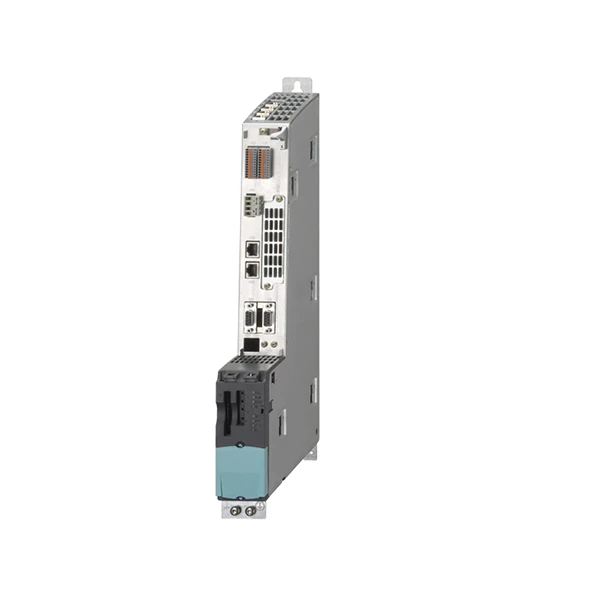
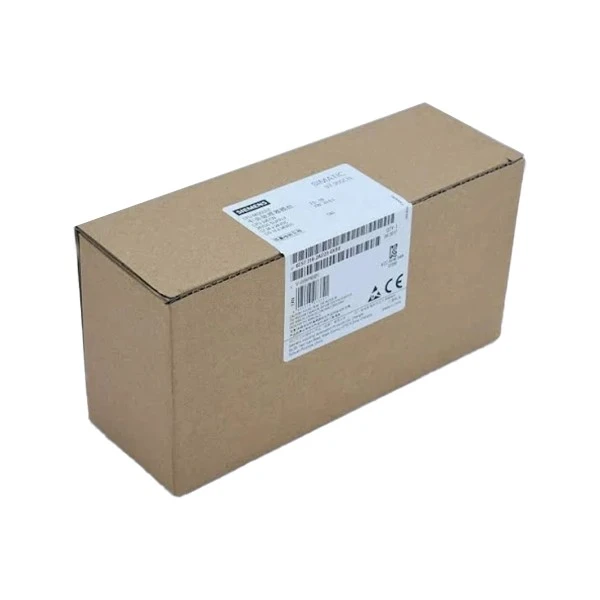
For example, if your assembly line has multiple sensors and actuators, you'll need to choose a PLC with sufficient I/O points. The Siemens PLC 6ES7151 - 8AB01 - 0AB0 is a popular choice for many assembly line applications, offering a high number of I/O points and excellent performance.
Hardware Installation
Once the system design is complete, the next step is to install the hardware. This includes mounting the PLC, connecting the I/O modules, and wiring the sensors and actuators. It's important to follow the installation guidelines provided by Siemens to ensure proper functioning and safety.
During the installation process, pay close attention to the wiring connections. Incorrect wiring can lead to system malfunctions and safety hazards. Use proper cable management techniques to organize the wires and prevent interference.
Software Configuration
After the hardware is installed, you need to configure the software. Siemens offers a powerful programming environment called TIA Portal (Totally Integrated Automation Portal), which simplifies the programming and configuration of Siemens PLCs.
In TIA Portal, you can create a project, define the hardware configuration, and write the control logic. The programming languages supported by Siemens PLCs include ladder logic, structured text, function block diagram, and sequential function chart. Ladder logic is the most commonly used language for assembly line control due to its simplicity and直观性.
Programming the Assembly Line Control Logic
The heart of the assembly line control system is the control logic. This logic determines how the PLC responds to the input signals from the sensors and controls the output signals to the actuators.
For example, let's say you have a conveyor belt that moves products from one workstation to another. You can use a proximity sensor to detect the presence of a product on the conveyor belt. When the sensor detects a product, the PLC can send a signal to start the conveyor belt motor. Once the product reaches the next workstation, another sensor can detect its presence, and the PLC can stop the conveyor belt motor.
Here is a simple ladder logic example for controlling a conveyor belt:
Network 1: Start Conveyor Belt
|----| |----[ ]----( )
     I0.0    Q0.0

Network 2: Stop Conveyor Belt
|----| |----[ ]----( )
     I0.1    Q0.0
In this example, I0.0 is the input from the start sensor, I0.1 is the input from the stop sensor, and Q0.0 is the output to the conveyor belt motor.
Integration with Other Systems
In many assembly line applications, the PLC needs to be integrated with other systems, such as human - machine interfaces (HMIs), robots, and vision systems. Siemens PLCs support various communication protocols, such as Profibus, Profinet, and Ethernet/IP, which make it easy to integrate with other devices.
For example, you can connect an HMI to the PLC using Profinet. The HMI allows operators to monitor the status of the assembly line, set parameters, and perform manual operations. You can also integrate robots into the assembly line to perform tasks such as picking and placing products.
Testing and Commissioning
Once the programming is complete, it's time to test and commission the system. Start by performing a static test to check the wiring and the software configuration. Then, perform a dynamic test by running the assembly line with a small number of products.
During the testing process, monitor the system closely for any errors or malfunctions. Use diagnostic tools provided by Siemens to troubleshoot the issues. Make any necessary adjustments to the control logic or the hardware configuration until the system operates smoothly.
Troubleshooting
Even with careful design and testing, problems may still occur during the operation of the assembly line. Common problems include sensor failures, actuator malfunctions, and communication errors.
When troubleshooting, start by checking the obvious things, such as the power supply, the wiring connections, and the status of the sensors and actuators. Use the diagnostic features of the Siemens PLC to identify the source of the problem. For example, the PLC may display error codes or diagnostic messages that can help you pinpoint the issue.
Maintenance
Regular maintenance is essential to ensure the long - term reliability and performance of the assembly line control system. This includes cleaning the hardware, checking the wiring connections, and updating the software.
Siemens provides a range of maintenance tools and services to help you keep your PLC system in good condition. You can also schedule preventive maintenance tasks to avoid potential problems.
Conclusion
Using Siemens PLCs for assembly line control offers many benefits, including high reliability, flexibility, and advanced features. By following the steps outlined in this blog post, you can design, install, program, and maintain an efficient assembly line control system.
If you're interested in implementing a Siemens PLC - based assembly line control system for your manufacturing facility, I encourage you to contact me for more information. We can discuss your specific requirements and provide you with a customized solution. Whether you're a small - scale manufacturer or a large - scale industrial enterprise, we have the expertise and resources to help you achieve your production goals.
References
- Siemens TIA Portal User Manual
- Siemens PLC Hardware Installation Guide
- Industrial Automation Handbook


