


As a supplier of Omron PLCs, I understand the importance of data management and security in industrial automation. One of the key features that can significantly enhance the reliability of your Omron PLC system is the backup and restore function. In this blog post, I will guide you through the process of using this function effectively, ensuring that your valuable data is protected and can be quickly recovered in case of any unforeseen events.
Understanding the Importance of Backup and Restore
Before diving into the technical details, it's essential to understand why backup and restore are crucial for your Omron PLC. Industrial environments are often harsh, with factors such as power outages, hardware failures, and software glitches posing potential threats to your PLC's data. A backup serves as a safety net, allowing you to restore your system to a previous state in case of data loss or corruption. This not only minimizes downtime but also helps maintain the continuity of your production processes.
Types of Backup in Omron PLCs
Omron PLCs offer different types of backup options, depending on the model and application requirements. Here are some common types:
Program Backup
This type of backup includes the ladder logic program, function block diagrams, and other programming elements stored in the PLC's memory. It is essential for replicating the control logic in case of a new installation or system replacement.
Data Backup
Data backup involves saving the current values of various data registers, memory areas, and other user-defined data. This is particularly important for applications where real-time data is critical, such as process control and monitoring.
System Backup
System backup includes the entire configuration of the PLC, including network settings, communication parameters, and other system-level settings. It ensures that the PLC can be quickly restored to its original operating state.
Step-by-Step Guide to Backup and Restore
Now, let's walk through the general steps for performing backup and restore operations in an Omron PLC. Note that the specific steps may vary depending on the PLC model and the programming software used.
Step 1: Prepare the Backup Medium
Before starting the backup process, you need to prepare a suitable backup medium. This can be a USB flash drive, an SD card, or a network storage device. Make sure the backup medium has sufficient storage space and is formatted correctly.
Step 2: Connect to the PLC
Use the appropriate communication cable or network connection to establish a connection between your programming device (such as a laptop or a programming console) and the Omron PLC. Ensure that the communication settings are configured correctly.
Step 3: Open the Programming Software
Launch the Omron programming software, such as CX-Programmer or Sysmac Studio, depending on the PLC model. Log in to the software and establish a connection to the PLC.
Step 4: Perform the Backup
In the programming software, navigate to the backup function. Select the type of backup you want to perform (program, data, or system) and specify the backup destination (the prepared backup medium). Follow the on-screen instructions to start the backup process. The software will transfer the selected data from the PLC to the backup medium.
Step 5: Verify the Backup
After the backup is complete, verify that the backup file is valid and can be restored. You can do this by trying to open the backup file in the programming software or by performing a test restore on a spare PLC.
Step 6: Perform the Restore
In case of data loss or system failure, you can use the backup file to restore the PLC to its previous state. Connect the backup medium to the PLC and open the programming software. Navigate to the restore function and select the backup file. Follow the on-screen instructions to start the restore process. The software will transfer the data from the backup medium to the PLC's memory.
Specific Examples for Different Omron PLC Models
Let's take a look at some specific examples of backup and restore operations for popular Omron PLC models.
Omron CJ1M - CPU21 PLC
The Omron CJ1M - CPU21 PLC is a compact and high-performance PLC suitable for a wide range of industrial applications. To perform a backup and restore operation on this PLC, you can use the CX-Programmer software. Here are the general steps:
- Connect the PLC to your programming device using the appropriate communication cable.
- Open CX-Programmer and establish a connection to the PLC.
- In the software, go to the "File" menu and select "Backup."
- Select the backup type (program, data, or system) and specify the backup destination.
- Click "OK" to start the backup process.
- To restore the PLC, go to the "File" menu and select "Restore."
- Select the backup file and click "OK" to start the restore process.
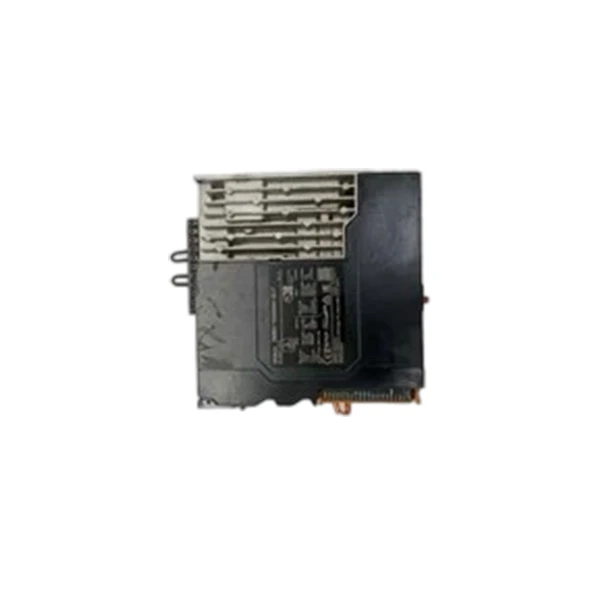
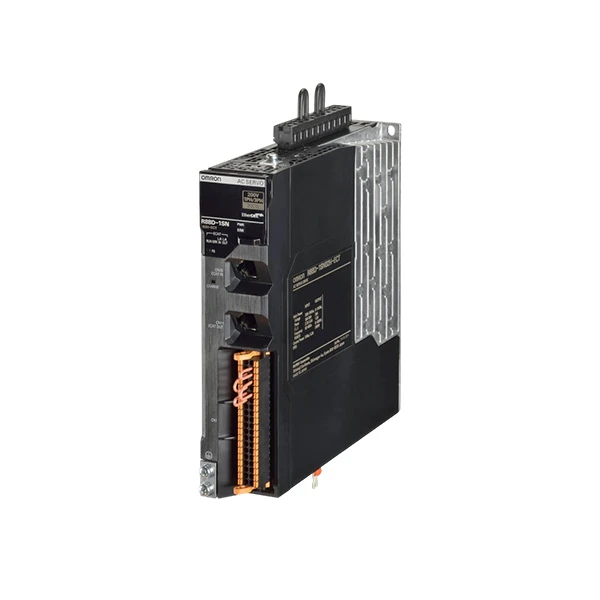
Omron R88D - 1SN01H - ECT
The Omron R88D - 1SN01H - ECT is a servo drive system that can be integrated with Omron PLCs. To perform a backup and restore operation on this servo drive, you can use the R88A - WIN software. Here are the general steps:
- Connect the servo drive to your programming device using the appropriate communication cable.
- Open R88A - WIN and establish a connection to the servo drive.
- In the software, go to the "File" menu and select "Backup."
- Select the backup type (parameter, program, or all) and specify the backup destination.
- Click "OK" to start the backup process.
- To restore the servo drive, go to the "File" menu and select "Restore."
- Select the backup file and click "OK" to start the restore process.
CP1H - X40DR - A Omron
The CP1H - X40DR - A Omron is a small - sized PLC with high functionality. To perform a backup and restore operation on this PLC, you can use the CX - Programmer software. The steps are similar to those for the Omron CJ1M - CPU21 PLC:
- Connect the PLC to your programming device using the appropriate communication cable.
- Open CX - Programmer and establish a connection to the PLC.
- Navigate to the backup and restore functions in the software and follow the on - screen instructions to perform the operations.
Tips for Effective Backup and Restore
Here are some tips to ensure the effectiveness of your backup and restore processes:
- Regular Backups: Set up a regular backup schedule to ensure that your data is always up - to - date. This can be daily, weekly, or monthly, depending on the frequency of data changes.
- Test Restores: Periodically perform test restores on a spare PLC to verify that the backup files are valid and can be restored successfully.
- Store Backups Off - Site: Keep a copy of your backup files in an off - site location to protect against disasters such as fires, floods, or theft.
- Document the Backup Process: Create a detailed documentation of the backup and restore process, including the steps, settings, and any special considerations. This will make it easier for your maintenance team to perform the operations in case of an emergency.
Contact Us for Purchase and Support
If you are interested in purchasing Omron PLCs or need further assistance with backup and restore functions, we are here to help. Our team of experts has extensive experience in industrial automation and can provide you with the best solutions for your specific requirements. Whether you are a small - scale manufacturer or a large - scale industrial enterprise, we can offer you high - quality products and reliable support.
References
- Omron Corporation. Omron PLC User Manuals.
- CX - Programmer Software Documentation.
- Sysmac Studio Software Documentation.
- R88A - WIN Software Documentation.


